Mazda Wireless CarPlay Upgrade: How to Add Wireless Apple CarPlay to Your Mazda
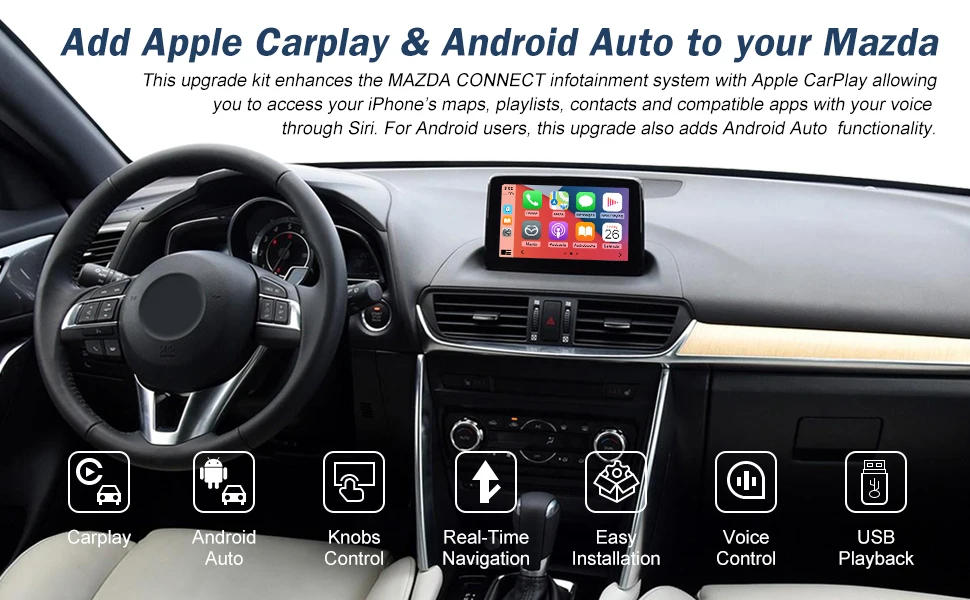
A Mazda wireless CarPlay upgrade can add wireless Apple CarPlay functionality to many Mazda vehicles that already have compatible MZD Connect infotainment systems. Most upgrades involve replacing the factory USB hub or adding a compatible wireless adapter rather than replacing the entire display system.
For Mazda owners in the United States, a wireless CarPlay upgrade is a practical way to modernize older vehicles that require a wired iPhone connection. Many Mazda models from the mid-to-late 2010s and newer support Apple CarPlay after a compatible retrofit, depending on the vehicle year, infotainment version, and existing hardware.
The right upgrade depends on whether the Mazda already supports factory Apple CarPlay, only needs a wireless conversion, or requires a full retrofit. Before purchasing any kit, owners should confirm compatibility, understand installation requirements, and check whether their vehicle needs a USB hub replacement, software update, or third-party wireless adapter.
Source: amazon.com.au
What Is a Mazda Wireless CarPlay Upgrade?
A Mazda wireless CarPlay upgrade is a modification that allows an iPhone to connect to the vehicle’s infotainment system without plugging in a Lightning or USB-C cable every time. Depending on the vehicle, the upgrade may add wireless connectivity to an existing CarPlay system or enable Apple CarPlay through a retrofit process.
Mazda vehicles commonly use the MZD Connect infotainment platform, which can support Apple CarPlay on many compatible models after the correct hardware and software updates. The upgrade path varies because Mazda introduced CarPlay support gradually across different model years.
Source: alibaba.com
Wireless conversion
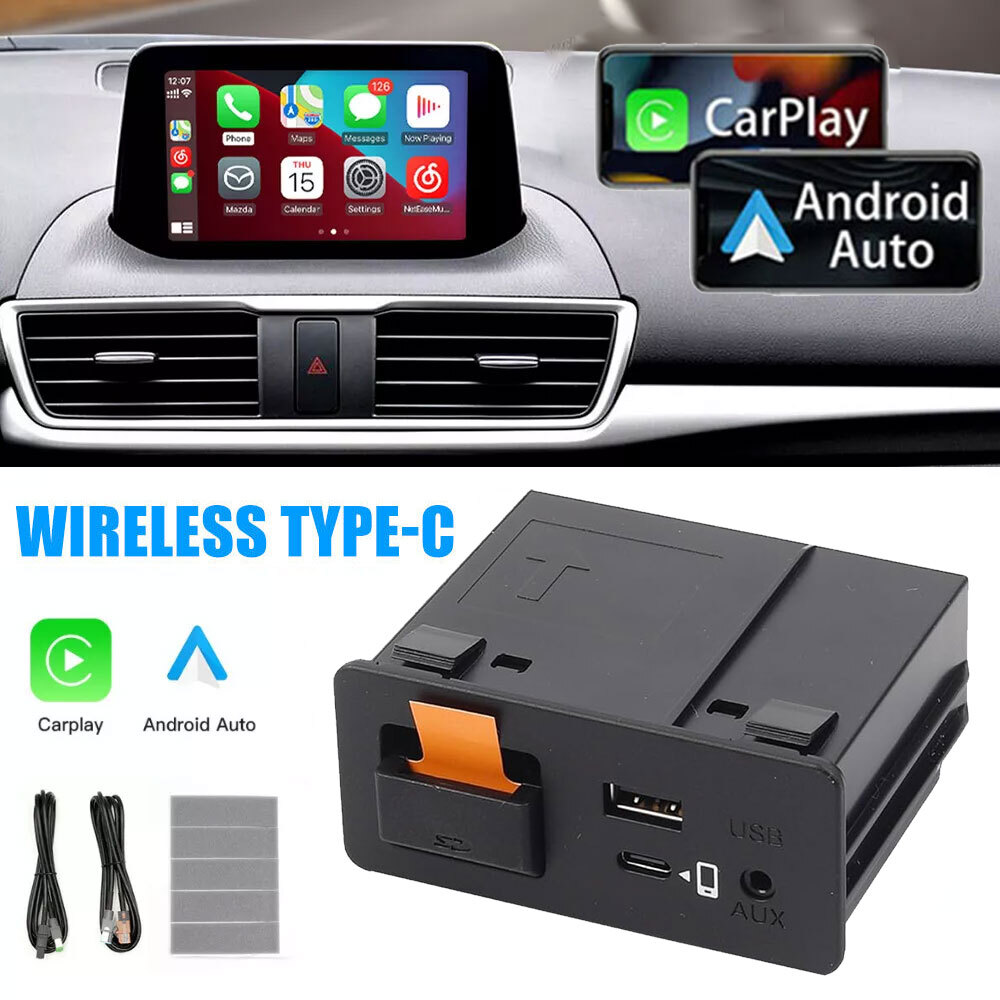
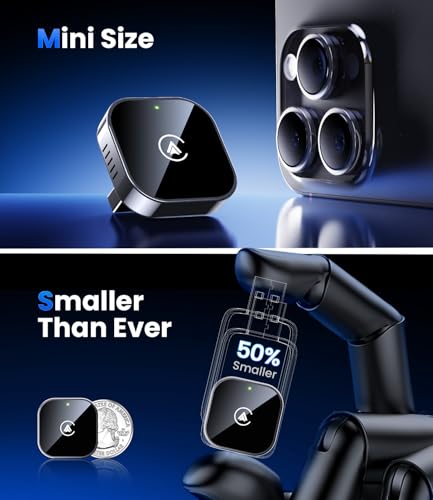
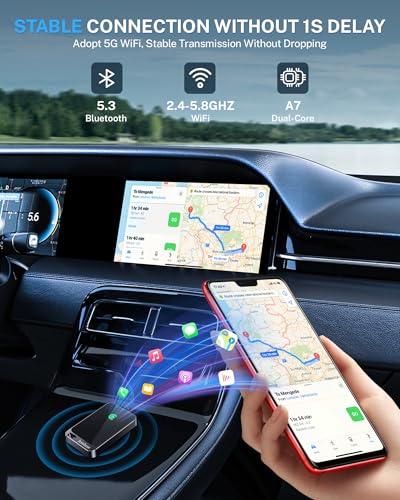
A wireless CarPlay adapter connects to an existing wired CarPlay USB port and creates a wireless connection between the iPhone and the vehicle system.
Factory-style retrofit
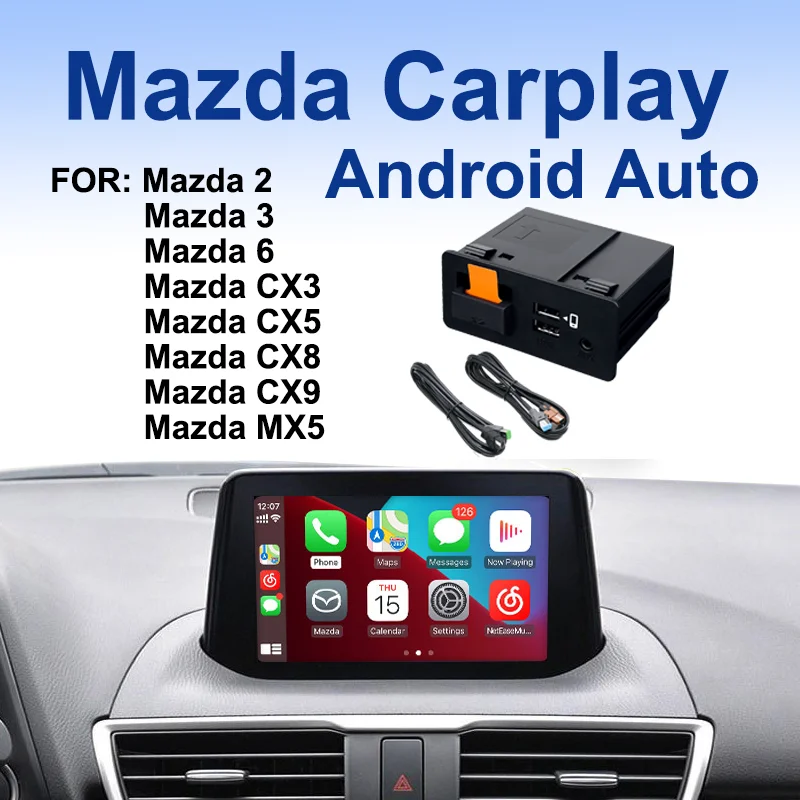
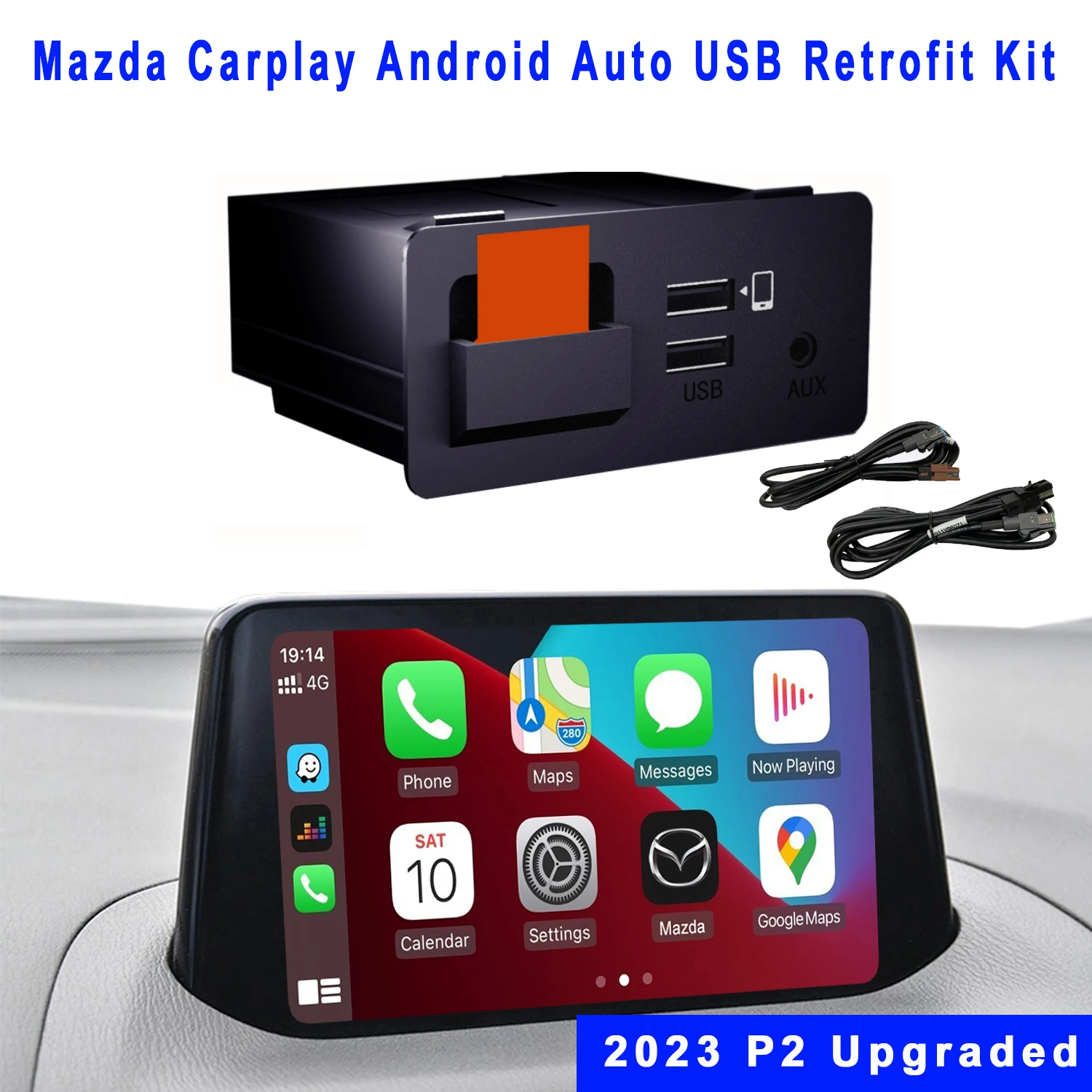
A retrofit kit may replace the original USB hub and enable official Apple CarPlay and Android Auto features on supported Mazda vehicles.
Compatibility requirement
The vehicle must have the correct infotainment hardware and software support for the selected upgrade method.
Which Mazda Vehicles Can Get CarPlay Upgrades?
Many Mazda models including Mazda3, Mazda6, CX-3, CX-5, CX-9, and MX-5 Miata have offered Apple CarPlay support through factory equipment or retrofit options. Exact compatibility depends on the production year and infotainment configuration.
Owners should verify their vehicle information before ordering an upgrade. A kit designed for one Mazda generation may not work correctly with another because connectors, USB modules, and firmware versions can differ.
Mazda3
Several Mazda3 model years with MZD Connect systems can support CarPlay retrofits or wireless conversions.
Mazda CX models
Many CX-3, CX-5, and CX-9 vehicles have upgrade paths depending on the installed infotainment hardware.
How to Install a Mazda Wireless CarPlay Upgrade
Installation depends on the type of upgrade selected. Wireless adapters are usually simple plug-in devices, while factory-style retrofit kits require accessing the center console area and replacing the USB hub.
Before installation, gather the vehicle details, confirm compatibility, and review the instructions supplied with the specific kit. Disconnecting vehicle components incorrectly can cause unnecessary issues, so careful installation is recommended.
Source: www.aliexpress.com
Step 1: Check compatibility
Confirm the Mazda model year, infotainment system, and existing USB hardware match the upgrade requirements.
Step 2: Update required software
Some retrofit installations require compatible MZD Connect firmware before the new hardware functions correctly.
Step 3: Install the hardware
Connect a wireless adapter to the existing USB port or replace the factory USB hub for a retrofit installation.
Step 4: Pair the iPhone
Enable Bluetooth and Wi-Fi on the iPhone, complete pairing, and confirm that Apple CarPlay launches on the Mazda display.
Signs the Upgrade Worked Correctly
A successful Mazda wireless CarPlay upgrade should allow the iPhone to connect automatically after the initial pairing process. The CarPlay interface should appear on the Mazda display with access to supported apps, navigation, calls, messages, and audio features.
Automatic connection
The phone connects without requiring a USB cable after setup.
Stable audio and controls
Music playback, steering wheel controls, and voice commands work as expected.
Wireless CarPlay Adapter vs Mazda Retrofit Kit
The best upgrade method depends on whether the Mazda already has Apple CarPlay support. A wireless adapter is usually the easiest option for vehicles with factory wired CarPlay, while a retrofit kit is more suitable for vehicles that need additional hardware.
Both options have advantages and limitations. Wireless adapters are generally easier to install but rely on the existing CarPlay system. Retrofit kits can provide a more integrated solution but may require more installation effort.
Source: storage.googleapis.com
Wireless adapter
Best for Mazda owners who already have wired Apple CarPlay and want cable-free connections.
USB retrofit kit
Better for compatible Mazda vehicles that need official CarPlay hardware added.
Professional installation
Consider professional help if accessing dashboard components or replacing factory wiring feels uncomfortable.
Important Limitations to Consider
Wireless CarPlay does not change the vehicle’s screen size, operating system, or built-in hardware capabilities. It only changes how the phone connects to the infotainment system.
Some third-party adapters may have differences in startup speed, connection reliability, or compatibility compared with factory-supported solutions.
Connection delays
Some wireless systems may take longer to connect after starting the vehicle.
Feature differences
Certain vehicle controls may depend on the original Mazda system rather than the adapter.
Common Mazda Wireless CarPlay Upgrade Problems and Fixes
Most upgrade problems are related to compatibility, pairing settings, firmware requirements, or installation errors. Troubleshooting should start with simple connection checks before removing hardware or changing vehicle components.
Source: ebay.com
CarPlay does not appear
Check that Bluetooth, Wi-Fi, and Siri are enabled on the iPhone and verify that the Mazda system recognizes the connection.
Frequent disconnections
Remove old Bluetooth pairings, restart the phone, and repeat the wireless pairing process.
USB retrofit not working
Confirm the USB hub installation, connector placement, and firmware compatibility.
When to Avoid DIY Installation
A DIY upgrade is reasonable for simple plug-in adapters, but replacing factory USB modules requires more care. If installation involves removing trim panels or accessing wiring, professional installation may reduce the risk of damage.
Complex wiring
Avoid forcing connectors or modifying factory wiring without proper instructions.
Unclear compatibility
Do not install a kit until the Mazda model and infotainment system have been confirmed.
Frequently Asked Questions
Q
Can I add wireless Apple CarPlay to an older Mazda?
Yes, many older Mazda vehicles can receive Apple CarPlay through compatible retrofit kits or wireless adapters. The exact solution depends on the vehicle year, MZD Connect system, and existing hardware.
Q
Does a Mazda wireless CarPlay upgrade replace the factory screen?
No. Most upgrades keep the original Mazda display and infotainment system. They modify the connection method or add the required CarPlay hardware.
Q
Is a wireless adapter better than a Mazda retrofit kit?
Neither option is universally better. A wireless adapter is usually simpler for vehicles with existing wired CarPlay, while a retrofit kit is designed for compatible vehicles that need additional hardware.
Q
Why does my Mazda CarPlay disconnect after upgrading?
Disconnections can happen because of Bluetooth pairing conflicts, Wi-Fi interference, outdated firmware, or adapter compatibility issues. Resetting connections and checking installation details are common first steps.
Q
Do all Mazda models support wireless CarPlay upgrades?
No. Compatibility varies by model, year, infotainment system, and hardware version. Always verify the specific Mazda configuration before purchasing an upgrade.
✦ Wrapping Up
Conclusion
A Mazda wireless CarPlay upgrade can make daily driving more convenient by removing the need for a cable connection and improving access to iPhone features through the factory infotainment display. The correct upgrade depends on whether the vehicle already supports wired CarPlay or needs a hardware retrofit.
Before choosing an upgrade, confirm Mazda compatibility, understand installation requirements, and select the option that matches your vehicle’s existing system. A careful compatibility check is the most important step for a reliable result.
💡 Key Takeaway
Check your Mazda model year and infotainment system first, then choose between a wireless adapter and a retrofit kit based on your vehicle’s current CarPlay support.
Tyron Torres is an automotive diagnostics writer and hands-on vehicle maintenance enthusiast with years of experience troubleshooting brake systems, suspension issues, and everyday car performance problems. He specializes in breaking down complex mechanical issues into simple, practical guides that drivers can use to quickly identify and fix common vehicle faults.
Learn how accurate tire pressure monitoring systems are, how TPMS sensors measure pressure, their limitations, and how to get the most reliable tire pressure readings.
Learn whether tire pressure monitors have batteries, how TPMS sensors are powered, how long batteries last, warning signs of failure, and when replacement is needed.