Wireless CarPlay Screen Mirroring: How It Works, Setup Guide, and Limitations
Wireless CarPlay screen mirroring allows you to display selected iPhone content on a compatible vehicle screen or portable car display without using a wired connection, but it does not always provide full phone screen duplication because Apple CarPlay is designed as a controlled vehicle interface.
For drivers across the United States, wireless CarPlay screen mirroring is becoming a common solution for upgrading older vehicles or improving convenience without replacing the factory infotainment system. The technology combines wireless Apple CarPlay connectivity with screen display features, allowing drivers to access navigation, calls, messages, music, and supported apps through a vehicle-friendly interface.
The term screen mirroring can be confusing because standard Apple CarPlay and true phone screen mirroring are different functions. Many wireless car screens and adapters support CarPlay, while some also include additional mirroring options for compatible smartphones. Understanding these differences helps drivers choose the right setup and avoid compatibility problems.
Source: manuals.plus
What Is Wireless CarPlay Screen Mirroring?
Wireless CarPlay screen mirroring refers to using wireless technology to display smartphone features or selected phone content on a car screen without connecting an iPhone through a USB cable. The term is often used broadly because different products provide different levels of display functionality.
Apple CarPlay normally creates a simplified interface designed for driving. It shows supported apps such as Apple Maps, Google Maps, music apps, phone controls, and messaging tools. It does not function as a complete duplicate of everything visible on an iPhone screen.
Some aftermarket car screens and adapters add separate screen mirroring functions that can display additional phone content. The available features depend on the hardware, software, and smartphone model.
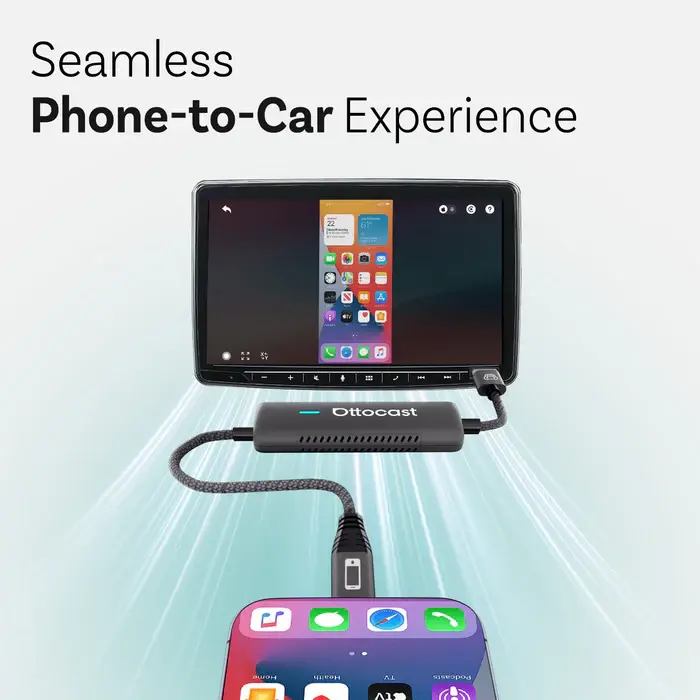
Source: ottocast.com.au
Wireless Apple CarPlay
Uses Bluetooth and Wi-Fi connections to communicate between an iPhone and a compatible car system without a USB cable.
Phone Screen Mirroring
Attempts to display smartphone content directly on another screen, but availability depends on platform restrictions and device support.
How Wireless CarPlay Differs From Screen Mirroring
Wireless CarPlay focuses on driving-related functions rather than copying the entire phone display. Screen mirroring focuses on showing more of the smartphone interface, which may include videos or other applications depending on the system.
CarPlay purpose
Provides safer access to navigation, communication, and entertainment features while driving.
Mirroring purpose
Provides broader display sharing when the hardware and software allow it.
How Does Wireless CarPlay Screen Mirroring Work?
Wireless CarPlay screen systems typically use a combination of Bluetooth pairing and Wi-Fi communication. Bluetooth is commonly used for initial connection and identification, while Wi-Fi provides the faster data transfer needed for the CarPlay interface.
A compatible device acts as a bridge between the iPhone and the display. This may be built into a factory infotainment system, a wireless adapter connected to a USB port, or a standalone portable car screen.
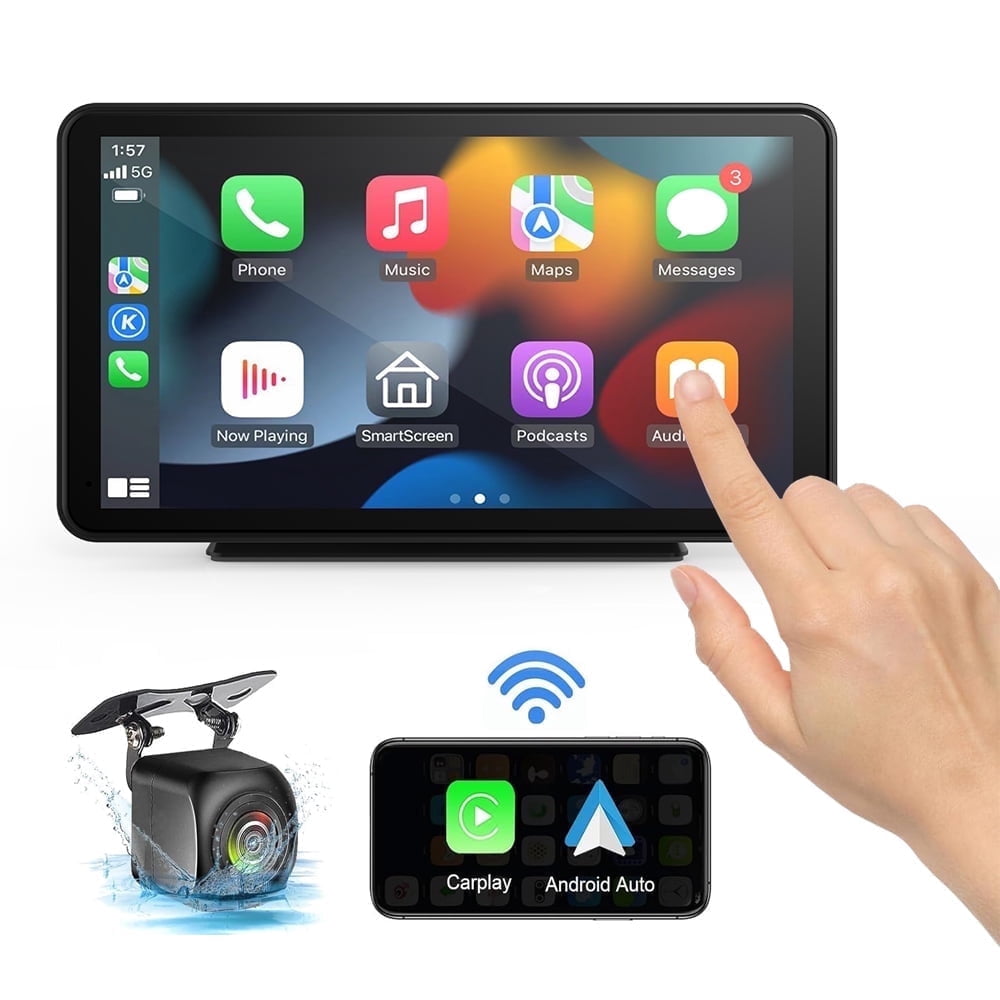
Source: carabc.cn
Connection process
The iPhone pairs with the system, establishes a wireless connection, and sends supported interface data to the display.
Display processing
The car screen or adapter processes the information and shows the CarPlay interface or supported mirrored content.
What You Need Before Setup
Before installing wireless CarPlay screen mirroring, check that your vehicle, phone, and display hardware support the required features.
Compatible iPhone
A supported iPhone model and current iOS version are generally required for wireless CarPlay features.
Compatible display
The vehicle screen, adapter, or portable display must support the specific connection method.
How to Set Up Wireless CarPlay Screen Mirroring
The setup process depends on whether your vehicle already supports wireless CarPlay or you are adding an aftermarket device. Most systems follow a similar pairing process.
Source: walmart.com
Step 1: Check compatibility
Confirm that your vehicle, adapter, or portable screen supports wireless CarPlay or the specific mirroring feature you want to use.
Step 2: Connect the hardware
Plug in a wireless adapter if required or install the portable display according to the manufacturer’s instructions.
Step 3: Pair your iPhone
Enable Bluetooth and Wi-Fi, select the device from your iPhone settings, and complete the pairing process.
Step 4: Test features
Verify navigation, audio, calls, and any available mirroring functions before regular use.
Signs the Setup Was Successful
A successful connection usually allows the CarPlay interface to appear automatically after starting the vehicle or reconnecting the phone.
Stable connection
The display remains connected without frequent disconnects during normal use.
Working controls
Touch controls, steering wheel buttons, or voice commands respond correctly if supported.
Common Wireless CarPlay Screen Mirroring Problems and Fixes
Connection issues are usually caused by compatibility settings, wireless interference, outdated software, or incorrect pairing. Troubleshooting should start with simple connection checks before replacing hardware.
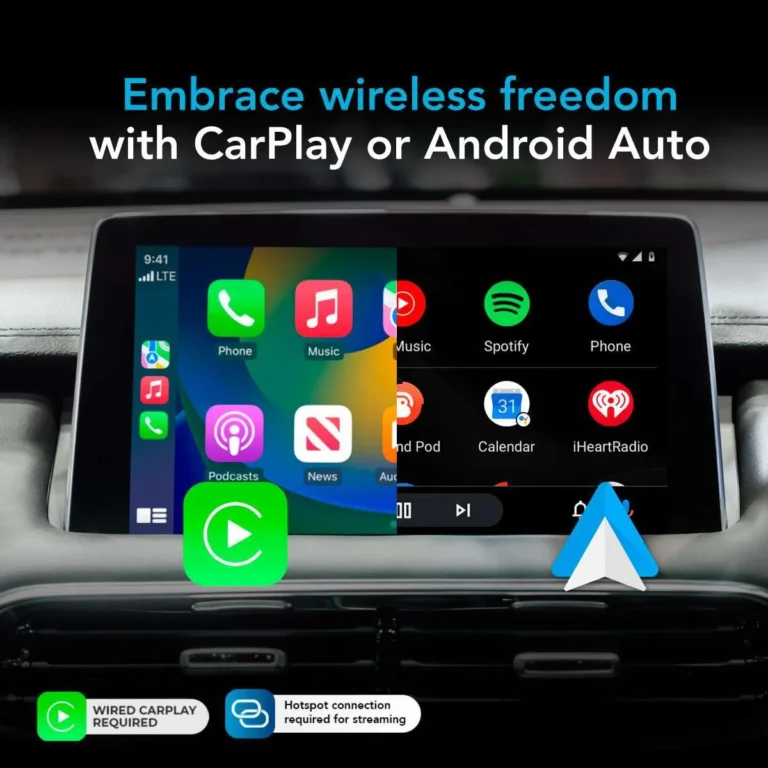
Source: amazon.com
CarPlay does not connect
Restart Bluetooth and Wi-Fi, remove previous pairings, and reconnect the device from the beginning.
Screen mirroring option is missing
Check whether the device supports true mirroring or only wireless CarPlay functionality.
Connection drops frequently
Move other wireless devices away, update software, and verify stable power delivery.
Mistakes to Avoid
Many buyers assume every wireless CarPlay screen can mirror every phone application. Feature support varies significantly between products.
Ignoring compatibility details
Always verify supported phones, operating systems, and vehicle requirements.
Choosing only by screen size
A larger display does not guarantee better connectivity or mirroring support.
Different wireless display solutions serve different needs. The best option depends on whether you want to upgrade an existing CarPlay system, add CarPlay to an older vehicle, or share more phone content.
Source: amazon.co.uk
Factory wireless CarPlay
Best integrated option when available because it is designed with the vehicle system.
Wireless CarPlay adapter
Useful for vehicles that already have wired CarPlay and need wireless connectivity.
Portable CarPlay screen
Can add CarPlay features to older vehicles without replacing the factory radio.
Choosing the Right Solution
Drivers should prioritize compatibility, connection reliability, installation requirements, and the exact features they need instead of assuming all products provide identical functionality.
For convenience
Wireless CarPlay adapters may be enough for drivers who already have compatible factory hardware.
Can wireless CarPlay mirror my entire iPhone screen?
No, standard wireless Apple CarPlay does not mirror the entire iPhone display. It provides access to supported apps and features through a vehicle-friendly interface. Full screen mirroring depends on the specific hardware and software solution.
Q
Do I need a wireless CarPlay adapter for screen mirroring?
Not always. A wireless adapter is mainly used to convert wired CarPlay systems into wireless ones. Screen mirroring requires additional support from the display device.
Q
Why does my wireless CarPlay connection keep disconnecting?
Frequent disconnects can result from weak power supply, wireless interference, outdated software, or incorrect pairing. Reconnecting the device and checking compatibility are good first steps.
Q
Can Android phones use the same wireless screen mirroring systems?
Some systems support Android Auto or Android-specific mirroring features, but compatibility varies. Always check the manufacturer’s supported devices before purchasing.
Q
Is wireless CarPlay screen mirroring safe while driving?
Drivers should use only features that help maintain attention on the road. Video playback and other distracting functions should not be used while driving.
✦ Wrapping Up
Conclusion
Wireless CarPlay screen mirroring can improve the way drivers interact with smartphone features in their vehicles, but the exact experience depends on the difference between CarPlay support and true screen mirroring capability.
Before buying an adapter or portable display, check your vehicle compatibility, iPhone requirements, supported features, and installation needs. A clear understanding of these limitations helps you choose a system that matches your driving needs.
💡 Key Takeaway
Verify whether you need wireless CarPlay, true screen mirroring, or a complete portable display upgrade before selecting a device.
Tyron Torres is an automotive diagnostics writer and hands-on vehicle maintenance enthusiast with years of experience troubleshooting brake systems, suspension issues, and everyday car performance problems. He specializes in breaking down complex mechanical issues into simple, practical guides that drivers can use to quickly identify and fix common vehicle faults.
Learn what a tire pressure monitoring system malfunction means, why it happens, common causes, warning signs, and practical steps to diagnose and fix TPMS problems safely.