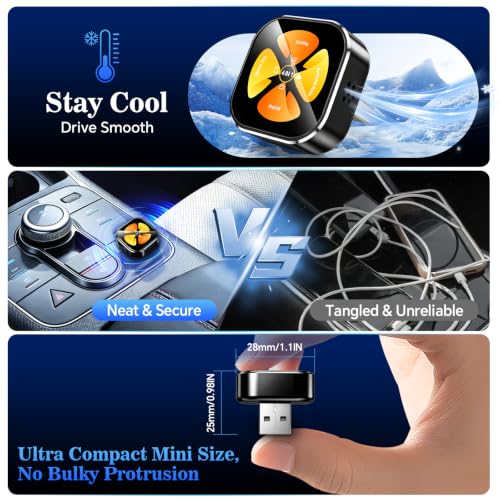
Yes, most wireless CarPlay adapters can pair with multiple phones, but usually only one phone connects at a time.
Knowing how wireless CarPlay adapters handle several phones can save you from pairing problems, dropped connections, and awkward arguments in the driveway. Most adapters remember more than one iPhone, then connect to the first available phone or the phone with connection priority. This guide explains how it works, what limits to expect, and how to switch between phones with less hassle.
How wireless CarPlay adapters connect multiple phones
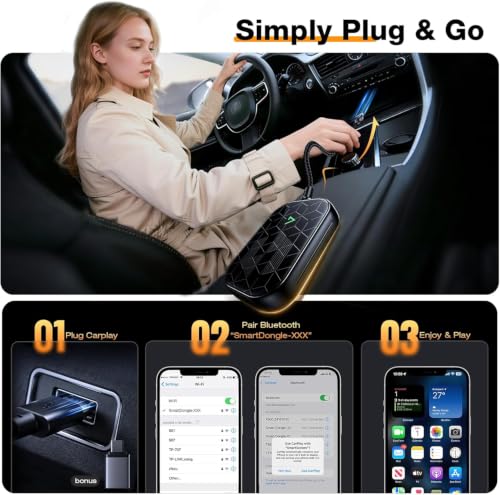
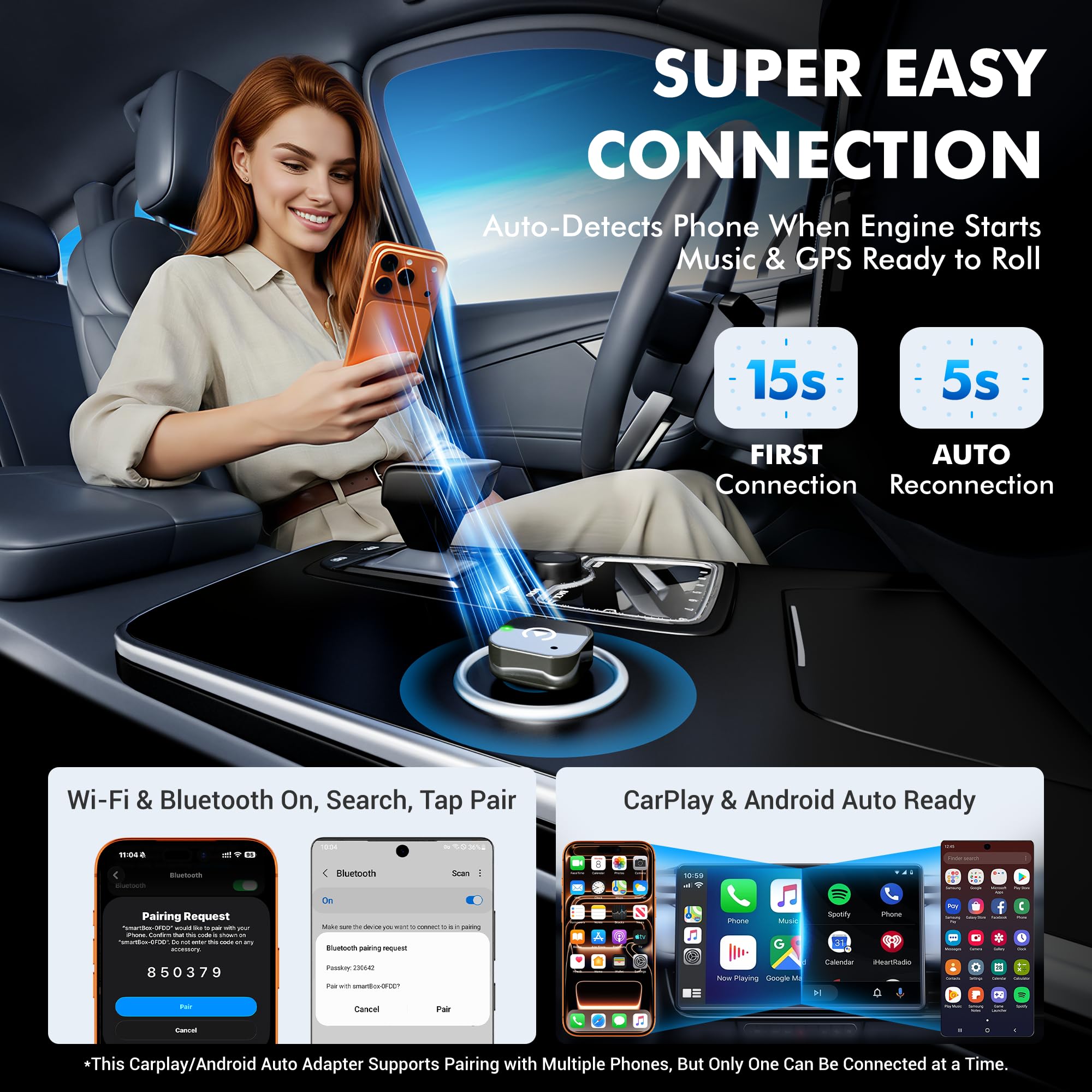
A wireless CarPlay adapter acts as a bridge between your car’s wired CarPlay system and your iPhone. You plug the adapter into the car’s USB port, then pair your iPhone through Bluetooth and Wi-Fi.
The Bluetooth link helps begin the pairing process. The Wi-Fi connection then carries the CarPlay data, such as maps, music, calls, and messages. This is why a wireless CarPlay adapter may need both Bluetooth and Wi-Fi permission on your iPhone.
Most wireless CarPlay adapters can store pairing details for several phones. However, storing several phones does not mean that all of them can use CarPlay at the same time.
Usually, the adapter follows this pattern:
• It remembers multiple paired iPhones.
• It searches for known phones when the car starts.
• It connects to one available phone.
• It gives priority to the phone that connects first or has a stronger saved connection.
• It lets you switch phones through the adapter app, Bluetooth settings, or a reset button.
Think of the adapter as a single-seat bridge. Several people may have permission to cross, but only one person can use the bridge at a time.

Can wireless CarPlay adapters connect two phones at once?
In most cases, no. A typical wireless CarPlay adapter cannot run two separate CarPlay sessions on the same car display at once.
This limitation comes from Apple CarPlay and the adapter’s design. The vehicle’s infotainment system normally creates one active CarPlay session. Even if two iPhones are nearby, the screen can show content from only one phone.
Some adapters support limited dual-phone management. For example, one iPhone may use CarPlay while another remains connected for hands-free calling through the car’s normal Bluetooth system. This depends on the car, the adapter, and the phone settings.
There is also a difference between these two situations:
• Two phones paired with the adapter: Common and usually supported.
• Two phones using CarPlay at the same time: Rare and generally not supported.
A few premium vehicle systems support multiple user profiles or fast phone switching. That feature comes from the car’s infotainment system, not always from the wireless CarPlay adapter itself.
If two people need access during one trip, the best plan is to connect one phone for CarPlay and keep the second phone disconnected until needed.

How many phones can a wireless CarPlay adapter remember?
The number varies by brand and model. Many wireless CarPlay adapters can remember between five and ten phones. Some basic models may store fewer devices, while newer models may support a longer pairing list.
The product manual is the most reliable place to check this detail. Look for terms such as:
• Paired device memory
• Device management
• Connection priority
• Automatic reconnection
• Bluetooth device list
When the memory is full, the adapter may remove the oldest phone. Other models may stop pairing until you delete an existing device.
A useful habit is to remove phones that no longer use the car. This helps the adapter find the right phone faster. It also improves privacy if you sell the car or lend it to another driver.
Remember that the phone list may exist in more than one place. Your iPhone can store the adapter, the car can store Bluetooth devices, and the adapter can keep its own memory. Clearing only one list may not fully remove the connection.

How does automatic phone priority work?
Wireless CarPlay adapters use different methods to choose a phone. Some connect to the first known iPhone they find. Others use a saved priority order.
In real-world use, the phone that was connected last often reconnects first. However, this is not universal. A phone may connect first simply because it is unlocked, closer to the adapter, or has Bluetooth enabled before the other phone.
For a smoother setup, try these steps:
-
Turn off Bluetooth on phones that should not connect.
-
Start the car and wait for the preferred iPhone to connect.
-
Open the adapter’s companion app if it has one.
-
Change the connection order or preferred device setting.
-
Turn Bluetooth back on for the other phones.
If the wrong phone keeps connecting, remove the adapter from that phone’s Bluetooth settings. You can also disable automatic CarPlay for that vehicle under the iPhone’s CarPlay settings.
This is one of the most common lessons from multi-phone setups: automatic connection is convenient, but it is not always smart. The adapter sees available devices, not the driver’s plans.

How to switch between multiple iPhones
Switching phones is usually simple, but the exact steps depend on the adapter.
Method one: Disconnect the current iPhone
Turn off Bluetooth or Wi-Fi on the iPhone currently using CarPlay. Wait a few seconds, then allow the second iPhone to connect.
This method is quick when passengers want to take control of music or navigation. It can feel less convenient if the first phone reconnects automatically.
Method two: Use the adapter app
Some wireless CarPlay adapters include an app for device control and firmware updates. The app may show all saved phones and provide a disconnect or switch option.
If the app does not show the second phone, check that the phone has Bluetooth and Wi-Fi enabled. Also make sure the phone is within the car and not connected to another vehicle.
Method three: Restart the adapter
Unplugging and reconnecting the adapter can clear a temporary connection problem. This often helps when the adapter is stuck searching for the wrong phone.
Avoid resetting the adapter every time you switch users. A full reset may delete all paired phones and require you to start again.
Method four: Forget and pair again
If one phone will not connect, open the iPhone’s Bluetooth settings and forget the adapter. Then remove the phone from the adapter’s saved list, if possible, and pair both devices again.
This takes longer, but it can fix repeated connection loops.

What affects multi-phone CarPlay connections?
Several factors can change how well a wireless CarPlay adapter handles multiple phones.
Distance from the adapter
The closest phone may connect first. A phone in a passenger’s pocket may beat a phone inside a backpack or in the back seat.
Bluetooth and Wi-Fi settings
Wireless CarPlay needs Bluetooth and Wi-Fi. If either feature is disabled, the phone may not connect. Personal Hotspot settings can also affect wireless connections on some iPhones.
Previous pairing history
The adapter may favor the phone used most recently. Removing old or unused phones can make connection behavior more predictable.
Car startup timing
Some cars power the USB port before the phone is ready. In other cars, the adapter starts late. This timing can decide which phone connects first.
Firmware quality
Adapter firmware controls pairing, reconnection, and stability. Updates may improve support for newer iOS versions and fix connection bugs.
Phone software
An iOS update can change wireless behavior. If a problem begins after an update, check the adapter maker’s support page for a firmware update or known issue.
Interference
Wireless CarPlay uses short-range wireless communication. Heavy interference from other devices can cause lag or failed pairing, although most modern systems handle normal vehicle conditions well.

Benefits of connecting multiple phones
A wireless CarPlay adapter with multi-phone support can make family cars and shared vehicles much easier to use.
Useful benefits include:
• Each driver can keep their own navigation history and music apps.
• Passengers can use their preferred phone during long trips.
• Families do not need to re-pair the adapter every time someone drives.
• Work and personal phones can both be stored.
• The car can remember several regular users.
For example, one driver may use an iPhone for work calls, while another prefers a different phone for music and maps. A compatible adapter can remember both devices and reduce setup time.
The main benefit is convenience. Once the phones are paired, switching users may take only a few seconds.

Limitations and common problems
The biggest limitation is that most wireless CarPlay adapters support one active CarPlay phone at a time. This is normal and does not mean the adapter is defective.
Other common issues include:
• The wrong phone connects automatically.
• The adapter forgets a phone after several pairings.
• Two phones compete for the connection.
• CarPlay opens but quickly disconnects.
• The second phone cannot see the adapter.
• Calls work, but music or navigation does not.
• The adapter connects only after a manual restart.
Some low-cost adapters also have weak device management. They may remember several phones but offer no clear way to choose one. In that case, controlling Bluetooth on the phones is often the easiest solution.
Privacy is another point to consider. A paired phone may show notifications, call history, contacts, or messages through CarPlay. Remove old phones before selling the car or handing the adapter to another person.

Troubleshooting wireless CarPlay with multiple phones
When a wireless CarPlay adapter will not connect to the desired phone, use a simple process.
-
Park the car safely before changing settings.
-
Turn off Bluetooth and Wi-Fi on phones that should not connect.
-
Restart the iPhone you want to use.
-
Unplug the adapter for about 30 seconds.
-
Reconnect the adapter to the car’s USB port.
-
Check that Siri is enabled.
-
Confirm that CarPlay is allowed under Screen Time settings.
-
Forget the adapter on the iPhone and pair it again.
-
Update the adapter firmware if an update is available.
-
Remove unused phones from the adapter’s device list.
In many cases, the problem is not the adapter itself. The phone may be connected to another Bluetooth device, or the vehicle may still be holding an old CarPlay session.
A common mistake is pairing the phone through the car’s Bluetooth menu and assuming that wireless CarPlay is complete. Some vehicles need the phone paired with both the car and the adapter. Others work only through the adapter. Follow the instructions for your exact model.
How to choose a wireless CarPlay adapter for multiple phones
If several people will use the car, look beyond the basic “wireless CarPlay” label.
Choose an adapter with:
• Support for multiple saved devices
• A clear device management app
• Manual connection controls
• Automatic reconnection
• Firmware update support
• A physical reset button
• Strong customer support
• Compatibility with your car’s wired CarPlay system
Check reviews for comments about family use and multiple iPhones. A product may work well with one phone but struggle when several devices are nearby.
Also confirm that your car already supports wired Apple CarPlay. Most wireless adapters convert wired CarPlay into wireless CarPlay. They usually cannot add CarPlay to a vehicle that never supported it.
Compatibility lists are helpful, but real-world results can still vary by car model, infotainment software, iPhone model, and adapter firmware.
Practical tips for families and shared cars
The easiest multi-phone setup is to give each regular driver a clear routine.
You can use this approach:
• Pair each iPhone one at a time.
• Label the phones clearly in the adapter app when possible.
• Set one driver as the main phone.
• Turn off Bluetooth on other phones before starting the car.
• Keep the adapter firmware current.
• Delete phones that no longer use the vehicle.
• Avoid pairing guest phones unless needed.
For a family car, the main driver can keep automatic connection enabled. Other drivers can connect by turning off the main driver’s Bluetooth or selecting the adapter manually.
For a work vehicle, consider using one dedicated phone for CarPlay. This reduces distractions and prevents private contacts from appearing on a shared screen.
Frequently Asked Questions About Can Wireless CarPlay Adapters Connect Multiple Phones
Can a wireless CarPlay adapter remember more than one phone?
Yes, many wireless CarPlay adapters can store several paired iPhones. The exact number depends on the model, so check the product manual for its device memory limit.
Can two phones use wireless CarPlay at the same time?
Usually, no. Most cars and adapters support only one active wireless CarPlay session, although another phone may remain connected through standard Bluetooth for calls.
How do I stop the wrong iPhone from connecting?
Turn off Bluetooth and Wi-Fi on the unwanted iPhone before starting the car. You can also forget the adapter on that phone or change the connection priority in the adapter’s companion app.
Why does my wireless CarPlay adapter keep switching phones?
The adapter may connect to whichever known phone responds first. Distance, Bluetooth timing, saved priority, and automatic reconnection settings can all affect which phone wins the connection.
Do I need to pair every phone again after switching?
Not usually. Once each iPhone is paired, the adapter should remember it unless its device memory is full, the pairing data is deleted, or a factory reset is performed.
Can passengers use a second phone for music?
Sometimes. The second phone may connect to the car through standard Bluetooth, but this can interrupt CarPlay or create audio conflicts. Switching the active CarPlay phone is usually more reliable.
Does every car work with a wireless CarPlay adapter?
No. Most adapters require the car to have factory wired Apple CarPlay already. They generally do not add CarPlay to a vehicle that lacks built-in CarPlay support.
Conclusion
Wireless CarPlay adapters can connect multiple phones in the sense that they can remember and pair with several iPhones. In most setups, only one phone can use CarPlay at a time, so switching and connection priority matter more than the number of saved devices.
For the best experience, choose an adapter with strong device management, keep its firmware updated, and remove phones you no longer use. Set a simple connection routine for every regular driver, and multi-phone CarPlay will feel much less frustrating. Check your adapter’s manual, test the setup with each phone, and share your experience or questions in the comments.