A wireless CarPlay adapter for older cars adds cable-free iPhone access when the car already supports wired Apple CarPlay.
A wireless CarPlay adapter for older cars can make daily driving feel far more modern without replacing the factory stereo. It connects to the car’s existing wired CarPlay port, then creates a wireless link between the vehicle and your iPhone for navigation, music, calls, and messages. This guide explains compatibility, setup, performance, common problems, and when an adapter is not the right solution.
What Is a Wireless CarPlay Adapter for Older Cars?
A wireless CarPlay adapter is a small device that converts wired Apple CarPlay into wireless Apple CarPlay. You plug the adapter into the vehicle’s USB CarPlay port, pair your iPhone, and let the adapter handle the connection each time you start the car.
The adapter does not create CarPlay from nothing. This is the most important detail to understand. Your older car must already have factory or aftermarket wired CarPlay for most wireless adapters to work.
Think of the adapter as a bridge. Your car already knows how to use CarPlay through a cable, while the adapter adds the missing wireless link.
A typical wireless CarPlay adapter for older cars supports:
• Wireless iPhone pairing
• Apple Maps, Google Maps, and Waze
• Apple Music, Spotify, podcasts, and audiobooks
• Siri voice control
• Hands-free calls and text messages
• Automatic reconnection after the first setup
Some models also support Android Auto, but you should check the product details before buying. A CarPlay-only adapter may not work with an Android phone.

Source: ottocast.com
How Does a Wireless CarPlay Adapter Work?
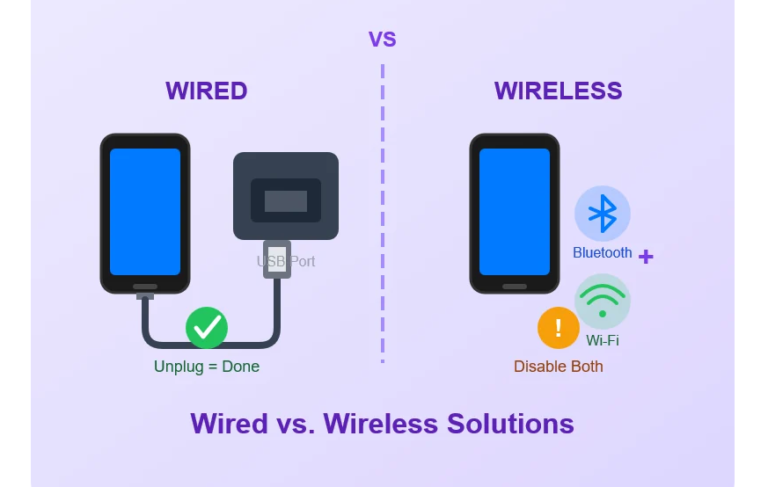
A wireless CarPlay adapter uses Bluetooth to begin the connection and Wi-Fi to carry the main CarPlay data. Bluetooth handles the first handshake, while the faster Wi-Fi link manages maps, audio, touch commands, and screen updates.
This is why your phone may show both Bluetooth and Wi-Fi connections after pairing. That behavior is normal. Turning off Wi-Fi can stop wireless CarPlay from working, even if Bluetooth remains connected.
The basic process looks like this:
- Plug the adapter into the car’s wired CarPlay USB port.
- Turn on Bluetooth and Wi-Fi on your iPhone.
- Select the adapter from the Bluetooth menu.
- Confirm the pairing request on your phone.
- Allow CarPlay to connect.
- Wait for the CarPlay screen to appear.
After the first setup, many adapters connect automatically. The experience is similar to walking into your home and having your phone join a trusted Wi-Fi network.
In real-world use, startup speed depends on the adapter, the iPhone model, the car’s USB system, and nearby wireless interference. A good adapter often connects within a few seconds, but some older infotainment systems take longer.

Source: roadandtrack.com
Will a Wireless CarPlay Adapter Work in an Older Car?
The age of the car is not the main factor. The key question is whether the car has wired Apple CarPlay.
A wireless CarPlay adapter for older cars will usually work if:
• The car displays Apple CarPlay when an iPhone is connected by USB
• The USB port carries data, not just power
• The stereo supports factory or aftermarket wired CarPlay
• The iPhone runs a supported version of iOS
• The adapter supports your vehicle’s CarPlay system
A car from 2016 may work, while a newer car without CarPlay may not. Model year alone does not provide a reliable answer.
How to Check Compatibility
Use this simple test before buying:
- Start the car and turn on the infotainment system.
- Connect your iPhone with a high-quality USB cable.
- Look for the Apple CarPlay icon or CarPlay prompt.
- Open CarPlay and test maps, music, and calls.
- Confirm that the connection uses the vehicle’s screen.
If wired CarPlay works, a wireless CarPlay adapter for older cars may be a good fit. If the phone only charges, the vehicle may have a power-only USB port or may not support CarPlay.
You can also check the vehicle manual, the stereo manufacturer’s support page, or Apple’s current vehicle compatibility information. Product listings can be incomplete, so verify compatibility from more than one source when possible.

Source: ottocast.com
What If the Older Car Does Not Have CarPlay?
If your vehicle has no wired CarPlay, a wireless CarPlay adapter will not add the feature. Plugging one into a basic USB charging port will only provide power.
You have three main alternatives:
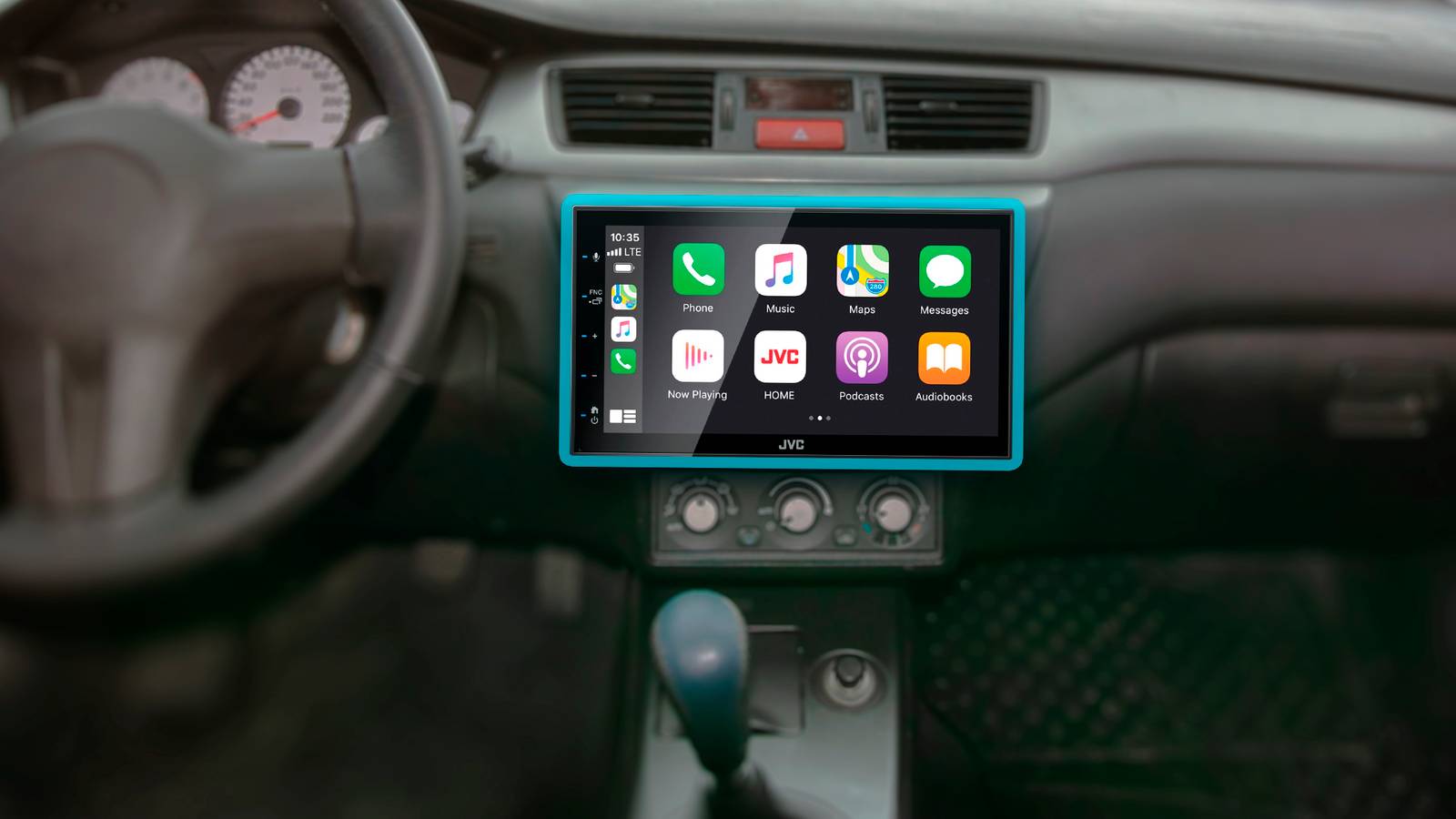
• Install an aftermarket CarPlay head unit
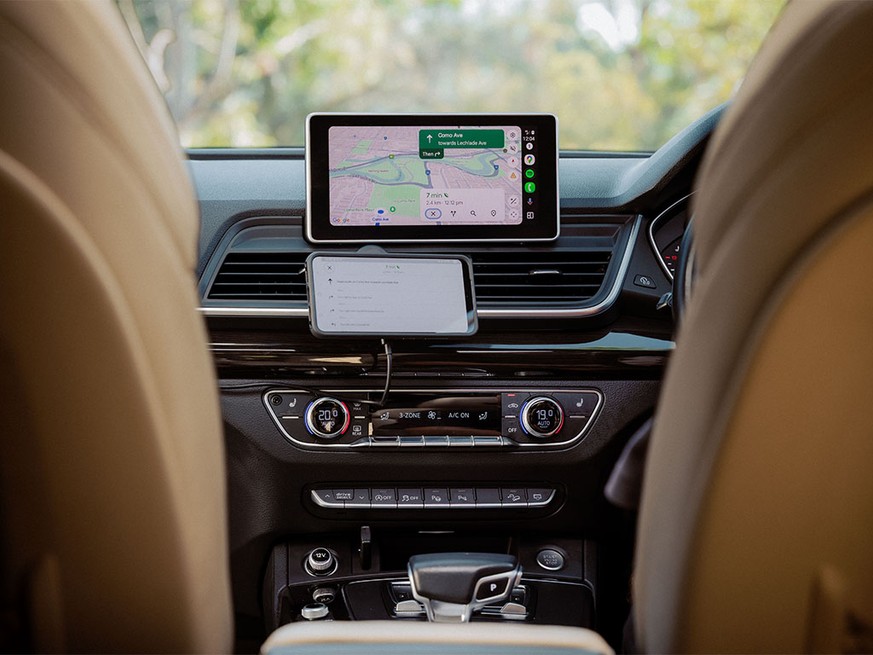
• Use a portable CarPlay screen that mounts on the dashboard
• Continue using Bluetooth audio and a phone mount
An aftermarket head unit offers the cleanest built-in result. It may also add a backup camera input, better audio controls, and Android Auto. However, installation can cost more and may require special wiring, steering wheel adapters, or a dashboard mounting kit.
A portable CarPlay display is often easier for older cars. It can provide navigation and hands-free features without removing the factory stereo. The tradeoff is that it may look less integrated and could require a separate power cable.
Do not buy a wireless CarPlay adapter for older cars simply because the product page says “works with any car.” That phrase often means any car that already has wired CarPlay.

Source: reddit.com
Benefits of Using a Wireless CarPlay Adapter
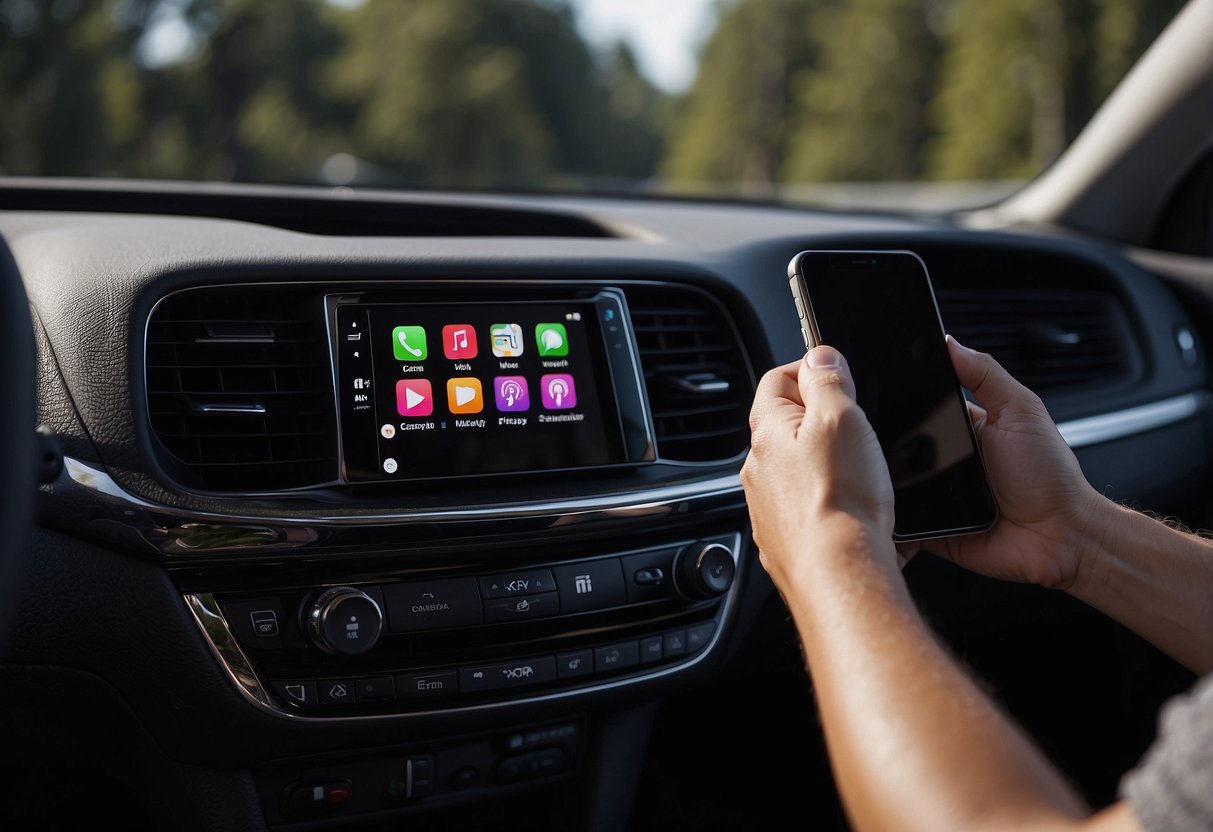
The biggest benefit is convenience. You can leave your iPhone in your pocket or bag instead of plugging it in every time you drive.
A wireless CarPlay adapter for older cars can also provide these benefits:
Less Cable Clutter
A cable across the center console can feel messy. It can also get caught on the shifter, cup holder, or parking brake. Removing that cable makes the cabin look cleaner.
Faster Daily Use
Once paired, the adapter can connect when you start the vehicle. This saves the small but repeated task of finding a cable.
Safer Phone Use
CarPlay places calls, messages, music, and navigation on the vehicle screen. Voice commands through Siri can reduce the need to handle your phone while driving. Still, drivers should set routes before moving and follow local hands-free laws.
Lower Upgrade Cost
Replacing a factory stereo can be expensive. A wireless CarPlay adapter for older cars costs much less in many cases and keeps the original screen and controls.
Retains Factory Features
A compatible adapter normally keeps the original display, steering wheel buttons, microphone, and vehicle controls. This can be useful when the factory system manages climate settings or vehicle information.
A wireless adapter is not magic, but it can make an older car feel like it received a small technology upgrade.
Source: bossaudio.com
Limitations You Should Know
Wireless CarPlay is convenient, but it has limits. Understanding them helps prevent disappointment.
First, the adapter uses power from the USB port. This means your iPhone may not charge during wireless use unless you place it on a wireless charging pad. Wireless charging can also create heat, especially in direct sunlight.
Second, wireless connections can sometimes be less stable than a direct cable. You may see a delay during startup, a brief audio drop, or a connection that needs to be restarted.
Third, some adapters do not support every factory control. Steering wheel buttons usually work, but special voice buttons, split-screen features, or rear-seat controls may vary.
Other possible limitations include:
• Slower connection after the car battery has been disconnected
• Compatibility issues with certain aftermarket stereos
• Reduced performance with weak USB ports
• Audio delay during calls or video playback
• Problems when two phones try to connect at once
• Firmware updates that require a phone or computer
Wireless CarPlay is designed for driving tasks. Video playback is generally restricted by Apple’s safety design, and drivers should never attempt to bypass those limits while driving.
Source: quadlockcase.com
How to Choose the Best Wireless CarPlay Adapter for Older Cars
The best wireless CarPlay adapter for older cars is not always the one with the most features. It is the one that matches your stereo and works reliably.
1. Confirm Wired CarPlay Support
This is the first filter. If your car does not support wired CarPlay, choose a head unit or portable display instead.
2. Check iPhone Compatibility
Review the adapter’s supported iOS versions and iPhone models. Most current devices support wireless CarPlay, but older iPhones may have limitations.
3. Look for Automatic Reconnection
Automatic reconnection is one of the main reasons people buy an adapter. Read user reviews to see whether the product reconnects consistently after the first setup.
4. Review Firmware Update Options
Reliable brands often provide a way to update the adapter. Updates can fix bugs and improve compatibility with newer iOS releases.
5. Check USB Connector Types
Some adapters use USB-A, while others use USB-C. Many include a short cable or both connector options. Make sure the included cable fits the car’s port.
6. Consider Phone Switching
If two people use the car, choose an adapter that handles multiple paired phones well. Some devices connect to the last-used phone, while others let you select a phone manually.
7. Read the Return Policy
Compatibility can vary between trims, model years, and stereo versions. A clear return policy protects you if the adapter does not work with your vehicle.
From practical installation experience, the most common buying mistake is choosing a model based only on price. A low-cost adapter may work well, but poor firmware support can make troubleshooting difficult.

Source: amazon.com
Wireless CarPlay Adapter Setup Guide
Setting up a wireless CarPlay adapter for older cars is usually simple, but the order matters.
Before You Begin
Make sure:
• Your iPhone is updated
• Bluetooth and Wi-Fi are turned on
• Siri is enabled
• Wired CarPlay works with a USB cable
• The vehicle is parked during setup
• Any old CarPlay pairing records are easy to remove
Installation Steps
- Start the vehicle and turn on the infotainment system.
- Plug the adapter into the same USB port used for wired CarPlay.
- Wait for the adapter’s setup screen or indicator light.
- Open Bluetooth settings on your iPhone.
- Select the adapter name.
- Accept the pairing request.
- Confirm the CarPlay prompt.
- Test music, navigation, calls, and steering wheel controls.
If the adapter asks you to install an app, use the app only for setup or firmware updates unless the instructions say otherwise. Wireless CarPlay itself should appear through the normal Apple CarPlay system.
Once it works, unplug the phone and restart the car. This second test shows whether automatic reconnection is working.
Source: howtogeek.com
Troubleshooting Common Problems
Even a good wireless CarPlay adapter for older cars can have connection issues. Most problems have a simple cause.
The Adapter Does Not Turn On
Check whether the USB port provides power. Try another compatible port, but remember that many vehicles have one USB port for CarPlay and others for charging only.
You can also test the adapter with a different cable. A damaged or loose cable may prevent power or data transfer.
CarPlay Does Not Appear
First, test wired CarPlay again. If wired CarPlay does not work, the adapter cannot solve the underlying problem.
On your iPhone, check Settings, General, CarPlay. Remove the vehicle or adapter profile, restart the phone, and pair again. Also confirm that Siri and CarPlay are allowed under Screen Time restrictions.
The Connection Drops
Keep the iPhone close to the adapter during testing. Remove other Bluetooth devices temporarily, and avoid placing the adapter inside a closed metal storage area.
Firmware updates may fix repeated disconnections. If the problem began after an iOS update, check whether the adapter maker has released a compatible update.
Audio Works, but the Screen Freezes
This may be caused by a weak wireless link, outdated firmware, or a temporary infotainment error. Restart the vehicle, forget the adapter in Bluetooth settings, and complete the pairing process again.
Two Phones Keep Competing
Turn off Bluetooth on the phone you do not want to use. After the preferred phone connects, you can turn the second phone back on if the adapter supports multiple devices.
Tips for Better Performance
A few small habits can make a wireless CarPlay adapter for older cars more dependable.
• Use the original or a certified USB cable during setup
• Keep the adapter away from metal objects
• Update iOS and adapter firmware when needed
• Pair one phone at a time during installation
• Avoid placing the adapter where it can overheat
• Restart the car before changing advanced settings
• Keep the phone’s Wi-Fi and Bluetooth enabled
• Use a wireless charger with good airflow
Do not hide the adapter behind the dashboard unless the manufacturer specifically supports that installation. A strong wireless signal needs a reasonable path between the adapter and the phone.
If the adapter connects slowly, wait a few seconds before pressing buttons repeatedly. Rapidly switching between Bluetooth, Wi-Fi, and CarPlay settings can create more confusion.
Wireless CarPlay Adapter Versus an Aftermarket Stereo
A wireless CarPlay adapter is best when you already like the factory stereo and only want cable-free CarPlay. It is fast to install, affordable, and easy to remove.
An aftermarket stereo is better when you want a full technology upgrade. It may offer a larger display, stronger audio controls, a better backup camera interface, and built-in wireless CarPlay.
| Feature | Wireless adapter | Aftermarket stereo |
|---|---|---|
| Installation | Usually plug and play | May require professional installation |
| Cost | Usually lower | Usually higher |
| Keeps factory screen | Yes | No |
| Adds CarPlay to a car without it | No | Often yes |
| Audio improvement | Limited | Often possible |
| Vehicle integration | Usually preserved | Depends on the installation |
| Easy to remove | Yes | Not always |
A portable CarPlay screen sits between these options. It can add CarPlay to a car without changing the factory stereo, but it may need a separate speaker connection or FM transmitter.
Choose the adapter when convenience is your main goal. Choose a new stereo when the factory system is outdated, damaged, or missing CarPlay altogether.
Safety, Privacy, and Legal Considerations
Apple CarPlay is designed to reduce the need to handle a phone while driving, but it does not remove driver distraction. Set your route before leaving, use Siri when practical, and pull over before changing complex settings.
A wireless CarPlay adapter may store pairing information. Avoid using unknown devices that request unnecessary access to contacts, messages, or unrelated phone data. Buy from a seller that provides clear support and firmware information.
The adapter does not record your driving unless it includes separate recording hardware. Still, review Bluetooth and CarPlay permissions on your iPhone if privacy is a concern.
Laws vary by state. Hands-free phone rules can differ, so follow the requirements where you drive. The safest setup is one that lets you keep your eyes on the road and your hands near the wheel.
Frequently Asked Questions About Wireless CarPlay Adapter for Older Cars
Will a wireless CarPlay adapter work with any older car?
No. The car usually needs factory or aftermarket wired Apple CarPlay through a USB data port. A charging-only USB port is not enough.
Can a wireless CarPlay adapter add CarPlay to a car without CarPlay?
No. Most adapters convert wired CarPlay into wireless CarPlay. A car without CarPlay needs an aftermarket stereo or a portable CarPlay display.
Does the adapter work with Android phones?
Some adapters support both Apple CarPlay and Android Auto, while others support only CarPlay. Check the exact product specifications before buying.
Does wireless CarPlay use mobile data?
CarPlay itself uses the phone’s connection for services such as live maps, streaming music, and messages. The adapter creates the wireless link, but your iPhone still needs cellular service for online features.
Can I use two iPhones with one adapter?
Many adapters can remember more than one phone, but they may connect to the last-used device first. You may need to disconnect one phone before connecting the other.
Will wireless CarPlay drain my iPhone battery?
It can use more battery than a simple Bluetooth connection because CarPlay uses Wi-Fi and screen-related data. A wireless charging pad can help, but avoid excess heat.
Are wireless CarPlay adapters safe to use?
They are generally safe when installed correctly and used as intended. Keep the device and cable away from pedals, airbags, heat sources, and areas that could interfere with driving.
Conclusion
A wireless CarPlay adapter for older cars is a simple way to remove the cable while keeping the factory infotainment system. It works best when your vehicle already supports wired Apple CarPlay, and it can provide easier access to maps, music, calls, and Siri.
Before buying, test wired CarPlay, confirm the USB port carries data, check iPhone compatibility, and review the adapter’s update and return policies. If your car has no CarPlay at all, choose an aftermarket stereo or portable display instead.
With the right match, a small adapter can make an older car feel much more current. Check your vehicle today, compare compatible models, and choose the option that fits your driving needs and budget.