A wireless CarPlay adapter lets your iPhone connect to compatible car screens without plugging in a USB cable.
If you have used wired Apple CarPlay, you already know how useful it can be for maps, calls, music, messages, and Siri. The small cable, however, can become annoying. This guide explains what is a wireless CarPlay adapter, how it works, which cars support it, and what to check before buying one.
What Is a Wireless CarPlay Adapter?
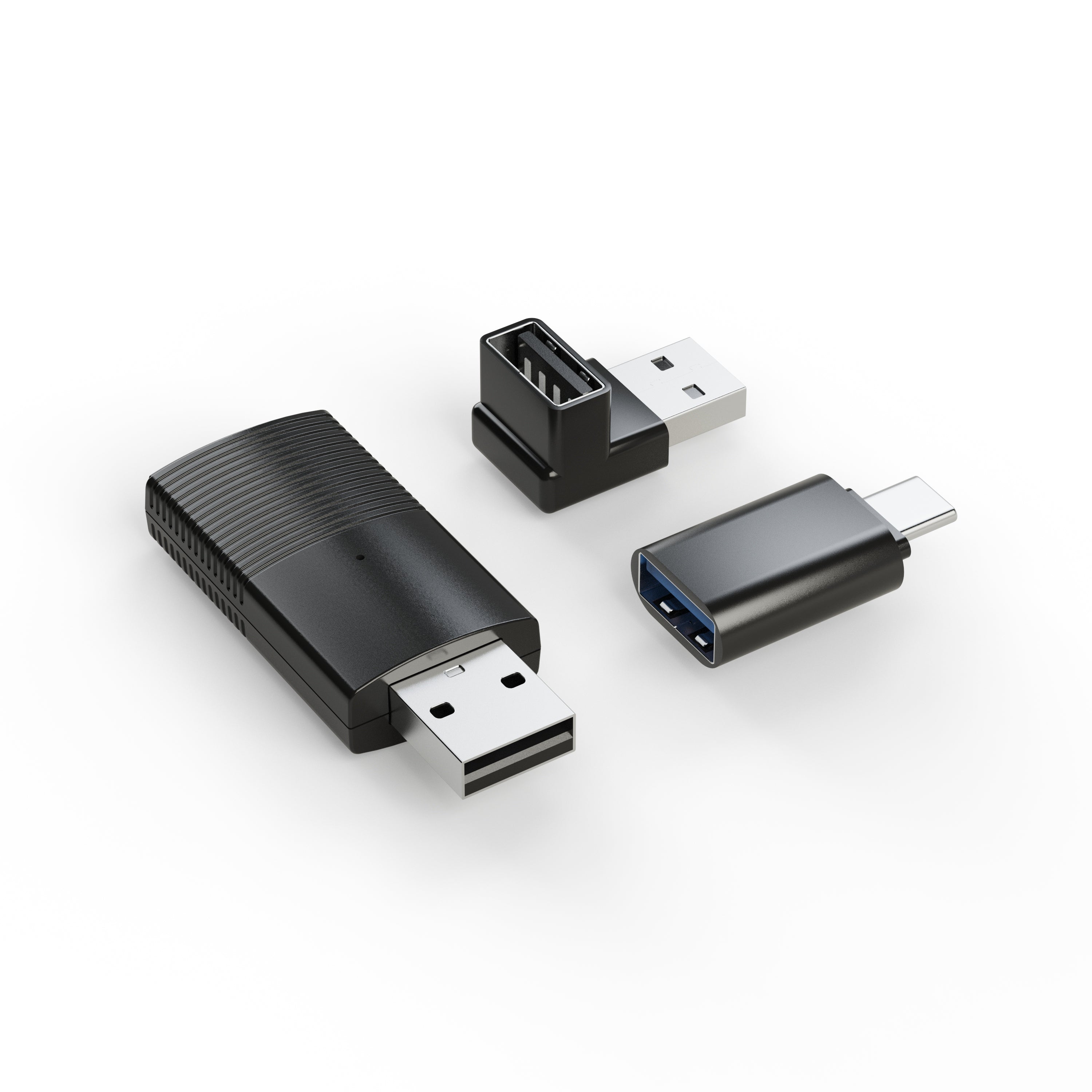
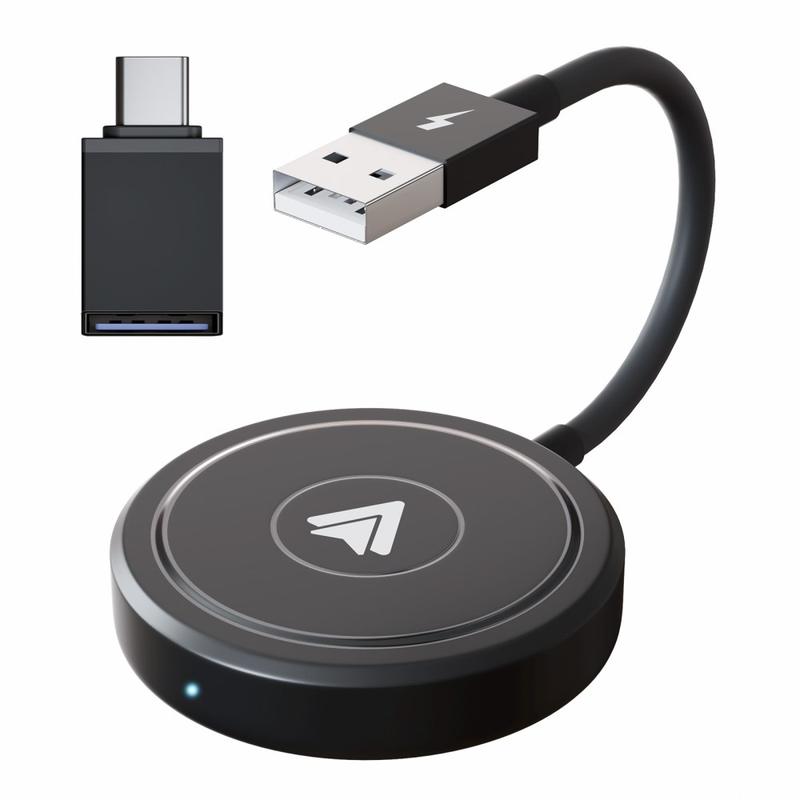
A wireless CarPlay adapter is a small device that converts a car’s wired Apple CarPlay connection into a wireless connection. It plugs into the vehicle’s USB CarPlay port and links to your iPhone through Bluetooth and Wi-Fi.
Put simply, the adapter acts as a bridge. Your car still uses its built-in CarPlay system, but the adapter removes the need for a cable between the phone and the dashboard.
A wireless CarPlay adapter usually supports these features:
• Wireless access to Apple Maps and other navigation apps
• Hands-free phone calls
• Siri voice commands
• Music and podcast streaming
• Access to supported messaging apps
• Steering wheel and touchscreen controls
• Automatic connection after the first setup
It is important to understand one key limit: a wireless adapter usually does not add CarPlay to a car that never had CarPlay. In most cases, the vehicle must already support wired Apple CarPlay through its factory infotainment system.
For example, if your iPhone connects to your car’s screen with a USB cable and CarPlay starts, a compatible adapter may make that same system wireless.
How Does a Wireless CarPlay Adapter Work?
A wireless CarPlay adapter uses two wireless links. Bluetooth helps the iPhone find and pair with the adapter. After that, the adapter commonly uses a private Wi-Fi connection to carry the CarPlay data between the phone and the car.
Here is the usual connection process:
- You plug the adapter into the car’s USB CarPlay port.
- You turn on Bluetooth and Wi-Fi on your iPhone.
- You select the adapter from the Bluetooth menu.
- The iPhone completes the pairing process.
- The adapter connects to the car’s infotainment system.
- Wireless CarPlay appears on the dashboard screen.
After the first setup, many adapters connect automatically when you start the vehicle. The exact process can differ by brand, iPhone model, and vehicle system.
The adapter does not usually provide mobile internet. Your iPhone still uses its own cellular connection for traffic updates, music streaming, messages, and online searches. The adapter mainly handles the communication between the phone and the car.
Think of it like a translator. Your vehicle expects a wired CarPlay signal, while your iPhone sends that signal wirelessly. The adapter translates the wireless connection into a format the car can understand.

Source: amazon.com
What Do You Need Before Using One?
Before buying a wireless CarPlay adapter, check your current setup. This step can prevent the most common mistake: purchasing an adapter for a vehicle that does not support wired CarPlay.
You typically need:
• An iPhone that supports Apple CarPlay
• A car with factory-installed wired Apple CarPlay
• A working USB data port
• Bluetooth and Wi-Fi enabled on the iPhone
• A compatible USB-A or USB-C connection
A charging-only USB port will not work. The port must transfer data and support CarPlay. Some vehicles have several USB ports, but only one may support the infotainment system.
You can test your car by connecting your iPhone directly with a high-quality USB cable. If wired CarPlay launches, the vehicle may work with a wireless CarPlay adapter.
Also check the adapter’s compatibility list. Some models work best with newer vehicles, while others support a wider range of factory systems. A few cars may need a specific USB connection or a software update.

Source: pcmag.com
Wireless CarPlay Adapter vs. Built-In Wireless CarPlay
A wireless CarPlay adapter and built-in wireless CarPlay offer a similar result, but they are not the same thing.
Built-in wireless CarPlay is part of the vehicle’s original infotainment system. The car manufacturer designs and supports the wireless connection. A wireless CarPlay adapter is an extra device that adds this function to a car that already has wired CarPlay.
Here are the main differences:
| Feature | Wireless CarPlay adapter | Built-in wireless CarPlay |
|---|---|---|
| Installation | Plug-and-play | Installed by the manufacturer |
| Cost | Usually lower | Included in the vehicle price |
| Extra device | Yes | No |
| Compatibility | Depends on the adapter | Designed for the vehicle |
| Updates | May require adapter updates | Usually handled through the vehicle system |
| Connection quality | Varies by model | Often more integrated |
A factory system may start faster and look cleaner. However, a good wireless adapter can provide a simple and affordable upgrade for an older vehicle.
One practical detail matters here. The adapter normally stays plugged into the USB port. You may see a small device or cable near the center console, although some compact models can be hidden from view.

Source: amazon.com
Benefits of a Wireless CarPlay Adapter
The biggest benefit is convenience. You can get into your car, start the engine, and let your iPhone connect without searching for a cable.
Less Cable Clutter
A wireless CarPlay adapter keeps the cabin cleaner. You can leave your phone in a pocket, bag, or wireless charging tray instead of running a cable across the console.
Easier Short Trips
For a five-minute drive, plugging in a phone can feel like extra work. Wireless CarPlay is useful for quick errands because the system can connect as soon as you start the car.
Better Access to CarPlay Features
You can still use navigation, music, phone calls, and Siri. The adapter does not normally remove the main features of wired CarPlay.
More Comfortable Phone Placement
Your iPhone can remain in a safe location while the car screen displays the information you need. This may reduce the temptation to handle the phone while driving.
Simple Installation
Most models require no professional installation. You plug the adapter into the correct port, pair the iPhone, and follow the setup instructions.
In everyday use, this can make the dashboard feel more natural. The phone becomes the source of the service, while the car screen remains the main control point.

Source: made-in-china.com
Limitations and Common Problems
A wireless CarPlay adapter is useful, but it is not perfect. Understanding its limits helps you set realistic expectations.
It May Add a Small Startup Delay
Wireless systems often take a few seconds to connect. Wired CarPlay may start faster because the physical connection is already active.
Connection Quality Can Vary
Wireless performance depends on the adapter, the vehicle, nearby radio interference, and the iPhone. A low-cost model may disconnect or reconnect more often than a well-tested one.
Your Phone Battery May Drain Faster
Wireless CarPlay uses Wi-Fi and Bluetooth. If you drive for several hours, your iPhone may lose battery more quickly than it would with a wired connection.
A wireless charging pad can help, but charging speed and heat may vary. Some phones become warm when wireless charging and wireless CarPlay run at the same time.
It Does Not Replace a Full Infotainment Upgrade
A wireless CarPlay adapter cannot usually improve the car’s screen resolution, speakers, radio tuner, or factory navigation system. It only changes how the phone connects to CarPlay.
Some Vehicles Have Special Requirements
Certain cars use unusual USB systems, dual-screen setups, or complex startup sequences. These vehicles may need a model-specific adapter or may not work reliably with a universal device.
Android Auto Support May Differ
Some adapters support both Apple CarPlay and Android Auto. Others support only CarPlay. If your household uses both iPhones and Android phones, confirm dual-platform support before buying.
How to Choose the Best Wireless CarPlay Adapter
The best wireless CarPlay adapter is not always the cheapest one. Compatibility and stability matter more than a small difference in price.
Use this checklist when comparing models:
• Confirm that your car has wired Apple CarPlay
• Check whether the adapter supports your iPhone version
• Match the adapter plug to your USB-A or USB-C port
• Look for clear firmware update instructions
• Check whether it supports automatic reconnection
• Read reviews from owners of the same car brand and model
• Confirm support for steering wheel controls and the touchscreen
• Check the return policy
• Look for reliable customer support
• Avoid products with unclear compatibility claims
A good adapter should reconnect without repeated manual pairing. It should also respond quickly when you tap an icon, change a song, or ask Siri for directions.
Be cautious with exaggerated claims. An adapter cannot make an old car’s screen perform like a new luxury vehicle. It also cannot guarantee perfect performance in every car, because factory infotainment systems vary widely.
Source: internationalcompetitionnetwork.org
Wireless CarPlay Adapter Setup Guide
Most wireless CarPlay adapters follow a similar setup process. Keep the car parked while you complete the first pairing.
Step 1: Confirm Wired CarPlay
Connect your iPhone to the car with a reliable data cable. Make sure CarPlay starts normally. If wired CarPlay does not work, troubleshoot that issue before installing an adapter.
Step 2: Plug In the Adapter
Insert the adapter into the USB port that normally connects to CarPlay. Some vehicles have separate ports for charging and data, so choose the correct one.
Step 3: Turn On Wireless Settings
Enable Bluetooth and Wi-Fi on your iPhone. You may also need to allow CarPlay when the phone asks for permission.
Step 4: Pair the Devices
Open Bluetooth settings and select the adapter’s name. Follow the instructions shown on the iPhone and the vehicle display.
Step 5: Test the Main Functions
Try several features before driving:
• Open Apple Maps
• Make a hands-free call
• Play music
• Use Siri
• Test the steering wheel buttons
• Check that the touchscreen responds properly
Step 6: Update the Adapter
Some adapters receive firmware updates through a phone app or a web-based setup page. Updates may improve compatibility and reduce connection problems.
One lesson that often saves time is to read the vehicle-specific instructions first. Generic steps may not explain how a particular car handles USB switching, automatic startup, or multiple paired phones.

Source: carlinkit.store
Troubleshooting Wireless CarPlay Problems
If your wireless CarPlay adapter does not work, start with simple checks.
The Adapter Does Not Appear
Make sure the adapter is connected to the correct USB port. Then turn Bluetooth and Wi-Fi off and on again. Restarting the iPhone can also clear a temporary pairing problem.
CarPlay Keeps Disconnecting
Move the iPhone closer to the adapter and remove other Bluetooth devices during testing. Check for a firmware update and delete old CarPlay pairings before pairing again.
CarPlay Starts but the Screen Freezes
Restart the car and the iPhone. If the problem continues, test the system with a different cable, even if the adapter itself is wireless. The short cable between the adapter and the vehicle can still cause issues if it is damaged or poorly fitted.
Two Phones Keep Competing
Many adapters connect to the last-used iPhone. If two drivers use the car, disable Bluetooth on the phone that should not connect or choose the correct phone manually from the adapter’s settings.
The Adapter Works in One Car but Not Another
This is common. A wireless CarPlay adapter may support one factory system well and behave poorly with another. Compatibility depends on the car’s USB behavior, software, and infotainment design.
Avoid repeatedly pairing the same devices without removing old entries. Clean pairing records from the iPhone and the car can solve problems that appear mysterious at first.
Is a Wireless CarPlay Adapter Safe to Use?
A wireless CarPlay adapter is generally safe when used correctly and purchased from a reputable manufacturer. It lets you control supported functions through the vehicle’s screen, steering wheel controls, and voice commands.
The main safety rule is simple: set up the adapter before driving. Do not handle the phone while the vehicle is moving. Use Siri for tasks such as calling, changing music, or starting navigation whenever possible.
The adapter should not block air vents, pedals, gear controls, or the driver’s view. Keep the device and its cable secure so they do not fall near the footwell.
CarPlay can help reduce phone handling, but no technology removes driver responsibility. Local distracted-driving laws still apply, and drivers should focus on the road.
Real-World Buying Lessons
A common mistake is choosing an adapter based only on a low price. A model may appear attractive online but provide little information about firmware updates, refunds, or vehicle compatibility.
A better approach is to check the details in this order:
- Verify that wired CarPlay works in your car.
- Identify whether the USB port is USB-A or USB-C.
- Read reviews from drivers with the same vehicle system.
- Check how the adapter handles multiple iPhones.
- Look for update support and a clear return policy.
- Test navigation, calls, music, and controls during the return period.
Another useful lesson is to avoid assuming that every wireless adapter behaves the same way. Two products may use similar terms but differ in startup time, connection strength, heat, and support.
If you often take long trips, consider how you will charge the iPhone. Wireless CarPlay is convenient, but a phone with a low battery is not. A good charging plan makes the upgrade much more useful.
Frequently Asked Questions About What Is a Wireless CarPlay Adapter
What is a wireless CarPlay adapter used for?
A wireless CarPlay adapter lets an iPhone connect to a car’s wired CarPlay system without a USB cable. It supports features such as navigation, calls, music, messages, and Siri through the vehicle’s display.
Does a wireless CarPlay adapter work in every car?
No. Most wireless CarPlay adapters require a vehicle that already supports wired Apple CarPlay. They usually cannot add CarPlay to a car that lacks factory CarPlay support.
Does a wireless CarPlay adapter need Wi-Fi?
Yes, most wireless CarPlay adapters use Bluetooth for initial pairing and Wi-Fi for the main connection. Your iPhone still uses its cellular service for online features such as traffic data and streaming.
Will a wireless CarPlay adapter charge my iPhone?
No. The adapter normally does not charge the phone because the phone is not connected by cable. You may need a separate USB charger or wireless charging pad.
Can I use a wireless CarPlay adapter with Android Auto?
Some models support both wireless CarPlay and wireless Android Auto, but not all do. Check the product specifications before buying if different drivers use iPhones and Android phones.
Is wireless CarPlay better than wired CarPlay?
Wireless CarPlay is more convenient because it removes the cable. Wired CarPlay may offer a faster connection and charge the phone, so the better choice depends on your daily driving needs.
How long does a wireless CarPlay adapter last?
Its lifespan depends on heat, usage, software support, and build quality. A reputable model with firmware updates and good ventilation may last for years, but no adapter has the same long-term integration as factory-installed hardware.
Conclusion
A wireless CarPlay adapter is a small bridge between your iPhone and your car’s existing wired CarPlay system. It uses Bluetooth and Wi-Fi to deliver navigation, calls, music, messages, and Siri without the need for a USB cable.
Before buying, confirm that wired CarPlay already works, check the USB port type, compare vehicle compatibility, and choose a model with reliable updates and customer support. Set it up while parked, test every key feature, and keep a charging plan for longer drives.
If your car supports wired CarPlay, a good wireless CarPlay adapter can make daily driving simpler and less cluttered. Compare compatible models carefully, and share your experience or questions in the comments.