Does My Car Support Wireless CarPlay? How to Check Compatibility
Your car supports wireless Apple CarPlay only if the vehicle manufacturer included wireless CarPlay hardware in the infotainment system. Many newer vehicles support wireless CarPlay, but older models may only support wired CarPlay through a USB connection.
Across the United States, many drivers with iPhones are upgrading their in-car technology and asking whether their existing vehicle can connect to Apple CarPlay without plugging in a cable. The answer depends on the specific vehicle year, trim level, and infotainment system rather than the car brand alone.
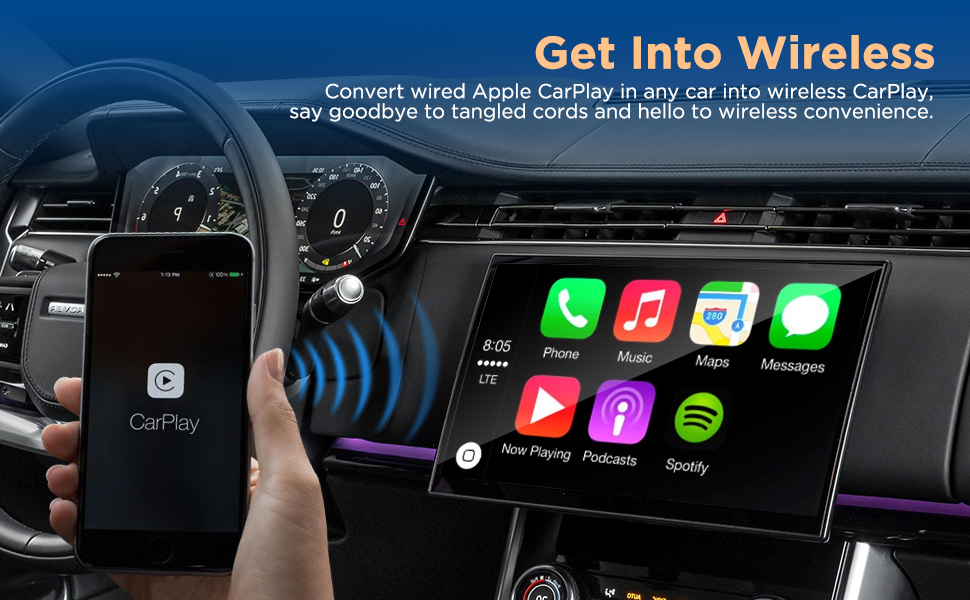
To determine whether your car supports wireless CarPlay, check the owner’s manual, vehicle specifications, or the infotainment settings. If your car already supports wired Apple CarPlay, a wireless CarPlay adapter may convert that wired connection into a wireless one, but it does not add official wireless CarPlay support to every vehicle.
Source: amazon.com
How to Know If Your Car Supports Wireless CarPlay
The most reliable way to know if your car supports wireless CarPlay is to check whether the vehicle manufacturer lists wireless Apple CarPlay as a built-in infotainment feature. Wireless CarPlay uses both Bluetooth and Wi-Fi communication between your iPhone and the vehicle system.
A car that supports Bluetooth audio or hands-free calling does not automatically support wireless CarPlay. These features use Bluetooth differently from Apple’s full CarPlay interface, which requires additional vehicle hardware.
Source: ottocast.com
Check the infotainment menu
Look for an Apple CarPlay option in the vehicle display settings. Some systems show wireless pairing options when a compatible iPhone is nearby.
Review your owner’s manual
The manual usually identifies whether Apple CarPlay is wired only or supports wireless connection.
Confirm your vehicle specifications
Manufacturer websites and official vehicle brochures often list smartphone integration features by model year and trim.
What You Need for Wireless Apple CarPlay
Wireless Apple CarPlay requires an iPhone model that supports CarPlay, a compatible iOS version, and a vehicle infotainment system designed for wireless connection. Both the phone and the car must support the required wireless communication technology.
Compatible iPhone
Most modern iPhones support Apple CarPlay, but software updates may affect available features.
Compatible vehicle system
The car must include factory wireless CarPlay support or have a compatible aftermarket solution.
Wireless CarPlay vs Wired CarPlay: What Is the Difference
Wired and wireless CarPlay provide the same core Apple CarPlay features, including navigation, music, messages, and supported apps. The main difference is how the iPhone connects to the vehicle.
Wired CarPlay uses a USB cable, while wireless CarPlay connects through Bluetooth and Wi-Fi. Wireless systems provide convenience because drivers do not need to connect a cable every time they enter the vehicle.
Source: tecnobits.com
Wired CarPlay
Usually offers a direct USB connection and may provide reliable performance with fewer wireless connection issues.
Wireless CarPlay
Provides cable-free connection but depends on wireless hardware and stable communication between devices.
Does Having a USB CarPlay Port Mean Wireless CarPlay Is Supported
No. A USB CarPlay port usually means the vehicle supports wired Apple CarPlay. Wireless CarPlay requires additional hardware that may not exist in vehicles designed only for cable connections.
USB connection only
Indicates wired smartphone integration.
Wireless pairing option
Indicates the vehicle may support wireless CarPlay.
How to Check Wireless CarPlay Compatibility Step by Step
Checking compatibility takes only a few minutes if you know your vehicle details. Start with the exact model year because manufacturers frequently add wireless CarPlay to newer versions of existing vehicles.
Source: stuff.tv
Step 1: Find your vehicle information
Identify the make, model, year, and trim level of your car.
Step 2: Check official documentation
Look through the owner’s manual or manufacturer specifications for wireless Apple CarPlay support.
Step 3: Test your iPhone connection
Enable Bluetooth and Wi-Fi on your iPhone and check whether your vehicle offers wireless CarPlay pairing.
Step 4: Consider alternatives
If your vehicle has wired CarPlay but not wireless CarPlay, a compatible adapter may provide a wireless connection.
Signs Your Car Does Not Support Wireless CarPlay
A vehicle likely does not have built-in wireless CarPlay if it requires a USB cable every time you use Apple CarPlay and there is no wireless pairing option in the infotainment settings.
Only USB CarPlay works
The system may support wired CarPlay only.
No wireless smartphone menu
The infotainment system may lack wireless CarPlay hardware.
Can You Add Wireless CarPlay to a Car That Does Not Support It
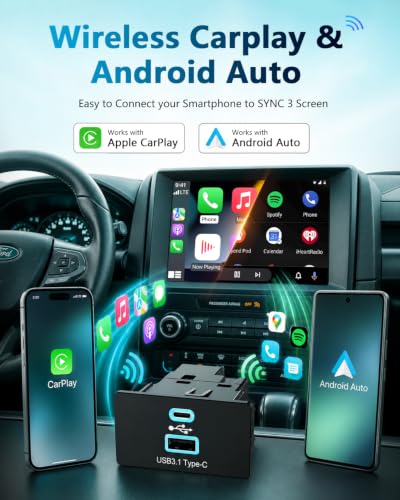
If a vehicle does not have factory wireless CarPlay, drivers may still have options. Wireless CarPlay adapters are designed for many vehicles that already support wired Apple CarPlay through USB.
An adapter does not replace the vehicle’s infotainment system. It creates a wireless connection between the iPhone and the existing wired CarPlay system.
Source: getpairr.com
Compatible situation
A car with factory wired CarPlay may work with a wireless adapter.
Limited situation
A car without any Apple CarPlay support usually cannot gain full CarPlay functionality from a simple adapter.
Common Wireless CarPlay Adapter Limitations
Wireless adapters can introduce differences compared with factory wireless CarPlay, including startup delays, occasional connection problems, or compatibility limits depending on the vehicle system.
Vehicle compatibility
Always confirm that the adapter supports your specific wired CarPlay system.
Software updates
Phone or vehicle software changes can affect performance.
Common Mistakes When Checking Wireless CarPlay Support
Many drivers assume their car supports wireless CarPlay because it has Bluetooth, a touchscreen, or smartphone features. These assumptions can lead to buying incompatible accessories.
Source: infowforall.blogspot.com
Mistake: Confusing Bluetooth with CarPlay
Bluetooth allows calls and audio streaming but does not provide the full Apple CarPlay interface.
Mistake: Checking only the car brand
Wireless CarPlay availability can change between model years and trim levels.
Mistake: Buying an adapter without checking compatibility
Adapters generally require existing wired CarPlay support.
Frequently Asked Questions
Q
How do I know if my car has wireless Apple CarPlay?
Check your vehicle owner’s manual, infotainment settings, or official specifications. Wireless CarPlay systems usually allow iPhone pairing without connecting a USB cable.
Q
Does every car with Apple CarPlay support wireless CarPlay?
No. Many vehicles support wired Apple CarPlay only. Wireless CarPlay requires additional hardware built into the infotainment system.
Q
Can I make wired CarPlay wireless?
In many cases, yes. A wireless CarPlay adapter can convert a compatible wired CarPlay connection into a wireless one, but compatibility should be checked first.
Q
Does Bluetooth mean my car supports wireless CarPlay?
No. Bluetooth support is separate from wireless CarPlay. Many vehicles have Bluetooth but only offer wired CarPlay or no CarPlay at all.
Q
Why is my wireless CarPlay not connecting?
Common causes include outdated software, incorrect Bluetooth or Wi-Fi settings, compatibility problems, or a weak connection between the phone and vehicle system.
✦ Wrapping Up
Conclusion
To find out whether your car supports wireless CarPlay, verify the exact vehicle year, model, trim, and infotainment system instead of relying on Bluetooth or touchscreen features alone. Factory wireless CarPlay depends on built-in vehicle hardware.
If your car supports wired Apple CarPlay but not wireless CarPlay, a compatible adapter may provide a cable-free experience. Always confirm compatibility before purchasing any accessory.
💡 Key Takeaway
Check your vehicle manual or official specifications first. If your car has wired CarPlay, explore compatible wireless adapters only after confirming support.
Tyron Torres is an automotive diagnostics writer and hands-on vehicle maintenance enthusiast with years of experience troubleshooting brake systems, suspension issues, and everyday car performance problems. He specializes in breaking down complex mechanical issues into simple, practical guides that drivers can use to quickly identify and fix common vehicle faults.
Learn whether a wireless CarPlay adapter can add Apple CarPlay to a car without CarPlay, what options exist, installation requirements, limitations, and buying considerations.
Learn what the check tire pressure monitoring system message means, why it appears, common causes, troubleshooting steps, and when you should service your TPMS.