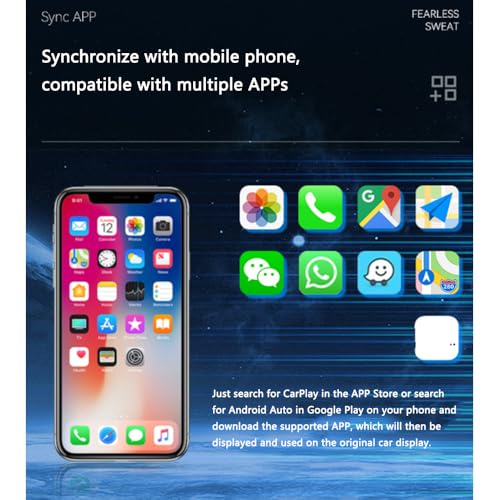
Yes, wireless CarPlay adapters work by converting your car’s wired CarPlay connection into a wireless link.
The short answer is clear, but the details matter. Wireless CarPlay adapters can make daily driving easier, yet they only work with certain factory systems and may have limits. This guide explains how they work, what you need, common problems, setup tips, and how to choose one with confidence.
How do wireless CarPlay adapters work?
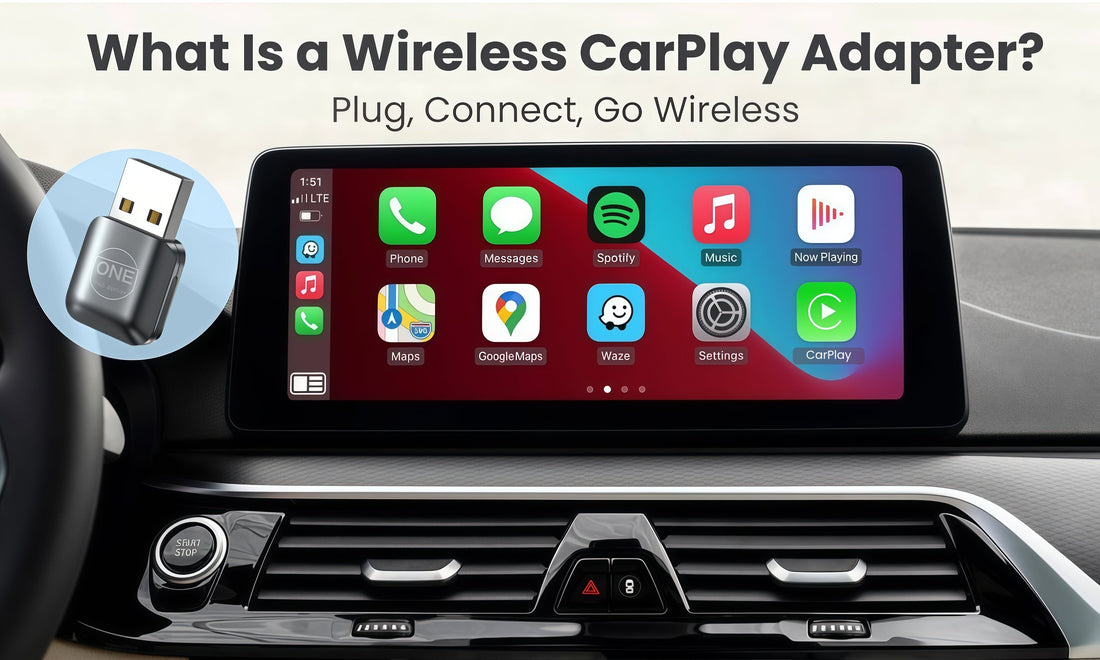
Wireless CarPlay adapters act as a bridge between your iPhone and your car’s USB CarPlay port. Your vehicle must already support wired Apple CarPlay for the adapter to work in most cases.
The adapter plugs into the same USB port you normally use for wired CarPlay. It then creates a wireless connection with your iPhone. Bluetooth usually handles the first connection, while Wi-Fi carries the larger stream of audio, maps, messages, and screen data.
Think of the adapter as a translator. Your car still expects a wired CarPlay signal, but the adapter receives that signal wirelessly from your iPhone and sends it through the USB port.
A typical connection works like this:
- You plug the adapter into the vehicle’s USB CarPlay port.
- You pair your iPhone with the adapter through Bluetooth.
- The adapter creates a private Wi-Fi connection.
- Your car detects the adapter as if it were an iPhone.
- CarPlay starts on the dashboard screen.
The adapter still needs power. It does not make CarPlay wireless through magic or charge your phone from a distance. It receives power from the car’s USB port, so the adapter remains plugged in during use.

What cars are compatible with wireless CarPlay adapters?
The most important rule is simple: a wireless CarPlay adapter usually requires factory wired CarPlay.
You can check compatibility by connecting your iPhone directly to the car with a good USB cable. If CarPlay launches through that cable, a wireless adapter may work. If the car only supports Bluetooth calls and music, an adapter usually cannot add full CarPlay.
Compatibility often depends on the vehicle’s head unit, not just the car’s model year. Two cars from the same year can have different infotainment systems. A trim level with a larger display may support CarPlay, while a lower trim may not.
Before buying, check these points:
• The car supports wired Apple CarPlay.
• The USB port used for CarPlay also supports data, not just charging.
• Your iPhone runs a supported version of iOS.
• The adapter lists your vehicle or head unit as compatible.
• Your car does not require a special wired connection method.
Some adapters support wireless Android Auto as well, but do not assume every model supports both systems. Apple CarPlay and Android Auto use different connection rules, even though they appear similar on the dashboard.
A practical lesson from hands-on setup work is to test wired CarPlay first. This quick step prevents one of the most common mistakes: buying an adapter for a car that has no factory CarPlay support.

When do wireless carplay adapters work best?
Wireless CarPlay adapters work best when the vehicle has a stable factory system and a clear USB data connection. They are especially useful for drivers who take short trips and dislike plugging in their iPhone every time they start the car.
They can make daily driving feel smoother. You can leave your phone in your pocket or bag while using navigation, calls, music, podcasts, and voice messages on the car screen.
Wireless CarPlay adapters are helpful for:
• Daily commutes
• Rental or shared vehicles
• Family cars used by several iPhone owners
• Cars with a hard-to-reach USB port
• Drivers who make many short trips
• Vehicles that lack built-in wireless CarPlay
In many cases, the adapter reconnects automatically after the first setup. You may only need to start the car and wait a few seconds. Connection time can vary based on the adapter, phone, car system, and nearby wireless signals.
The experience is not always instant. Some systems take 10 to 30 seconds to connect. That delay may seem small, but it can feel noticeable when you are rushing to leave a parking lot.
Wireless CarPlay also uses your iPhone’s Wi-Fi connection. This does not usually use your home internet plan, but it can affect how your phone connects to other Wi-Fi networks. Your phone still uses cellular data for online maps, streaming, and other internet services.
Why do wireless carplay adapters work without changing the car screen?
Wireless carplay adapters work because the car’s screen does not need to know whether the CarPlay signal came through a cable or a wireless bridge. The adapter handles the difference.
The vehicle sees a familiar CarPlay device connected to its USB port. Your iPhone sees a wireless CarPlay connection. The adapter sits between them and manages the translation.
This is similar to using a wireless printer adapter. The printer still expects data through a cable, but the adapter receives the data over Wi-Fi and passes it to the printer.
The adapter does not normally replace the car’s operating system. It does not install a new dashboard interface. Instead, it uses the existing CarPlay software already built into the vehicle.
That is why wireless adapters have limits. They cannot usually:
• Add CarPlay to a car that never supported it
• Upgrade a basic radio into a modern infotainment system
• Improve a low-resolution factory screen
• Fix a damaged USB port
• Repair outdated vehicle firmware
• Guarantee compatibility with every iPhone and car
A wireless adapter also does not provide every feature of a new factory wireless CarPlay system. Some factory systems offer better startup speed, stronger integration, and more reliable updates.

What are the benefits of wireless CarPlay adapters?
The main benefit is convenience. You can start driving without searching for a cable, connecting your phone, and placing it in a holder.
Wireless CarPlay adapters also help reduce cable clutter. A clean center console is easier to use and may reduce distractions. You can keep one charging cable in the car for emergencies instead of using it for every trip.
Other benefits include:
• Easy access to Apple Maps, Google Maps, Waze, music, podcasts, and messages
• Hands-free access to Siri
• Less wear on the iPhone charging port
• A simple upgrade for older cars
• Lower cost than replacing the entire head unit
• Easy removal if you sell or change the car
For many drivers, the best feature is consistency. Once the adapter is set up correctly, CarPlay can appear every time the car starts.
Still, convenience depends on good hardware. A low-cost adapter with weak firmware may connect slowly or drop the signal. Price alone does not prove quality, but extremely cheap models often cut corners in software support and customer service.

What are the limits and drawbacks?
Wireless carplay adapters work well for many drivers, but they are not perfect. The adapter adds another step between the phone and the vehicle. That extra step can create new points of failure.
Common drawbacks include:
• A short delay while the adapter connects
• Occasional connection drops
• The need for firmware updates
• Extra heat inside the adapter
• Continued battery use on the iPhone
• Limited support for older vehicles
• Compatibility problems after an iOS update
Wireless CarPlay may use more battery than a direct cable connection. The difference depends on the iPhone, signal strength, screen use, navigation, and phone temperature. Long trips may still require a charging cable.
Sound quality is usually good, but wireless CarPlay does not automatically improve the car’s speakers or audio system. If your vehicle has weak speakers, noisy Bluetooth hardware, or poor radio software, the adapter cannot fix those issues.
Another limitation is that some cars have more than one USB port, but only one supports CarPlay. Plugging the adapter into a charging-only port will make it appear dead even when the adapter works correctly.

How to set up a wireless CarPlay adapter
Setup is usually simple, but taking the right steps can prevent connection problems.
-
Start the vehicle and park safely.
-
Connect the adapter to the USB port that supports wired CarPlay.
-
Turn on Bluetooth and Wi-Fi on your iPhone.
-
Open the Bluetooth menu and select the adapter’s name.
-
Accept the pairing request on your iPhone.
-
Approve the CarPlay connection when prompted.
-
Wait for the vehicle screen to load CarPlay.
-
Test calls, music, maps, and Siri before driving.
The first connection can take longer than later connections. Keep the iPhone near the adapter during setup. If the car screen shows a permission message, approve it on the vehicle display.
If the adapter includes a companion app, use it only for setup or firmware updates unless the manufacturer explains another purpose. Avoid changing settings while driving.
You can improve reliability by following these tips:
• Use the original or a high-quality USB cable when required.
• Keep the adapter away from metal objects and strong wireless devices.
• Delete old Bluetooth pairings if several phones compete for the connection.
• Keep iOS and the adapter firmware updated.
• Restart the iPhone after a failed first setup.
• Remove the vehicle from the iPhone’s CarPlay settings and pair again if needed.
One common mistake is pairing the iPhone directly to the car and to the adapter at the same time without following the adapter’s instructions. This can cause the phone to connect to the wrong device.

How to fix wireless CarPlay connection problems
When wireless carplay adapters work poorly, the cause is often simple. The USB port, Bluetooth pairing, Wi-Fi connection, or firmware may need attention.
Try these steps in order:
-
Confirm that wired CarPlay works with a direct cable.
-
Unplug the adapter for 30 seconds.
-
Restart the iPhone.
-
Turn Bluetooth and Wi-Fi off, then on again.
-
Remove the adapter from the iPhone’s Bluetooth list.
-
Remove the car from Settings, General, CarPlay.
-
Pair the adapter again from the beginning.
-
Test another USB port if the vehicle has more than one.
-
Update the adapter firmware through its official process.
If the connection drops while driving, check whether the adapter is overheating. A hot dashboard, direct sunlight, or a tightly enclosed storage area can raise its temperature.
If audio works but the screen stays blank, check the vehicle’s display source and USB port. If maps work but phone calls fail, inspect the iPhone’s Bluetooth permissions and the car’s microphone settings.
When wireless carplay adapters work after a restart but fail again later, the problem may involve firmware or automatic device switching. A newer adapter update may help, but updates can also introduce new bugs. Read the release notes when available and avoid installing unofficial firmware.

How to choose the right adapter
Choosing a wireless CarPlay adapter is easier when you focus on compatibility and support instead of flashy claims.
Look for these features:
• Clear support for your car and head unit
• Compatibility with your iPhone model and iOS version
• Automatic reconnection
• Firmware updates
• A stable warranty
• Responsive customer support
• A compact design
• Good heat management
• Support for both wired CarPlay and wireless CarPlay as described
Avoid products that promise to add CarPlay to every car. That claim is usually too broad. A USB adapter cannot replace the software and hardware required for factory CarPlay.
Read recent customer reviews with care. Look for repeated comments about connection stability, startup speed, call quality, and support after updates. A few negative reviews are normal, but many reports of failed connections suggest a compatibility problem.
You should also check whether the adapter supports wireless Android Auto if other drivers will use the car. Some products handle both systems, while others only support iPhone and CarPlay.
A good adapter should be treated as a convenience upgrade, not a complete infotainment replacement. If your factory radio is unreliable, slow, or missing basic features, replacing the head unit may be a better long-term choice.
Are wireless CarPlay adapters safe to use?
Wireless CarPlay adapters are generally safe when installed and used as directed. They connect to the phone and car using normal wireless and USB communication methods.
The larger safety issue is driver distraction. CarPlay is designed to support hands-free use, but looking at a screen, typing messages, or changing settings while driving can still be dangerous and illegal in some places.
Set up your route and music before moving. Use Siri for calls and messages when possible. Keep the phone secured, and do not handle it while driving.
Wireless CarPlay also involves personal data, such as contacts, call history, messages, and location information. Use a trusted adapter, protect your iPhone with a passcode, and remove the phone from the car’s saved devices before selling the vehicle.
Avoid unknown adapters that request unnecessary account details or access to unrelated phone data. A CarPlay adapter should not need your Apple ID password.
Frequently Asked Questions About Do Wireless CarPlay Adapters Work
Do wireless CarPlay adapters work in every car?
No. Most wireless CarPlay adapters work only in cars that already support wired Apple CarPlay. They usually cannot add CarPlay to a vehicle with only Bluetooth audio or USB charging.
Do wireless CarPlay adapters work with any iPhone?
They work with supported iPhone models and compatible iOS versions, but exact support can vary by adapter. Always check the product’s current compatibility list before buying.
Do wireless CarPlay adapters work without cellular service?
CarPlay can connect without cellular service, but many features need internet access. Online maps, traffic updates, streaming music, and some Siri requests usually need Wi-Fi or mobile data.
Do wireless CarPlay adapters work with Android phones?
Some adapters support both Apple CarPlay and Android Auto, but not all do. Check the product details before assuming an adapter can serve both iPhone and Android users.
Do wireless CarPlay adapters work through any USB port?
No. The adapter must use the USB port that carries wired CarPlay data. A charging-only port will not provide the signal the adapter needs.
Do wireless CarPlay adapters work while the phone is in a pocket?
Yes, once the wireless connection is established. The phone should remain within a normal Bluetooth and Wi-Fi range, and keeping it away from heavy metal objects may improve stability.
Do wireless CarPlay adapters work better than built-in wireless CarPlay?
Not always. A factory wireless CarPlay system may connect faster and integrate more deeply with the vehicle. An adapter is often a lower-cost way to add wireless convenience to an existing wired system.
Conclusion
Wireless CarPlay adapters do work when the car already supports wired CarPlay and the adapter matches the vehicle’s system. They use Bluetooth for the initial handshake, Wi-Fi for the main connection, and the car’s USB port for power and data.
The best results come from checking compatibility first, using the correct USB port, keeping firmware updated, and choosing a product with strong support. They are useful upgrades, but they cannot repair a faulty infotainment system or add CarPlay to every vehicle.
Test wired CarPlay before you buy, then choose an adapter based on verified compatibility rather than price alone. Explore reliable options, compare recent reviews, and share your setup experience in the comments.