The best OBD2 scanner for Toyota Tacoma is the LAUNCH Creader Elite X500 for deep Toyota system checks and reset functions.
You turn the key in your Tacoma and see the check engine light. A basic code reader may show one fault, but it may not explain the full problem. A better Toyota Tacoma scan tool can read live data, check system faults, and help you decide if the truck needs a shop visit. I reviewed five popular options for 2026, from simple code readers to advanced bidirectional tools. My picks focus on Toyota coverage, ease of use, service functions, update support, and value.
See the differences between my top picks at a glance.
LAUNCH Creader Elite X500 for Toyota

The LAUNCH Creader Elite X500 is the strongest all-around choice in this group. Its listing focuses on Toyota and Lexus vehicles, which makes it more useful than a basic generic code reader for many Tacoma owners. It can scan more than the engine system, including systems such as ABS, SRS, and transmission control when supported by the vehicle. That wider view can save time when a warning light appears.
The X500 also lists bidirectional control and several reset services. These features may let you command certain vehicle parts or complete service procedures, but exact functions depend on the Tacoma year and system. It includes Auto VIN, which can reduce setup time. The product listing also states that it comes with lifetime free updates, but I still suggest checking the current Amazon listing for the latest terms before purchase.
Pros:
- Strong Toyota and Lexus focus
- Full-system scan capability listed
- Bidirectional testing for supported systems
- Oil, EPB, SAS, BMS, and ABS service functions listed
- Auto VIN can speed up vehicle setup
- Useful for serious home repair work
- Lifetime free updates listed by the seller
Cons:
- Costs more than a basic engine code reader
- Advanced functions need careful use
- Coverage can vary by Tacoma year and trim
What Amazon Buyers Are Saying
Amazon buyers commonly look at this model for its broad Toyota coverage and its ability to do more than clear a check engine light. Product feedback can change over time, so I would not treat every review as proof of coverage for a specific Tacoma. Some users may find the menus and advanced tests easy to follow, while others may need time to learn the tool. Always compare the current reviews with the listed supported models and functions before ordering.
My Recommendation
I recommend the X500 for Tacoma owners who want one tool for regular diagnosis and several service tasks. It offers a better long-term fit than a simple reader if you work on your truck at home. It is also the product I would choose when full-system access matters more than the lowest price.
| Category | Rating |
|---|---|
| Toyota coverage | 4.5/5 |
| Diagnostic depth | 4.5/5 |
| Service functions | 4.5/5 |
| Ease of use | 4/5 |
| Value | 4.5/5 |
| Overall Rating | 4.5/5 |
LAUNCH Creader Elite 3.0 for Toyota

The LAUNCH Creader Elite 3.0 targets drivers who want advanced scan coverage with newer vehicle network support. The listing identifies it as a Toyota and Lexus tool with full-system diagnostics. It also lists bidirectional control, Auto VIN, CAN FD, and DoIP support. Those network features may make it a better choice for newer vehicles, but buyers should still confirm exact Tacoma compatibility.
This scanner is built for more than reading powertrain trouble codes. It may help you review several control modules and perform supported reset services. That can matter when you service brakes, replace a battery, or work with steering and other systems. The interface may feel more involved than a small plug-in reader, so it suits owners who want to learn basic scan-tool skills.
Pros:
- Full-system Toyota and Lexus scan focus
- Bidirectional functions listed
- CAN FD and DoIP support listed
- Auto VIN helps reduce manual data entry
- Useful for newer vehicle network needs
- Lifetime free updates listed
- Good choice for advanced home garages
Cons:
- May offer more functions than a casual owner needs
- Actual tests depend on vehicle software
- Buyers should confirm Tacoma year coverage
What Amazon Buyers Are Saying
Buyers who consider this model often focus on its broad system access and newer communication support. Reviews for diagnostic tools can mention both ease of use and the learning curve that comes with advanced features. Some users may expect dealer-level coverage from every Toyota model, but no aftermarket tool should be assumed to support every function. Read current reviews for update behavior, menu clarity, and results on vehicles close to your Tacoma year.
My Recommendation
I recommend the Elite 3.0 for a Tacoma owner who wants newer network support and plans to keep the scanner for years. It makes less sense if you only need to read a check engine code once a year. For advanced Toyota work, it is one of the more capable options in this comparison.
| Category | Rating |
|---|---|
| Network support | 4.5/5 |
| Toyota diagnostics | 4.5/5 |
| Advanced features | 4.5/5 |
| Ease of use | 4/5 |
| Value | 4/5 |
| Overall Rating | 4.3/5 |
XOTORQ OBD2 Scanner for Tacoma
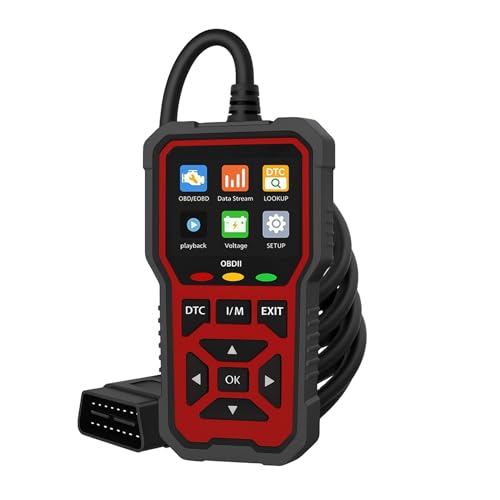
The XOTORQ OBD2 scanner is aimed at Tacoma owners who want simple fault checks at home. Its listing covers Tacoma models from 2013 through 2025 and highlights code reading, live data, I/M readiness, and battery voltage. Those are useful tools for a driver who wants to understand a warning light before visiting a repair shop. The compact feature set should also make the learning process easier.
This model is a better match for routine engine diagnostics than for deep Toyota module work. Live data can help you watch sensor readings while the engine runs, although you still need to know what the values mean. The I/M readiness screen can help you see whether emissions monitors are ready before an inspection. Check the product page for your exact truck and do not assume it can run special service resets.
Pros:
- Designed with Tacoma fitment in mind
- Lists support for 2013–2025 Tacoma models
- Reads common OBD2 trouble codes
- Shows live data
- Includes I/M readiness information
- Displays battery voltage
- Good starting point for new DIY users
Cons:
- Less suited to full-system Toyota diagnosis
- May not provide bidirectional control
- Confirm coverage for your exact engine and trim
What Amazon Buyers Are Saying
Shoppers interested in this scanner often want an easy way to check a Tacoma without paying for a first diagnostic visit. Current Amazon feedback should be checked for screen readability, cable quality, and code explanations. A simple scanner can satisfy many owners, but it may not solve problems linked to ABS, airbag, body, or transmission modules. Reviews cannot replace a compatibility check for your specific model year.
My Recommendation
I recommend the XOTORQ for basic Tacoma maintenance and first checks. It is a practical pick when you need engine codes, live data, and readiness information at a modest level of complexity. Choose a LAUNCH model instead if you need service resets or access to more vehicle systems.
| Category | Rating |
|---|---|
| Tacoma fit | 4/5 |
| Basic code reading | 4/5 |
| Live data | 4/5 |
| Ease of use | 4.5/5 |
| Advanced repair value | 3/5 |
| Overall Rating | 3.9/5 |
Tacoma TRD OBD2 Code Reader

This Tacoma-focused code reader targets TRD Off-Road models from 2015 through 2021. The listing highlights check engine code reading, live data, and I/M readiness. It also says the tool fits most OBDII vehicles, which may add value if you have more than one car. Its focus stays on common diagnostic needs rather than advanced dealer-style functions.
The main benefit is simple operation. You can plug it into the OBD2 port, scan for powertrain faults, and view selected data without dealing with a large menu system. That makes it useful for basic troubleshooting and inspection preparation. Still, a check engine reader may not see faults stored in Tacoma ABS, SRS, or other non-engine modules.
Pros:
- Targets several Tacoma TRD Off-Road model years
- Reads common OBDII engine codes
- Offers live data viewing
- Shows I/M readiness
- Fits most OBDII vehicles according to the listing
- Simple choice for basic home checks
Cons:
- Listed coverage centers on 2015–2021 models
- Limited compared with a full-system scan tool
- May not handle Toyota service resets
What Amazon Buyers Are Saying
Amazon shoppers who view this product usually want a low-cost reader for a Tacoma or another OBDII vehicle. Before buying, I would review current comments about compatibility, instructions, and the clarity of the displayed data. Some owners may want more than this tool can provide once a fault moves beyond the engine system. The best match depends on whether you need basic code access or advanced Toyota functions.
My Recommendation
This reader is worth considering for a 2015–2021 Tacoma owner who wants a basic tool and does not need service resets. It is not my first choice for a modern truck or a serious DIY garage. Its low complexity is its strength, but that also limits its repair depth.
| Category | Rating |
|---|---|
| TRD fitment | 4/5 |
| Code reading | 4/5 |
| Live data | 3.5/5 |
| Ease of use | 4/5 |
| Long-term value | 3.5/5 |
| Overall Rating | 3.8/5 |
LAUNCH Creader Elite V3.0 for Toyota

The LAUNCH Creader Elite V3.0 is another advanced Toyota and Lexus scan tool. Its listing describes full-system OBD2 diagnostics, bidirectional scanning, reset services, and battery registration. It also highlights functions such as EPB, SAS, and ABS support. These features can help a hands-on Tacoma owner handle more tasks without buying several separate tools.
The V3.0 makes the most sense for owners who plan to keep a truck for a long time or maintain more than one Toyota vehicle. Battery registration, for example, can be useful on supported vehicles after battery service, but support varies by year and configuration. The product listing says it offers lifetime free updates. I would verify the current update policy and exact Tacoma functions before checkout.
Pros:
- Full-system diagnostic focus
- Bidirectional scan tool design
- EPB, SAS, and ABS reset functions listed
- Battery registration listed
- Useful for advanced home maintenance
- Toyota and Lexus focus
- Lifetime free updates listed
Cons:
- Advanced functions require care
- Not the best value for simple code checks
- Exact service support varies by Tacoma year
What Amazon Buyers Are Saying
Buyers who compare this model with other scan tools often focus on its service functions and Toyota coverage. Current customer reviews may help you judge setup, menu flow, and update steps. Yet user reports can differ because vehicles have different modules and software. I suggest checking reviews from owners with a similar Tacoma year rather than relying only on the product title.
My Recommendation
I recommend the V3.0 for an experienced DIY owner who wants broad Toyota service coverage. It may be more tool than a casual driver needs, but it can provide strong value when you use its advanced functions. Confirm every desired reset before buying, since no scanner guarantees every function on every Tacoma.
| Category | Rating |
|---|---|
| Toyota system coverage | 4.5/5 |
| Service functions | 4.5/5 |
| Bidirectional control | 4.5/5 |
| Ease of use | 4/5 |
| Value for DIY owners | 4/5 |
| Overall Rating | 4.3/5 |
How to Choose the Best OBD2 Scanner for Toyota Tacoma
Choosing the best OBD2 scanner for Toyota Tacoma depends on your truck, repair skill, and planned use. A low-cost reader can handle a check engine light. A full-system tool can look at more modules and support service work. Use the points below before you buy.
1. Match the Scanner to Your Tacoma Year
Tacoma electronics have changed over time. A scanner that works well on a 2015 model may not offer the same functions on a newer truck. Check the model-year range, engine choice, trim, and network support in the product listing. Do not rely on a title that says “for Toyota” alone.
Also check whether the tool covers your needed system. Engine code reading is common across many OBD2 scanners. ABS, SRS, transmission, body, and four-wheel-drive systems may need enhanced Toyota coverage. If you drive a TRD model, confirm that the tool supports the systems you plan to test.
2. Decide Between Basic Codes and Full-System Scans
A basic code reader is enough for many engine warning lights. It can show a trouble code, erase the code, display live data, and check emissions readiness. This may suit a driver who wants useful information before visiting a mechanic.
A full-system scan tool offers more. It may read ABS and airbag faults, run active tests, and perform supported resets. Bidirectional control means the scanner can send a command to a vehicle part, such as turning a component on for a test. Use this feature with care. A command can cause movement, noise, or a change in vehicle operation.
3. Compare Service Functions, Updates, and Value
Look for the exact service functions you need. Oil reset, electronic parking brake, steering angle, battery registration, and ABS-related functions do not work on every Tacoma. A listing may show a function in general, but the truck still controls final compatibility.
Updates also matter. Newer software may improve vehicle coverage and fix bugs. Some products list lifetime free updates, while others may charge later. Read the current terms on Amazon before purchase. Finally, buy a tool you will use. The best OBD2 scanner for Toyota Tacoma is not always the most advanced model; it is the one that gives you the right access without needless cost.
Final Verdict: Which Should You Buy?
The LAUNCH Creader Elite X500 is my top pick and the best OBD2 scanner for Toyota Tacoma for most DIY owners. It combines Toyota coverage, full-system scans, bidirectional functions, and useful reset services.
Choose XOTORQ for basic checks and live data. Choose the Elite 3.0 or V3.0 for advanced work. Always confirm your Tacoma year and desired functions before ordering.
FAQs Of best OBD2 scanner for Toyota Tacoma
What is the best OBD2 scanner for Toyota Tacoma?
The LAUNCH Creader Elite X500 is my top overall pick. It lists Toyota coverage, full-system scans, bidirectional functions, and several service resets.
Can an OBD2 scanner read Tacoma ABS and airbag codes?
Only some scanners can do this. Choose a full-system Toyota scan tool and confirm ABS and SRS support for your Tacoma year.
Do all Tacoma scanners support service resets?
No. Basic readers often focus on engine codes. Check for the exact reset function, such as EPB, SAS, ABS, or battery registration.
Is a basic code reader good enough for a Tacoma check engine light?
It can be enough for a first check. It may show engine codes and live data, but it may not access other vehicle modules.
Should I clear a Tacoma trouble code after reading it?
Do not clear a code before recording it and checking the cause. Clearing it can remove useful data and may reset emissions monitors.