The best Android Auto adapters add wireless freedom, fast pairing, and a cleaner dash to compatible factory systems.
You know the routine: plug in your phone for a short drive, forget the cable, then reach across the console when Android Auto drops. A good wireless adapter solves that small but constant hassle. It lets a compatible wired Android Auto system connect through Bluetooth and Wi-Fi, so maps, calls, music, and messages appear on the built-in screen without a cable. I reviewed the key features, setup needs, connection habits, and daily-use limits of these best Android Auto adapters to help you choose with confidence.
Spedal 2-in-1 Wireless Adapter

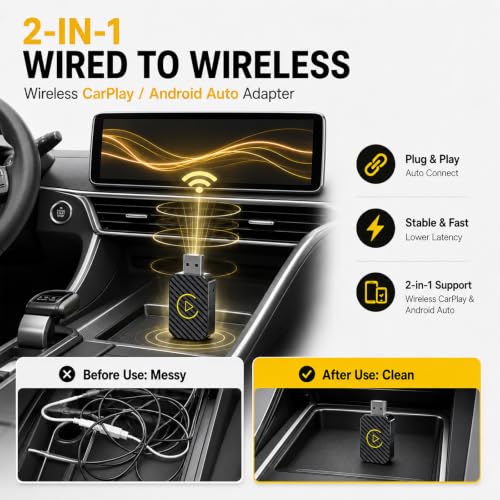
The Spedal 2-in-1 adapter targets drivers who want one small device for both Android Auto and Apple CarPlay. Its main job is simple: convert a compatible wired system into a wireless connection. That makes it useful in a household where one driver uses Android and another uses an iPhone. The compact shape should also help keep the center console neat.
In daily use, the biggest benefit of an adapter like this is convenience rather than a new screen or new app. You still use the car’s original display, speakers, controls, and microphone. Setup normally involves plugging the adapter into the correct USB data port, pairing your phone, and allowing the connection to start. As with all wireless Android Auto adapters, your car must already support wired Android Auto; a charge-only USB port will not work.
Pros:
- Supports both Android Auto and Apple CarPlay
- Useful for families with mixed phone types
- Small design can reduce cable clutter
- Keeps the factory screen and steering controls in use
- Wireless access makes short trips more convenient
- Simple plug-in format needs little installation work
Cons:
- It cannot add Android Auto to a car that lacks wired support
- Wireless startup may take longer than a direct cable connection
- Performance depends on the car’s USB port and phone software
My Recommendation
I would consider the Spedal a strong choice for households that switch between Android phones and iPhones. The two-in-one design removes the need to buy separate adapters or move hardware between cars. It also suits drivers who want a tidy setup but do not want to replace the factory head unit. For anyone comparing the best Android Auto adapters, its broad phone support is the main reason to put it on the shortlist.
Before buying, check the vehicle list and confirm that the car launches wired Android Auto from the USB port. This matters more than the adapter brand. A wireless dongle cannot fix an incompatible stereo, damaged cable, or USB port that only supplies power. If your vehicle passes that check, the Spedal offers good everyday value and a practical way to share one car with several phone users.
Teeran 2-in-1 Wireless Adapter

The Teeran 2-in-1 wireless adapter is made for drivers who want a quick path from wired smartphone projection to wireless use. It supports both major phone platforms, which gives it a wider audience than a single-purpose Android Auto dongle. The plug-and-play format is appealing because most owners do not want to run wires or remove dashboard trim. Once paired, the adapter aims to let the phone connect each time the vehicle starts.
I like this type of adapter for shared cars and older vehicles with a still-useful factory display. It does not change the car’s built-in interface, so there is no new screen to learn. Navigation remains on the dash, while voice commands help reduce phone handling behind the wheel. Keep in mind that wireless projection uses both a Bluetooth pairing step and a Wi-Fi connection, so phone settings and vehicle compatibility can affect the first setup.
Pros:
- Works with Android Auto and Apple CarPlay
- Good fit for shared vehicles and mixed-device families
- Plug-and-play design avoids complex installation
- Can keep the phone in a pocket or storage tray
- Uses the vehicle’s original display and sound system
- Offers a cleaner cabin than a loose USB cable
Cons:
- Requires a factory system with wired Android Auto or CarPlay
- Initial pairing may need a few minutes and permission prompts
- A weak USB data connection can cause false setup problems
My Recommendation
The Teeran is best for drivers who want one adapter to serve several people. It makes sense for a family SUV, a work car, or a vehicle used by both Android and iPhone owners. I also see it as a sensible choice for people who value easy installation over advanced controls. Among the best Android Auto adapters, this model focuses on the basics: broad compatibility, a small footprint, and less cable work.
I suggest testing the wired system first. Connect the phone with a known data cable and confirm that Android Auto opens on the factory screen. If it does, the Teeran has the right type of starting point. If it does not, an adapter will not create support by itself. When the vehicle is compatible, this is a convenient and flexible option for daily commuting.
Beamlit 2-in-1 Mini Wireless Adapter

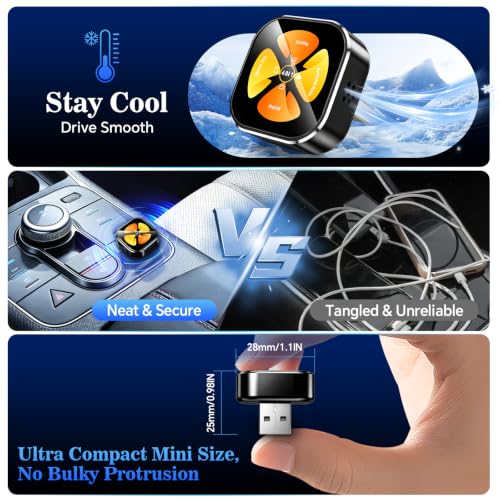
The Beamlit 2-in-1 mini adapter is aimed at drivers who care about size and connection response. Its product design focuses on a small dongle that converts wired Android Auto and CarPlay to wireless use. A compact adapter is less likely to crowd the area around the USB port. That can matter in a small sedan where the center console has little spare room.
The advertised low-latency goal is useful for actions such as changing a song, opening a route, or using a voice command. Still, actual speed depends on the phone, car software, Wi-Fi conditions, and app. I would judge any “zero-lag” claim as a design target rather than a promise for every vehicle. The best experience comes when the car has a stable USB data port and the phone runs current, supported software.
Pros:
- Mini form can fit tight center consoles
- Supports both Android Auto and Apple CarPlay
- Designed for a quick wireless connection
- Reduces the need for a phone cable during trips
- Retains the original vehicle screen and controls
- Plug-and-play format suits owners who dislike installation work
Cons:
- Small size can make the adapter easier to misplace
- It needs a compatible wired system to work
- Connection speed may vary from one car and phone to another
My Recommendation
I recommend the Beamlit to drivers who want a discreet adapter with a small footprint. It is especially attractive when the USB port sits in a narrow pocket or beside other devices. It also makes sense for people who frequently switch between Android and iPhone users. In a crowded field of the best Android Auto adapters, the Beamlit’s strongest selling point is its compact, low-clutter approach.
I would not choose it based on a speed phrase alone. Instead, look at the complete setup: compatible wired Android Auto, a working data port, current phone software, and a good position for the dongle. When those pieces line up, a mini adapter can feel almost invisible, which is exactly what many drivers want. It is a practical option for clean installations and small cabins.
Wireless CarPlay and Android Auto Mini Dongle

This mini two-in-one dongle focuses on dual-band Wi-Fi, automatic reconnection, and a low-latency wireless link. Those features address the most common reason drivers buy an adapter: they want to start the car and use Android Auto without searching for a cable. The product is listed for vehicles from 2016 and newer, but model-year labels are only a starting point. The actual factory stereo and software still decide whether the adapter works.
Automatic reconnection is one of the most useful features in real life. It can save several steps when you make many short trips during the day. Dual-band Wi-Fi may also help the adapter manage the wireless connection, though the phone and car remain part of the full system. I would place this model on a shortlist for drivers who want a compact design with a focus on stable, repeat use.
Pros:
- Supports wireless Android Auto and wireless CarPlay
- Automatic reconnection can simplify repeated trips
- Dual-band Wi-Fi design targets a stable link
- Low-latency focus may improve touch and voice response
- Mini body helps limit dashboard clutter
- Suitable for drivers who share one car across phone platforms
Cons:
- “2016+” does not guarantee compatibility with every vehicle
- Wireless performance depends on the phone and factory stereo
- It does not replace a full head unit or add support to an incompatible car
My Recommendation
This adapter is best for a driver who makes frequent stops and wants automatic reconnection to do the routine work. It also suits people who prefer a small dongle and want one device for Android and iPhone users. The focus on dual-band Wi-Fi and low latency gives it a useful feature set for navigation, audio, calls, and voice commands. For shoppers comparing the best Android Auto adapters, it offers a balanced list of everyday features.
I would verify compatibility before ordering, especially with older vehicles and aftermarket stereos. Check the car manual, the stereo maker’s support page, and the phone requirements. If the vehicle already runs wired Android Auto, this dongle may remove one of the most annoying parts of the experience: plugging in every time. Its value comes from convenience, not from changing the car’s underlying system.
AAWireless Two Adapter

The AAWireless Two is a dedicated wireless Android Auto adapter for converting factory wired Android Auto into a wireless connection. Unlike the two-in-one models above, it focuses on Android users rather than adding Apple CarPlay support. Its feature list includes Bluetooth and Wi-Fi auto connection, plug-and-play setup, and a multifunction button. That button can be useful when you want a physical way to manage the device instead of reaching for the phone.
A dedicated Android Auto adapter can be a good fit when nobody in the car uses an iPhone. Fewer platform goals may also make the buying decision easier. The device is made in Europe, and its compact design should work well in most center consoles with a suitable USB data port. As always, I would confirm that the vehicle runs wired Android Auto before expecting wireless operation.
Pros:
- Designed specifically for wireless Android Auto
- Bluetooth and Wi-Fi support automatic connection
- Multifunction button adds a physical control option
- Plug-and-play setup requires no dashboard removal
- Good choice for Android-only households
- Made in Europe according to the product listing
Cons:
- Does not target Apple CarPlay users
- Requires factory wired Android Auto support
- Wireless connection still depends on phone and car software
My Recommendation
I would choose the AAWireless Two for an Android-only driver who wants a focused product. It is a strong match for a personal car, a work vehicle, or a family that does not need CarPlay. The physical button may also appeal to drivers who like a simple control on the adapter itself. In the best Android Auto adapters category, its dedicated approach can be more useful than paying for a feature you will never use.
This product is not the best fit for a mixed phone household. If an iPhone user will regularly drive the car, a two-in-one option gives more flexibility. For Android users, however, the AAWireless Two has a clear purpose and a useful feature set. Its overall value depends on compatibility, but it is worth considering when stable wireless Android Auto matters more than dual-platform support.
How Wireless Android Auto Adapters Work
A wireless adapter does not create a new infotainment system. Instead, it acts as a bridge between a phone and a car that already supports wired Android Auto. The factory stereo still handles the display, sound, touch input, and steering-wheel controls. The adapter changes the connection path from a USB cable to a wireless link.
Most adapters use Bluetooth during the first connection process. After that, Wi-Fi carries much of the data needed for screen projection. This explains why a wireless adapter may need more phone permissions than a simple Bluetooth music connection. It also explains why Bluetooth pairing alone does not equal Android Auto support.
The process usually looks like this:
- Plug the adapter into the vehicle’s Android Auto USB data port.
- Turn on Bluetooth and Wi-Fi on the Android phone.
- Pair the phone with the adapter when prompted.
- Accept the Android Auto permissions and safety notices.
- Wait for the factory display to open Android Auto.
- Allow the system to reconnect on later drives.
The first setup may take longer than expected. That does not always mean the adapter is faulty. The phone may need an update, the car may need a different USB port, or an old pairing record may need removal. I usually recommend starting with a clean setup rather than changing several settings at once.
What I Look For in the Best Android Auto Adapters
I judge these devices by daily use, not by a long feature list. A wireless adapter should connect without drama, stay connected on normal drives, and avoid adding clutter. It should also make sense for the buyer’s phone and vehicle. A model that supports both phone platforms is helpful for families, while a dedicated Android device may be better for a single Android user.
Compatibility comes first. The car must normally support wired Android Auto through a USB data port. Some vehicles have more than one USB port, but only one may support smartphone projection. Some aftermarket stereos also use unusual connection rules. Check the vehicle manual and test wired Android Auto before buying.
Connection speed matters. A short startup delay is normal for wireless projection. However, a long delay on every trip can become frustrating. Auto-reconnect helps most when the driver makes many short trips. It also matters if the phone stays in a bag or pocket.
Stability matters more than a peak speed claim. Maps and music should continue while the car moves through ordinary areas. A dropped connection can be more annoying than a slow first launch. Wi-Fi congestion, the phone’s wireless settings, and the car’s software can all affect results.
Size has a real benefit. A small dongle is easier to place near the USB port. It also reduces the chance of catching the adapter with a cup, bag, or hand. A short adapter cable may help when the port sits in a deep console.
Platform support affects value. A 2-in-1 adapter is useful for a shared car. A single-platform model may cost less or offer a more focused design. Do not pay for CarPlay support if every driver uses Android, but do not ignore it if phone ownership changes often.
Physical controls can help. Most Android Auto actions should happen through the car screen or voice commands. Still, a button on the adapter may help with simple device functions. It should not encourage phone handling while driving.
Wireless Adapter Setup Tips
Start with the car parked. Read the quick-start guide, then plug the adapter into the same USB port that works with wired Android Auto. If the vehicle has several ports, test them one by one. A port that charges a phone may not carry data.
Next, turn on Bluetooth, Wi-Fi, and location services on the phone if the setup instructions request them. Keep the phone unlocked during the first pairing attempt. Accept only the normal Android Auto permissions needed for calls, messages, navigation, and media. Once the system works, lock the phone and place it where it will not move around.
If the adapter does not connect, remove old pairings from both the phone and vehicle. Restart the phone and car system. Then repeat the setup from the beginning. A stale Bluetooth record can act like a locked door, even when the hardware is fine.
Try a different USB cable if the adapter uses a separate cable. Use a short, good-quality data cable rather than a cable made only for charging. Avoid placing the adapter beside a hot wireless charger or in direct sun. Heat can affect small electronics, especially inside a parked car.
Keep the phone and vehicle software current when possible. Updates can improve Android Auto behavior, but they can also change menus or permissions. If a problem begins after an update, check the adapter maker’s support information before assuming the device has failed.
Common Problems and Simple Fixes
The display stays blank. First, confirm that the car supports wired Android Auto. Then test a direct USB connection. If wired Android Auto does not open, check the phone settings, cable, and USB port before testing the wireless adapter.
The adapter connects but drops out. Move the adapter away from other wireless devices and try a different USB port. Delete the old pairing and reconnect. Also check whether the phone switches Wi-Fi networks while driving. Some phones may change behavior when they see a saved home or hotspot network.
Music works but maps do not. Review Android Auto permissions and app settings. Confirm that the navigation app is installed and updated. Make sure the phone has a data connection if the route or map needs online information.
Calls sound poor. Check which microphone the vehicle uses and whether the factory system supports hands-free calling through Android Auto. Lower background noise and keep the phone away from a blocked storage area. A wireless adapter cannot repair a weak factory microphone.
The adapter works for one phone but not another. Remove the first phone from the car’s remembered devices, then pair the second phone. Some vehicles prioritize the last connected phone. A shared car may need a clear order for pairing and startup.
The car asks for a cable. This often means the vehicle is waiting for wired Android Auto or has not completed wireless pairing. Follow the adapter’s pairing steps instead of plugging in the phone at the same time. A direct cable may interrupt the wireless setup.
Safety and Legal Use
Android Auto can reduce the need to touch a phone, but it does not remove driver responsibility. Set your route before moving when possible. Use voice commands for calls, messages, and music changes. If the road requires your full attention, pull over before changing settings.
The factory display is usually easier to use than a phone held in the hand. That is one reason wireless adapters can improve comfort. Still, a cleaner setup should support safe habits, not invite more screen use. Keep notifications limited and avoid reading long messages while driving.
Rules for phone use vary by state and location. Local law may restrict handheld use, even when a vehicle has a built-in display. Follow the law where you drive and the instructions in the vehicle manual.
Best Android Auto Adapters: Quick Comparison
| Best for | Why |
|---|---|
| Mixed Android and iPhone households | Spedal and Teeran support both Android Auto and Apple CarPlay, making one car easier to share. |
| Small consoles and low clutter | Beamlit and the mini two-in-one dongle use compact designs that fit near tight USB ports. |
| Android-only drivers | AAWireless Two focuses on wireless Android Auto and adds a multifunction button for simple control. |
Buying Guide for the Best Android Auto Adapters
Before you choose, write down your vehicle year, make, model, and factory stereo type. Then confirm whether wired Android Auto works today. This one step can prevent most buying mistakes. A listing that says “cars 2016+” cannot cover every vehicle made in those years.
Think about who uses the car. If an iPhone user will connect often, select a two-in-one adapter. If every driver uses Android, a dedicated option may be enough. A shared family car benefits from easy reconnection and clear pairing instructions.
Consider where the USB port sits. A large adapter may block a storage area or sit in the way of a passenger. A mini model can look cleaner, but a tiny device may be harder to remove if you change vehicles. A short extension cable can help place the adapter in a safer location.
Review the return policy and support options. Compatibility can be difficult to predict from a product title alone. A clear return window gives you time to test the adapter on your own stereo. Keep the packaging until the connection works for several trips.
Do not confuse wireless Android Auto with a portable Android screen. An adapter uses the car’s existing screen. If your vehicle has no compatible display or projection system, you may need a new head unit or a separate portable screen instead. Those products solve a different problem.
Also remember that wireless use may drain the phone faster than a cable connection. Keep a charger in the vehicle for long journeys. Some cars include a wireless charging pad, but charging speed and phone heat can vary. Navigation, mobile data, and screen projection can all increase battery use.
Are Wireless Android Auto Adapters Worth It?
For many drivers, yes. The main gain is small but constant: you no longer need to find and plug in a cable for every trip. That benefit grows when you make many short drives. It also helps when the phone stays in a pocket, purse, or bag.
The value is lower if you rarely use Android Auto or already keep a cable connected in the car. A direct cable can offer a stable link and charge the phone at the same time. Wireless convenience does not guarantee faster charging or better audio quality.
I see these adapters as comfort tools. They do not improve the car’s speakers, add a backup camera, or upgrade the screen. They simply make an existing wired feature easier to start. For the right vehicle, that can be worth the cost.
FAQs Of best android auto adapters
Do wireless Android Auto adapters work in every car?
No. Most require a vehicle or stereo that already supports wired Android Auto through a USB data port. Check wired compatibility before buying. A charge-only USB port will not provide the data connection the adapter needs.
Can I use an Android Auto adapter with an iPhone?
Only if the adapter also supports Apple CarPlay. The Spedal, Teeran, Beamlit, and mini two-in-one models are designed for both platforms according to their product listings. The AAWireless Two is focused on Android Auto.
Will a wireless adapter charge my phone?
Usually, no. The adapter converts the connection but does not replace a proper phone charger. Wireless Android Auto may use more battery, so keep a charging cable or use the car’s charging pad during long trips.
Why does my adapter keep disconnecting?
Check the USB data port, phone software, Bluetooth pairing, Wi-Fi settings, and adapter placement. Delete old pairings and reconnect. If wired Android Auto is unstable, fix that issue first because the wireless adapter depends on the same factory system.
Is wireless Android Auto safe to use while driving?
It can reduce phone handling, but drivers still need to stay focused. Set routes before driving and use voice controls when practical. Follow local phone-use laws and pull over before making complex changes.
Final Verdict: Which Should You Buy?
The Spedal is my top pick for most mixed-phone households because it supports Android Auto and CarPlay in one small adapter. Android-only users should consider the AAWireless Two, while drivers with tight consoles may prefer Beamlit or the mini dongle.
The best Android Auto adapters make compatible factory systems simpler and cleaner. Confirm wired support first, then choose the size, platform support, and reconnect features that match your daily drive.