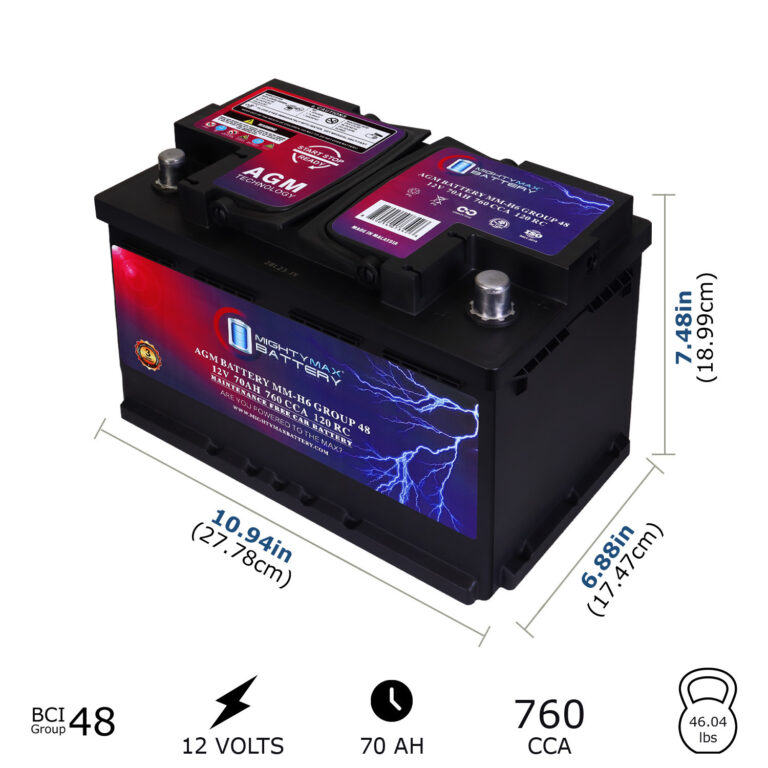
You can often reset codes on a car without a scanner by disconnecting the battery briefly.
I’ve spent years fixing cars and reading trouble lights. This guide explains how to reset codes on a car without a scanner, when it’s safe to do so, step-by-step methods you can try at home, what to watch for, and how to confirm the problem is really fixed. Read on for clear, tested advice and practical tips from hands-on experience.
Why codes appear and what resetting actually does
Engine codes come from the car’s computer when a sensor or system reports a problem. Clearing codes without a scanner removes the stored trouble code and can turn off the check engine light. Resetting codes on a car without a scanner does not fix the underlying issue. If the fault remains, the car will likely set the code again after a short drive cycle.
A cleared code also erases freeze-frame data and some readiness monitors. That can hide problems during inspections. Use code resets as a troubleshooting tool, not a long-term fix.

When it’s OK to reset codes on a car without a scanner
Reset codes on a car without a scanner when you have fixed the root cause. Try a reset after replacing a sensor or connector. Use a reset to confirm a repair worked. Avoid resets when you bypass inspections or ignore safety issues.
If the light is on for a known temporary cause, like loose gas cap, resetting codes on a car without a scanner can be fine. If driving performance is affected, diagnose first. Safety comes first.
Methods to reset codes on a car without a scanner
Below are common, low-tech ways to reset codes on a car without a scanner. Each method works on many vehicles, but results vary by make and model. Try the least invasive option first.
- Battery disconnect method
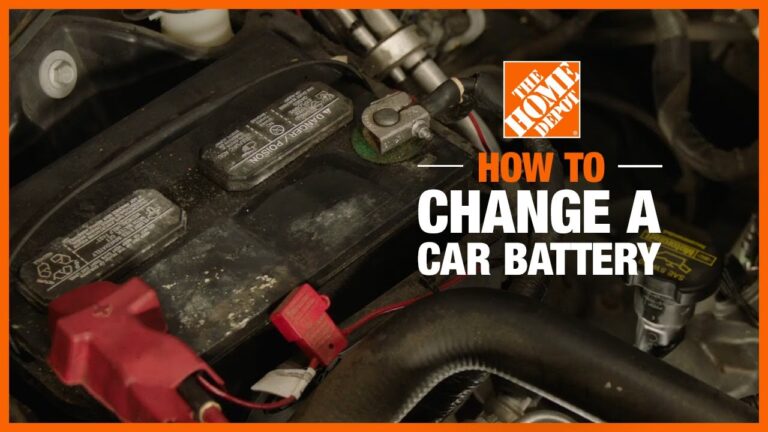
- Turn the ignition off. Remove negative battery terminal for 15 to 30 minutes. Reconnect terminal and start the car. This clears many engine codes and resets the ECU memory.
- Short battery disconnect method
- Some people remove the negative terminal for 5 to 10 minutes. This can work but may not clear all stored data. Use longer disconnect for a fuller reset.
- Fuse pull for ECU or PCM
- Locate the engine control fuse or ECU fuse in the fuse box. Remove it for 10 to 30 minutes. Reinstall the fuse and start the car. This targets the ECU power and can reset codes on a car without a scanner in a cleaner way than the battery disconnect.
- Ignition key cycling (key on/off trick)
- Turn key to ON (do not start) for 10 seconds, then OFF for 10 seconds. Repeat this cycle 3-5 times. Start the car and see if the light clears. This method sometimes forces the computer to clear pending codes.
- Grounding or pin trick on diagnostic connector
- Some older cars allow shorting specific pins on the OBD-I connector to erase codes. This is model-specific and requires a repair manual. Use caution to avoid damage.
- Drive cycle and natural reset
- If you’ve fixed the issue, drive the car through a complete drive cycle. Modern cars often clear codes automatically after sensors show normal operation for several drive cycles. This method avoids erasing diagnostic data.
Use the method that fits your skill level. Note that many modern cars keep codes stored even after a battery disconnect, so results vary. Resetting codes on a car without a scanner is often possible, but not guaranteed.

Step-by-step: battery disconnect method (simple and common)
Follow these steps to reset codes on a car without a scanner using the battery.
- Park the car and turn off ignition
- Make sure lights and accessories are off.
- Open the hood and locate the negative battery terminal
- Negative is usually black and marked with a minus sign.
- Loosen and remove the negative cable
- Use a wrench to loosen clamp. Pull cable off the terminal.
- Wait 15 to 30 minutes
- This lets capacitors discharge and memory clear.
- Reconnect the negative cable and tighten
- Ensure a snug connection to avoid electrical faults.
- Start the car and check the dash
- The check engine light may be off. If it returns, the issue likely remains.
This step-by-step is easy for most DIYers. Always wear eye protection and keep metal tools away from battery posts to prevent sparks.

How to confirm a proper reset and follow-up diagnostics
After you reset codes on a car without a scanner, do these checks.
- Drive the car for a full drive cycle
- Include city and highway driving. Modern ECUs need time to re-run tests.
- Watch for the check engine light
- If it comes back, note symptoms like stalling, rough idle, or poor fuel economy.
- Listen and look for signs
- Check for vacuum leaks, coolant leaks, or loose wires.
- Consider a loaner or pay-for scan
- If the light returns and you lack tools, get a quick scan at a parts store or shop. The scan reveals the exact trouble code.
A smart approach is to reset codes on a car without a scanner only after a fix, then verify with a drive cycle. That gives you confidence the repair worked.
Precautions, risks, and legal considerations
Resetting codes on a car without a scanner has limits and risks. Be aware of these points.
- You may hide safety faults
- Clearing a code doesn’t fix brakes, airbags, or steering faults.
- Emissions readiness can be affected
- Resetting codes can clear readiness monitors. This may cause inspection failure.
- Electronic settings may be lost
- Radio presets, clock, and learned transmission settings can reset.
- Potential for electrical damage if done poorly
- Shorting battery terminals or using wrong fuse can harm electronics.
If you are unsure, consult a professional. Never clear codes to pass an inspection without fixing the problem first.

Personal tips, mistakes to avoid, and proven tricks
From my hands-on work, here are honest tips that save time and money.
- Always check for simple fixes first
- Tight gas cap, loose vacuum line, or corroded connector often cause codes.
- Don’t rush to clear codes on a hunch
- Clear only after you’ve diagnosed or fixed something.
- Keep a record of codes and steps
- Write down codes before you reset them so you can track recurring issues.
- Use time and drive cycles as a diagnostic tool
- If a code returns after a drive cycle, it confirms the problem.
- Avoid unnecessary battery disconnects
- Too many resets can wear out certain learned adaptations like idle trim.
I once cleared codes after fixing an oxygen sensor and thought the car was good. A week later the same code returned because a wiring clip was broken. The lesson: check wiring and connectors.

Frequently Asked Questions of How to reset codes on a car without a scanner
Can I permanently clear codes using the battery disconnect?
Yes, you can often clear stored codes temporarily by disconnecting the battery, but permanent removal depends on whether the underlying issue is fixed. If the fault remains, the code will likely come back after driving.
Will resetting codes affect my car’s warranty?
Resetting codes on a car without a scanner does not usually void warranty, but deliberate tampering could complicate claims. Always document repairs and be honest with the dealer or shop.
How long should I disconnect the battery to reset codes?
Wait at least 15 minutes for a thorough reset; 5 to 10 minutes may work for some models. Longer waits allow capacitors and volatile memory to discharge fully.
Can pulling a fuse damage the car?
Removing the correct ECU fuse for a short time is generally safe, but removing the wrong fuse can affect other systems. Consult your manual and disconnect the battery when in doubt.
Will resetting codes fix a check engine light caused by a loose gas cap?
Yes, resetting codes on a car without a scanner after tightening a loose gas cap can clear the check engine light once the system runs its checks. It may take a short drive for the light to go out.
Conclusion
Resetting codes on a car without a scanner is a useful skill. Use battery disconnects, fuse pulls, key cycling, or natural drive cycles to clear codes when appropriate. Always diagnose first, fix the root issue, and then reset to confirm the repair. If the light returns, get a code read to avoid guessing.
Take action: try the safe methods above, keep notes of what you tried, and if the problem persists, get a quick diagnostic scan. Share your experience or questions in the comments — I’ll help troubleshoot.