The best OBD2 scanner for laptop is the OBDLink MX+, thanks to broad device support and fast, reliable data.
A warning light can appear just before a long trip or repair visit. You may want to check the code yourself instead of paying for a quick scan. The best OBD2 scanner for laptop helps you read engine data, view live readings, and understand common faults at home. Some tools connect to Windows laptops, while others work better with a phone or tablet. I reviewed six popular options to help you choose the right code reader for your car, skill level, and budget.
See the differences between my top picks at a glance.
| Scanner | Connection | Main strength | Best for | Amazon |
|---|---|---|---|---|
| OBDLink MX+ | Bluetooth | iPhone, Android, and Windows support | Laptop users and advanced apps | View on Amazon |
| BlueDriver | Bluetooth | Repair reports and broad system scans | DIY repair guidance | View on Amazon |
| FOXWELL NT604 | Wired | ABS, SRS, and transmission scans | Home mechanics | View on Amazon |
| BLCKTEC 460T | Wired | Reset services and system tests | Frequent DIY service work | View on Amazon |
| ANCEL AD410 | Wired | Simple engine code reading | First-time users | View on Amazon |
| FOXWELL NT301 | Wired | Live engine data | Basic engine checks | View on Amazon |
OBDLink MX+ Bluetooth Scanner

The OBDLink MX+ is my top choice for people who want a flexible OBD2 scanner for laptop use. It connects through Bluetooth and supports iPhone, Android, and Windows devices. That makes it useful for laptop owners who want to use a compatible Windows diagnostic app. It also works with many third-party apps, so you are not locked into one simple screen.
This scanner is a strong fit for drivers who want more than a basic check-engine scan. It can show live data and support enhanced vehicle information when the app and vehicle allow it. The wireless design keeps a cable off the driver’s seat while you test readings. Keep in mind that advanced functions depend on the software, vehicle brand, and vehicle model.
Pros:
- Works with iPhone, Android, and Windows devices
- Useful wireless choice for laptop-based diagnostics
- Supports live data through compatible apps
- Small design that can stay in the diagnostic port
- Good choice for users who want app flexibility
- Helps reduce cable clutter during testing
Cons:
- Windows use may require a compatible app or setup
- Advanced features can vary by vehicle and software
- Not a full factory-level scan tool for every car
What Amazon Buyers Are Saying
Buyer feedback commonly praises the small size, quick connection, and wide device support. Users often like the ability to pair the adapter with different apps instead of using only one basic program. Some buyers report that setup takes a little care, especially when selecting a Windows app or changing connection settings. The main lesson is simple: check app support before purchase if laptop use is your top goal.
My Recommendation
I recommend the OBDLink MX+ for experienced DIY users and laptop owners who want a wireless tool with room to grow. It offers a better path to advanced data than a basic wired reader, but it requires some app research. For most buyers, it is the best OBD2 scanner for laptop in this group.
BlueDriver Bluetooth OBD2 Scanner
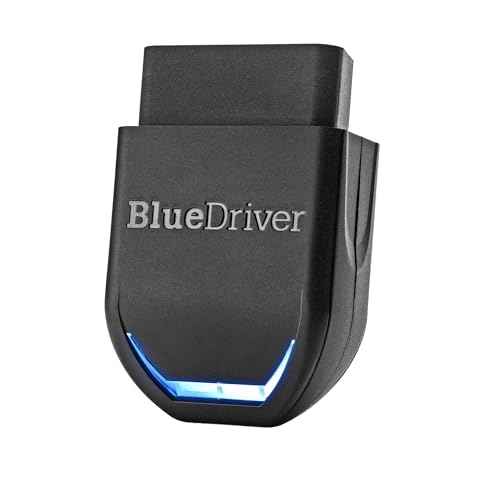
BlueDriver is a popular Bluetooth scanner for drivers who want clear repair information. It connects to a phone or tablet through the BlueDriver app and can scan more than the basic engine system on supported vehicles. The listed functions include ABS, SRS, and TPMS support, but coverage depends on the vehicle. Its repair-report approach makes a code easier for a new DIY user to understand.
This is not my first pick for a true laptop-only setup because its main experience centers on iPhone and Android devices. Still, it can be a very useful alternative for anyone who owns a laptop but also has a smartphone. The no-subscription design is attractive for people who dislike monthly app fees. Always check the supported vehicle list before expecting a specific system scan.
Pros:
- Clear reports aimed at home users
- No subscription is listed for normal use
- Supports more than basic engine codes on selected vehicles
- Works with iPhone and Android devices
- Simple wireless connection for driveway checks
- Helpful option for users who want repair context
Cons:
- Phone or tablet use is more central than laptop use
- System coverage varies by vehicle make and model
- Some advanced scans may not work on every supported car
What Amazon Buyers Are Saying
Amazon buyers often like the simple app flow and the way reports turn codes into more useful repair guidance. Many users also value the lack of a recurring subscription. Common concerns focus on vehicle coverage, app pairing, and expectations about what “full system” scanning means. Buyers tend to have the best experience when they check compatibility before ordering and keep the app updated.
My Recommendation
BlueDriver is worth buying if you want easy reports and broad phone-based scanning. I would choose it over a laptop scanner only when smartphone use is acceptable. It is a strong DIY option, but the OBDLink MX+ is more suitable for a buyer who specifically wants Windows laptop flexibility.
FOXWELL NT604 Elite Scanner

The FOXWELL NT604 is a wired diagnostic tool for users who want access to several key vehicle systems. Its listed functions include engine, ABS, SRS, and transmission scanning. That is a major step above a basic check-engine code reader. The built-in screen also means you do not need a phone, laptop, or app to begin a scan.
For laptop owners, this scanner works best as a stand-alone tool rather than a computer accessory. The cable provides a direct connection and avoids Bluetooth pairing problems. Its live-data feature can help you watch sensor readings while the engine runs. It may suit a home mechanic who wants wider system coverage without learning computer software first.
Pros:
- Scans engine, ABS, SRS, and transmission systems
- Built-in display works without a laptop or phone
- Useful live-data function for engine checks
- Direct wired connection reduces pairing issues
- Good fit for home mechanics
- Offers more system access than basic code readers
Cons:
- Does not provide the same laptop integration as a Bluetooth adapter
- Coverage can vary by vehicle model
- Professional reset functions may be limited by the vehicle
What Amazon Buyers Are Saying
Buyers commonly mention the value of having ABS and airbag functions in a tool with its own screen. Many users like the direct connection and the ability to start testing without an app. Some complaints involve unclear coverage for certain vehicles or confusion about advanced functions. As with most mid-level scanners, buyers get better results when they read the compatibility details first.
My Recommendation
I recommend the NT604 to a home mechanic who values system coverage more than laptop control. It is not the best OBD2 scanner for laptop software, but it is one of the better stand-alone choices here. Choose it if ABS, SRS, and transmission checks matter more than wireless data transfer.
BLCKTEC 460T Diagnostic Scanner

The BLCKTEC 460T targets drivers who want service functions, not just code reading. Its listed features include 12 reset services, oil and TPMS resets, EPB, BMS, SAS, DPF, and throttle resets. It also lists ABS bleeding, battery testing, auto VIN, and free updates. This feature set gives it a clear advantage for routine maintenance work on compatible vehicles.
The 460T is a wired tool with its own interface, so it does not rely on a laptop. That can be helpful when you work beside the car and need quick access to service menus. However, reset tools need careful use because a wrong command can affect a vehicle system. Confirm the exact function for your car before you activate it, and do not treat a reset as a repair.
Pros:
- Offers a wide range of listed reset services
- Includes ABS, SRS, and transmission diagnostics
- Lists battery testing and auto VIN functions
- Useful for oil, TPMS, EPB, and BMS service tasks
- Free updates add long-term value
- Good fit for active DIY maintenance work
Cons:
- Reset coverage depends on the vehicle
- More features can mean a steeper learning curve
- Wired design does not connect directly to a laptop
What Amazon Buyers Are Saying
Customer feedback for tools in this class often focuses on the number of service functions and the value of updates. Buyers tend to appreciate having several maintenance tasks in one device. The most common concern is that a listed function may not work on every make or model. Users should also take time to understand each service menu before making changes.
My Recommendation
The BLCKTEC 460T is a good buy for a skilled DIY owner who performs regular service work. It is not the simplest option for a first-time scanner user, and it is not designed around laptop software. If you need resets and maintenance functions, it deserves serious attention.
ANCEL AD410 OBD2 Code Reader

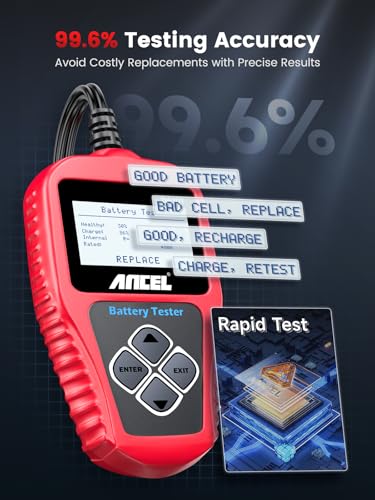
The ANCEL AD410 is a simple wired OBD2 code reader for basic engine diagnosis. It is designed for OBDII cars from 1996 and newer, although exact compatibility still depends on the vehicle. The tool reads fault codes and helps you check a check-engine light without installing computer software. Its direct design makes it approachable for new users.
This scanner is not aimed at deep laptop diagnostics or advanced body-system work. Instead, it gives you a low-cost way to see whether a fault code needs more attention. It can help you avoid paying for a basic code scan when you are comfortable doing the first check yourself. You still need a repair manual or trusted technical source to diagnose the cause behind a code.
Pros:
- Simple design for first-time users
- Direct wired connection with no pairing step
- Useful for basic check-engine scans
- Works with many OBDII vehicles from 1996 onward
- Compact and easy to store in a glove box
- Good low-cost backup for routine checks
Cons:
- Focused mainly on engine and emissions-related codes
- Not a strong choice for ABS or SRS diagnostics
- Does not offer true laptop app integration
What Amazon Buyers Are Saying
Amazon customers commonly like the clear basic function, compact size, and simple plug-in operation. Many buyers use it to check a warning light before visiting a repair shop. Complaints tend to involve limited advanced features or vehicles that need more system coverage. That feedback matches the product’s purpose: it is a basic reader, not a professional scan platform.
My Recommendation
I recommend the AD410 for a new car owner who wants a simple code reader at a modest cost. It is not the best OBD2 scanner for laptop use, but it can be a practical first tool. Buy it when basic engine codes are enough for your needs.
FOXWELL NT301 Live Data Scanner

The FOXWELL NT301 focuses on engine diagnostics and live data. It gives users a wired connection and a built-in display, so it works without a laptop or mobile app. Live data can show changing readings while the engine runs. That makes it more useful than a basic code-only reader for users who want to watch sensor information.
The NT301 suits a driver who wants a middle ground between a simple scanner and a complex professional tool. It can help you read and clear eligible fault codes, but clearing a code does not fix the underlying problem. Its main limits are system coverage and laptop integration. If you want ABS, airbag, or transmission scans, look at a broader tool such as the NT604.
Pros:
- Displays live engine data
- Built-in screen needs no laptop or phone
- Useful for check-engine troubleshooting
- Simple wired operation
- More informative than a code-only reader
- Practical choice for home garages
Cons:
- Primarily focused on engine diagnostics
- Limited use for non-engine vehicle systems
- Does not provide laptop-based wireless scanning
What Amazon Buyers Are Saying
Buyers often praise the readable display and the ability to view live readings without a separate device. Many use it for routine engine checks and code clearing. Some users expect broader system access than the scanner provides, while others mention that live data can take time to understand. The product works best when buyers see it as an engine-focused tool.
My Recommendation
The NT301 is worth buying if live engine data matters but you do not need laptop software. It gives more information than a basic reader and remains easy to operate. For a true computer-connected setup, I would still choose the OBDLink MX+.
Bluetooth 5.4 OBD2 Scanner for iOS and Android
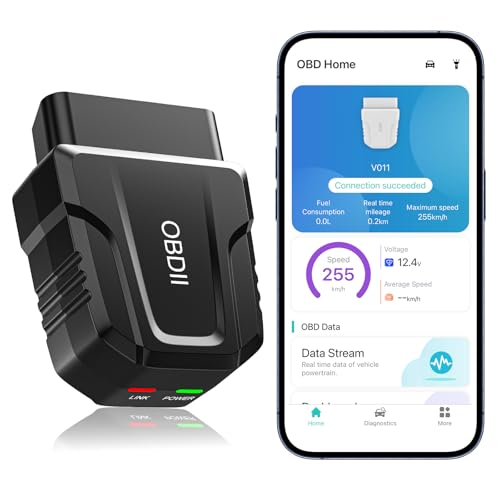
This Bluetooth 5.4 OBD2 scanner is made for iOS and Android devices. It lists code reading, live data, error clearing, and a performance test through its exclusive app. The wireless format makes it easy to use from outside the driver’s seat. It may suit a buyer who wants a modern phone-based scanner at a lower entry cost.
The product is less convincing for laptop owners because the listing centers on iOS and Android rather than Windows. Bluetooth version alone does not guarantee laptop support. You need to confirm the app and operating system before buying it for computer use. For phone diagnostics, it can offer useful basic functions, but its value depends heavily on app quality and vehicle coverage.
Pros:
- Wireless design for convenient phone use
- Lists Bluetooth 5.4 connectivity
- Supports code reading and error clearing
- Includes live data through its app
- Offers a performance test feature
- Small format is easy to carry
Cons:
- Listing focuses on iOS and Android, not laptops
- Exclusive app may limit software choice
- Vehicle coverage and advanced functions need checking
What Amazon Buyers Are Saying
Buyers who want a quick phone connection often value the compact wireless design and simple app access. Feedback for this type of scanner can vary because the app affects the full experience. Common concerns include pairing, permissions, and different results across vehicle models. I suggest checking recent app feedback and vehicle support before ordering.
My Recommendation
This scanner is a reasonable pick for basic iOS or Android checks, but I would not choose it as the best OBD2 scanner for laptop use. The OBDLink MX+ offers a clearer path for Windows users. Pick this model only when phone use is your main plan and the app supports your car.
How to Choose the Best OBD2 Scanner for Laptop
Choosing the best OBD2 scanner for laptop use takes more than checking the word “Bluetooth.” You need to match the adapter, computer, software, vehicle, and type of diagnosis. A tool can read engine codes but fail to scan airbags or transmission modules. Use the points below before you place an order.
1. Confirm Windows and Software Support
First, check how the scanner connects to your laptop. Some Bluetooth adapters support Windows, while others only support Android and iOS. A Bluetooth 5.4 label does not prove that a Windows app will work. Look for a stated Windows connection and a compatible diagnostic program.
Also check whether the software costs extra. Some apps offer basic code reading for free but charge for advanced data. Others may need a one-time purchase or a subscription. The OBDLink MX+ stands out because it gives laptop users more device and app flexibility.
2. Match the Scanner to Your Vehicle Systems
Basic OBD-II usually covers engine and emissions data. It does not always cover ABS, SRS, TPMS, transmission, or body modules. If your warning light shows an airbag symbol, a basic engine reader may not help. Choose a scanner that clearly lists the system you need.
Vehicle coverage can vary by year, make, model, and region. Read the compatibility list before buying. Even a scanner with many functions may not perform every reset on every vehicle. Treat the product page as a starting point, then confirm details with the maker’s support page.
3. Compare Live Data, Resets, and Long-Term Value
Live data helps you see sensor readings while the engine runs. It can support diagnosis, but it does not replace proper testing. A code tells you which system saw a problem. It does not always identify the failed part. Choose live data when you plan to learn basic testing or work on your own car.
Reset services can save money, but they need care. Oil, battery, steering angle, electronic parking brake, and diesel functions may require special steps. Free updates can improve value, but update terms matter. A simple scanner may be better for a new user, while a tool like the BLCKTEC 460T suits an experienced DIY owner.
Final Verdict: Which Should You Buy?
The OBDLink MX+ is my top pick and the best OBD2 scanner for laptop use. It supports Windows along with iPhone and Android, offers wireless convenience, and leaves room for advanced apps.
Choose BlueDriver for clear phone reports, FOXWELL NT604 for wider system scans, and ANCEL AD410 for simple engine codes. Always confirm vehicle and software support before purchase.
FAQs Of best OBD2 scanner for laptop
Can I use an OBD2 scanner with a Windows laptop?
Yes, but the scanner and software must support Windows. Check the product listing and app requirements before buying.
Is Bluetooth better than a wired OBD2 scanner for laptop use?
Bluetooth is usually more convenient for laptop use. A wired scanner can be easier for beginners because it needs no pairing or app setup.
Can an OBD2 scanner read ABS and airbag codes?
Only some models can. Basic readers often focus on engine codes, while advanced tools may support ABS and SRS on selected vehicles.
Will an OBD2 scanner work on every car?
No. Many US cars use standard OBD-II from the 1996 model year, but system coverage still varies by make, model, year, and region.
Does clearing a trouble code fix the car?
No. Clearing a code turns off the warning only for a time if the fault remains. Find and repair the cause before clearing it.