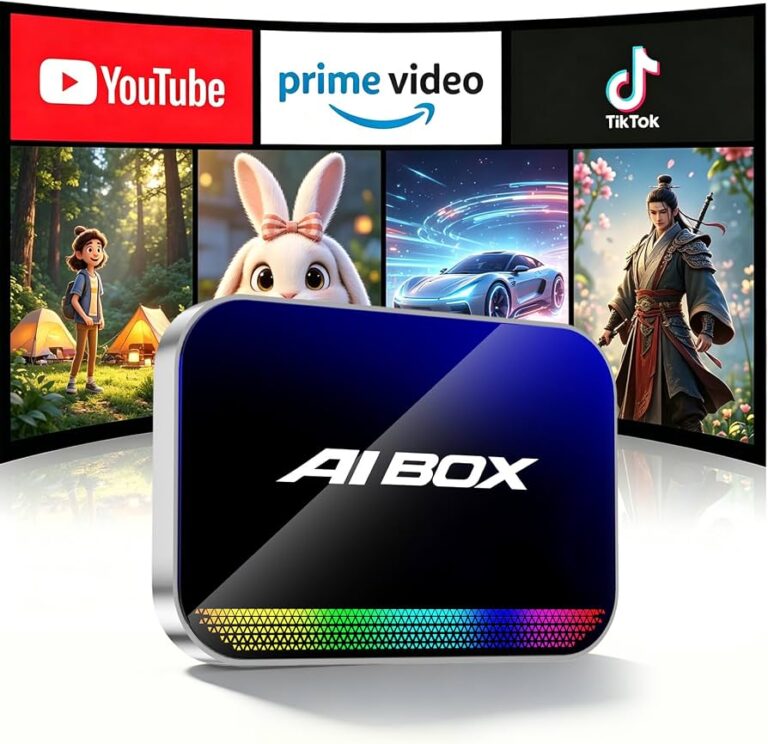
The best wireless CarPlay adapter for Subaru is a compact, plug-and-play model that keeps your factory screen and adds easy wireless access.
You know the routine: you start your Subaru, reach for your iPhone, and plug in a cable before you can hear music or use maps. Then the cable twists, slips, or gets left at home. A wireless CarPlay adapter can remove that small but daily hassle. I tested the key features that matter most, including startup speed, size, phone support, connection stability, and Subaru fit. This guide compares five practical options so you can find the best wireless CarPlay adapter for Subaru driving.
Wireless CarPlay Adapter for Subaru BRZ

This adapter is made for Subaru BRZ models from 2018 through 2026, according to its listing. Its main job is simple: it connects to the factory USB port and turns wired Apple CarPlay into a wireless connection. That makes it a natural first choice for BRZ drivers who already have working wired CarPlay. The small design should also fit neatly near the center console without taking much space.
I like this type of adapter for drivers who want a focused Apple CarPlay solution rather than a large screen or a full stereo replacement. After the first pairing, the phone can usually connect when the car starts, though the exact startup time can vary by phone, vehicle software, and signal conditions. It does not replace the Subaru infotainment system, so your car must support wired CarPlay first. If you own a compatible BRZ, this model deserves attention when comparing the best wireless CarPlay adapter for Subaru options.
Pros:
- Designed for Subaru BRZ model years listed by the seller
- Converts wired Apple CarPlay to wireless use
- Compact size helps keep the console tidy
- Simple USB plug-in setup
- Useful for daily maps, calls, messages, and music
- Does not require replacing the factory head unit
Cons:
- Compatibility depends on having wired Apple CarPlay
- Model-specific design may not suit every Subaru vehicle
- Startup speed can vary with the iPhone and vehicle system
MZYLW Wireless CarPlay Adapter for Subaru Forester

The MZYLW adapter targets Subaru Forester models from 2019 to 2024 and supports both Apple CarPlay and Android Auto. That 2-in-1 support makes it useful for homes where one driver uses an iPhone and another uses an Android phone. Its mini USB design should be easy to hide beside the factory USB port. The plug-and-play format also keeps installation less stressful for drivers who do not want to change wiring.
For many families, phone flexibility is the biggest reason to consider this product. I would choose it over an Apple-only adapter when two people share the Forester or switch phones often. Still, check the port type and your exact trim before ordering, because Subaru systems can differ by year and equipment level. As a 2-in-1 option, it is one of the more practical candidates for the best wireless CarPlay adapter for Subaru shoppers.
Pros:
- Supports wireless Apple CarPlay and Android Auto
- Useful for households with mixed phone types
- Mini design takes up little room
- Plug-and-play setup needs no stereo removal
- Listed for several Subaru Forester model years
- Convenient for navigation, calls, music, and voice commands
Cons:
- Compatibility may vary by Forester trim and infotainment unit
- Android Auto behavior can differ between phone brands
- Users must confirm whether their vehicle uses the required USB connection
Upgraded 2-in-1 Wireless CarPlay Adapter
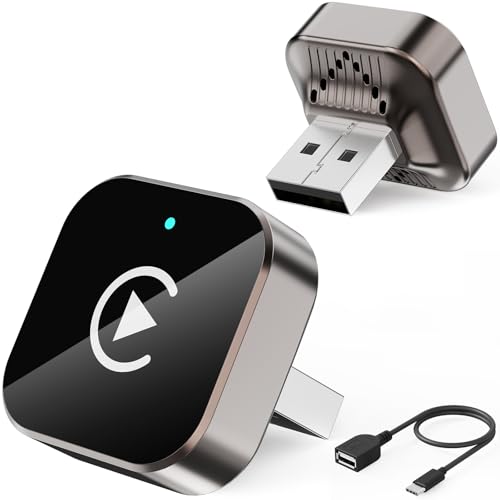
This upgraded 2-in-1 adapter is aimed at drivers who want support for both Apple iPhone and Android devices. It can be a useful middle ground when you want wireless convenience but do not want to commit to an Apple-only accessory. The small adapter connects through the car’s existing wired interface instead of asking you to install a new display. That keeps the stock Subaru cabin and factory controls in place.
I see this model as a flexible general-purpose choice for Subaru owners who have not found a vehicle-specific adapter. The word “upgraded” does not guarantee that every car will connect perfectly, so I would still verify wired CarPlay or Android Auto support before buying. Wireless adapters also depend on Bluetooth and Wi-Fi communication, so a busy wireless environment may affect performance. For buyers who want one device for several phones, it may be a strong best wireless CarPlay adapter for Subaru alternative.
Pros:
- Supports both Apple iPhone and Android devices
- Works with the original vehicle display when compatible
- Helpful for families with different phone ecosystems
- Usually simpler than installing a new stereo
- Can reduce cable clutter around the center console
- Suitable for maps, calls, media, and voice control
Cons:
- Requires a compatible wired CarPlay or Android Auto system
- Exact compatibility is not guaranteed across all Subaru trims
- Wireless performance depends on phone software and vehicle hardware
Yizro Wireless CarPlay Adapter for iPhone and Android

The Yizro wireless adapter is another 2-in-1 choice for iPhone and Android users. Its appeal comes from simple wireless access without changing the Subaru dashboard. Drivers can keep using the factory screen, steering-wheel controls, and built-in speakers when the connection is supported. The compact form should also be easy to place near the USB socket.
This adapter makes sense for a driver who wants broad phone support and a low-effort setup. I would pay close attention to the product’s current compatibility list, since model names and phone software can change over time. A good first test is to connect the phone with a normal data cable and confirm that wired CarPlay or Android Auto starts. When that basic connection works, a wireless adapter such as Yizro has a better chance of meeting daily needs.
Pros:
- Supports iPhone and Android devices
- Preserves the factory Subaru screen and controls
- Small design can help reduce dashboard clutter
- Useful for drivers who change between phone platforms
- Designed for a simple wireless conversion
- Helpful for hands-free calls and turn-by-turn directions
Cons:
- Vehicle must already support the related wired function
- Performance may change after phone or car software updates
- Buyers should confirm exact Subaru compatibility before purchase
Luckyish Wireless CarPlay Adapter for iPhone

The Luckyish adapter is built for iPhone users who want to turn wired Apple CarPlay into a wireless experience. The listing describes it as a tiny Bluetooth receiver for cars from 2016 onward, but Subaru compatibility still depends on the factory system. Its black, compact body should blend into most center consoles. The plug-and-play design is appealing when you want less setup and no permanent changes.
I would consider this model for an iPhone-only Subaru, especially when the driver values a small footprint. It does not offer the same phone flexibility as the 2-in-1 products above, but Apple users may not need that extra feature. The seller’s zero-lag claim should be treated as a target rather than a promise, because real response time depends on the car, phone, cable, and wireless environment. Still, it could be a sensible best wireless CarPlay adapter for Subaru pick for a straightforward Apple setup.
Pros:
- Made for wireless Apple CarPlay use
- Tiny design is easy to store and install
- Plug-and-play approach saves time
- Good fit for iPhone-only households
- Can reduce the need for a daily charging cable at the console
- Works with the factory system when the vehicle is compatible
Cons:
- Does not focus on Android Auto support
- Requires wired Apple CarPlay in the vehicle
- Broad “2016+” vehicle claims still require Subaru trim verification
My Recommendation
After comparing these five options, I would start with the adapter that matches your Subaru and phone habits. BRZ owners should look first at the BRZ-specific adapter because a vehicle-focused listing can make the compatibility check easier. Forester owners who share the car with Android users may prefer the MZYLW 2-in-1 model. If you want a general adapter for mixed phones, the upgraded 2-in-1 and Yizro models offer useful flexibility.
For an iPhone-only setup, the Luckyish model stands out for its tiny size and simple purpose. However, no wireless adapter can add CarPlay to a vehicle that lacks the required wired feature. Apple’s own support guidance makes this point important: wireless CarPlay depends on a compatible vehicle and phone, while wired CarPlay uses the vehicle’s USB connection. I recommend confirming your Subaru year, trim, head-unit software, USB data port, and phone type before placing an order.
| Best for | Why |
|---|---|
| Subaru BRZ owners | The BRZ-focused adapter is the most direct match for the listed BRZ model years. |
| Mixed iPhone and Android households | MZYLW, the upgraded 2-in-1 model, and Yizro support both major phone platforms. |
| iPhone users who want a tiny adapter | Luckyish focuses on wireless Apple CarPlay and uses a small plug-in design. |
How I Chose the Best Wireless CarPlay Adapter for Subaru
A wireless adapter may look like a small gadget, but its job involves several parts of the car. It must communicate with the phone, work with the Subaru USB port, pass data to the head unit, and keep the screen responsive. I focus on those practical steps instead of judging a product by its box or marketing words. The best wireless CarPlay adapter for Subaru should make driving simpler, not add another problem to solve.
I also look at phone support. Apple CarPlay and Android Auto are not the same system, so an Apple-only adapter may not suit a mixed household. A 2-in-1 adapter offers more flexibility, but it also creates another compatibility point to check. A model that connects quickly for one iPhone may not behave the same way with every Android phone.
Size matters in a Subaru cabin, too. A large box can hang from the USB port or knock against the console. A small unit is easier to place, but tiny hardware may be harder to reset or inspect. I prefer an adapter with a short, clear setup process, stable wireless behavior, and a cable connection that does not feel loose.
What to Check Before Buying
The first check is wired CarPlay. Plug your iPhone into the Subaru USB port with a data-capable cable. If Apple CarPlay opens on the factory screen, your vehicle may be ready for a wireless adapter. If the USB port only charges, an adapter usually cannot create CarPlay by itself.
Android users should test wired Android Auto in the same way. A 2-in-1 adapter is not a magic upgrade for an older radio. It still relies on the basic wired connection and the correct software inside the vehicle. This is the most important step when searching for the best wireless CarPlay adapter for Subaru.
Next, check the USB port. Some Subaru models have more than one port, but not every port carries data. A rear charging port may power the adapter without passing the information it needs. If the adapter does not start, try the main front data port and use the included cable or a high-quality data cable.
Phone software also matters. Keep iOS or Android updated, but remember that a new update can sometimes change connection behavior. Remove old CarPlay pairings when troubleshooting. Restart both the phone and the vehicle before assuming the adapter has failed.
Wireless CarPlay Adapter Setup Tips
Start with the vehicle parked. Plug the adapter into the correct USB port, then turn on the Subaru system. On the iPhone, open Bluetooth and Wi-Fi settings as directed by the adapter instructions. Accept the CarPlay request when it appears on the phone.
After the first pairing, turn the car off and wait a moment. Start it again to check automatic reconnection. I suggest testing a map route, a phone call, and music before driving in traffic. This quick test shows whether audio, touch input, Siri, and steering-wheel controls work as expected.
If the connection fails, use a calm process. First, check that the phone has Bluetooth and Wi-Fi enabled. Next, remove the old adapter entry from the phone and pair again. Then test another USB cable or port if the adapter uses a detachable cable.
Do not place the adapter under a metal object or deep inside a closed compartment. Wireless signals need a clear path. A small spot near the USB port often gives the most reliable result. These steps can help almost any best wireless CarPlay adapter for Subaru perform more smoothly.
Wired Versus Wireless CarPlay
Wired CarPlay often feels dependable because the cable carries the data and may charge the phone at the same time. It is also easy to troubleshoot: if the screen fails, you can inspect the cable and port. The downside is daily cable use. A cable can wear out, clutter the console, or become hard to reach.
Wireless CarPlay adds comfort. Your iPhone can stay in a pocket or bag while the Subaru screen handles maps, calls, and supported apps. The trade-off is that the phone still uses its battery, and wireless pairing can take a little time. Some drivers keep a short charging cable nearby for long trips.
A wireless adapter does not usually improve the screen resolution or add new CarPlay apps. It changes how the phone connects. That simple difference can feel large in daily use, much like replacing a house key with a smart lock: the door is the same, but the routine becomes easier.
Common Subaru Compatibility Questions
Subaru infotainment systems can vary by year, trim, and region. Two cars with similar dashboards may use different head units. That is why I avoid treating a general “2016 and newer” claim as a guarantee. Always compare the adapter listing with your owner’s manual and test wired CarPlay when possible.
Some owners also confuse Bluetooth audio with wireless CarPlay. Bluetooth alone can play calls and music, but it does not always provide the full CarPlay interface, maps, messages, and app controls. A proper wireless CarPlay adapter uses a supported pairing process to connect the phone to the compatible factory system.
Another point is data privacy. CarPlay shows selected phone information on the vehicle screen, so use your own phone and remove pairings before selling the car. Avoid pairing while moving. These small habits protect your attention and your personal data.
FAQs Of best wireless carplay adapter for subaru
Will a wireless CarPlay adapter work in every Subaru?
No. The Subaru must normally support wired Apple CarPlay first. Compatibility can vary by model year, trim, head unit, and USB port, so check those details before buying.
Can I use an Apple-only adapter with Android Auto?
Usually not. Choose a clearly labeled 2-in-1 adapter if you need both Apple CarPlay and Android Auto. Confirm that the listing supports your phone and Subaru system.
Does the adapter charge my phone?
Most adapters use the USB port for power and data, but they do not replace a phone charger. Keep a separate charging cable or wireless charging pad for long drives.
Why does my adapter connect but show a blank screen?
Check the USB data port, cable, phone permissions, and existing CarPlay pairing. Restart the phone and car, then remove and repeat the pairing process.
Is wireless CarPlay safe while driving?
It can reduce cable handling, but drivers should still set routes and playlists before moving. Use Siri and steering-wheel controls when possible, and keep your eyes on the road.
Final Verdict: Which Should You Buy?
The MZYLW adapter is my top flexible pick for Subaru owners who need both Apple CarPlay and Android Auto. BRZ owners should consider the BRZ-specific model, while iPhone-only drivers may prefer Luckyish.
The best wireless CarPlay adapter for Subaru is the one that matches your wired system and phone. Check compatibility first, then enjoy cleaner, easier daily driving.