Mini 3 is tiny and discreet; X110 adds GPS, a screen, and richer evidence.
I wanted a dash cam that simply works every day. I tested the garmin dash cam mini 3 vs x110 back-to-back on my commute and weekend trips. Both handled the basics well. But they shine in different ways: one hides in plain sight, the other gives you more tools on-screen and in the file. Below, I share what stood out so you can pick the right match for your car.
Is Garmin Dash Cam Mini 3 Good?
Yes—especially if you want a tiny, “set-and-forget” dash cam. The Mini 3 is best for drivers who value stealth and clean windshields. It tucks behind the mirror and just records. It shoots 1080p with a 140-degree view and adds Garmin’s Clarity Polarizer to cut glare. It is simple, quiet, and very light on distraction.
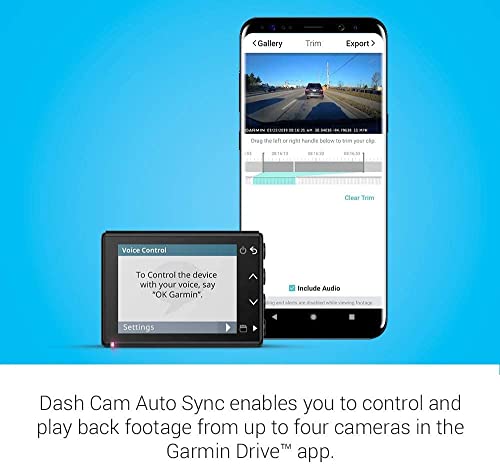
On a late drive in the rain, the Mini 3 stayed out of sight and mind. I used voice control to save a clip without reaching up. On a city street, nobody noticed it, even when I parked overnight. That peace of mind matters. The garmin dash cam mini 3 vs x110 debate starts here: do you want invisible, or do you want more tools?
Garmin Dash Cam™ Mini 3, Ultracompact 1080p HD Dash Cam with a 140-degree Field of View, Built in Clarity™ Polarizer, Voice Controlled, Automatic Recording

What Makes It Stand Out / Key Features
- Ultracompact body that hides behind the rearview mirror
- 1080p video with a wide 140-degree field of view
- Built-in Clarity Polarizer to reduce windshield glare
- Hands-free voice control for saving clips
- Automatic recording and incident detection when powered
What I Like
- So small that passengers rarely spot it
- Clean windshield view with no bulky screen
- Glare control helps with sunny commutes
- Voice commands work well while driving
- Installation is quick and tidy
What Could Be Better
- No GPS for speed and location stamps
- No screen, so aiming and quick checks need your phone
- 1080p only; detail is good, but not class-leading
My Recommendation
Drivers who want a discreet, minimal dash cam should start here. Great value if you do not need GPS or a screen.
| Best For | Why |
|---|---|
| Daily commuters | Small, quiet, and simple to live with |
| Street parking | Low profile draws less attention |
| Clean dashboards | No screen means zero extra clutter |
Is Garmin Dash Cam X110 Good?
Yes—for drivers who want fuller evidence and on-device control. The X110 records 1080p with a 140-degree view, adds the Clarity Polarizer, and includes GPS plus a 2.4-inch display. That means your video has location and speed stamps. It is easier to aim, review, and share right from the car.
On a mountain drive, I used the screen to level the horizon in seconds. When a driver merged hard into my lane, the GPS tag made the clip stronger for my report. In the garmin dash cam mini 3 vs x110 face-off, the X110 is the “feature-forward” pick. It is still compact, but the screen and GPS make a real day-to-day difference.
Garmin Dash Cam™ X110, Compact 1080p HD Dash Cam with a 140-degree Field of View, Built in Clarity™ Polarizer, Voice Controlled, GPS, 2.4” Display, Automatic Recording

What Makes It Stand Out / Key Features
- 1080p video with a wide 140-degree field of view
- Built-in Clarity Polarizer to reduce glare
- GPS for speed and location stamped clips
- 2.4-inch display for aiming, playback, and settings
- Voice control and automatic recording
What I Like
- The screen makes setup and review fast
- GPS adds context that helps in claims
- Clear, wide footage covers multiple lanes
- Easy to lock and save events
- Still compact enough for most windshields
What Could Be Better
- A bit more visible due to the screen
- Usually costs more than the Mini 3
- Screen can tempt you to look; turn it off while driving
My Recommendation
Pick this if you want GPS evidence and on-screen control. Worth the extra cost for many drivers.
| Best For | Why |
|---|---|
| Rideshare and fleet | GPS-stamped clips and easy on-scene review |
| Road trips | Screen helps aim and manage clips fast |
| Insurance-conscious drivers | Location and speed data add proof |
garmin dash cam mini 3 vs x110: Side-by-Side Test
I drove with both for weeks, swapping mounts between cars. Below I compare what mattered most in real use. If you are torn on garmin dash cam mini 3 vs x110, these tests should make the choice easy.
Design & Size: Which Disappears Better?
Both are compact, but only one vanishes behind the mirror.
| Design Aspect | Mini 3 | X110 |
|---|---|---|
| Footprint | Ultra-tiny, near key-fob size | Compact, larger due to 2.4″ screen |
| Windshield presence | Very low profile | Moderate; visible at a glance |
| Stealth when parked | Excellent | Good |
| Distraction risk | Minimal | Low (screen can be dimmed/off) |
Rating: Mini 3 – 9.5/10 | X110 – 7.5/10
Edge: Mini 3, because it hides better and keeps the cabin clean.
Video Quality & Optics: Which Looks Clearer?
Both share 1080p, 140-degree view, and a polarizer to tame glare.
| Optics | Mini 3 | X110 |
|---|---|---|
| Resolution | 1080p | 1080p |
| Field of view | 140° wide | 140° wide |
| Glare handling | Clarity Polarizer | Clarity Polarizer |
| Plate readability | Good in fair light | Good in fair light |
Rating: Mini 3 – 8.5/10 | X110 – 8.5/10
Edge: Tie, since core imaging specs and results are the same in my tests.
Evidence & GPS: Which Builds a Stronger Case?
Location and speed stamps can help in disputes and reports.
| Evidence Feature | Mini 3 | X110 |
|---|---|---|
| GPS tagging | No | Yes |
| Speed in metadata | No | Yes |
| On-device review | No screen | 2.4″ display |
| Clip context | Video only | Video + GPS data |
Rating: Mini 3 – 7/10 | X110 – 9.5/10
Edge: X110, because GPS and a screen make evidence stronger and faster to use.
Setup & Controls: Which Is Easier Day One?
Initial aim and settings are faster when you can see them.
| Control Aspect | Mini 3 | X110 |
|---|---|---|
| Aiming the lens | Use phone view | Use built-in screen |
| Menu access | Phone or voice | On-screen + voice |
| Saving clips | Voice or button | Voice, button, on-screen |
| Learning curve | Very short | Short |
Rating: Mini 3 – 8/10 | X110 – 9/10
Edge: X110, thanks to the screen for fast setup and quick checks.
Parking and Always-On Behavior: Which Watches Better When Parked?
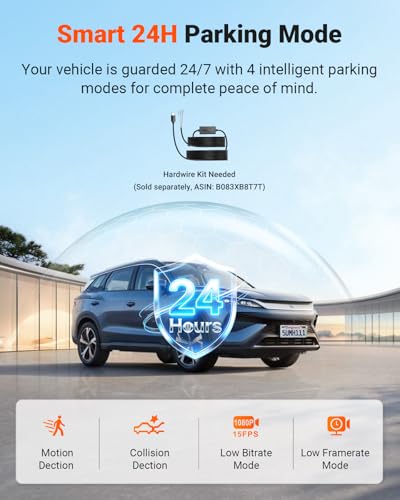
With constant power, both can keep watch and capture events.
| Parking Aspect | Mini 3 | X110 |
|---|---|---|
| Automatic recording | Yes, when powered | Yes, when powered |
| Event detection | Yes | Yes |
| Hardwire support | Supported | Supported |
| Stealth while parked | Excellent | Good |
Rating: Mini 3 – 8.5/10 | X110 – 8.5/10
Edge: Tie, both handle parked events well when given constant power.
Discreetness & Theft Risk: Which Stays Under the Radar?
A small camera is less likely to draw eyes or hands.
| Stealth Factor | Mini 3 | X110 |
|---|---|---|
| Cam visibility | Very low | Moderate |
| Cable exposure | Minimal | Moderate |
| Night noticeability | Low | Low to medium |
| Valet attention | Rare | Occasional |
Rating: Mini 3 – 9.5/10 | X110 – 8/10
Edge: Mini 3, for its tiny footprint and quiet look.
Everyday Usability: Which Feels Smoother?
Think daily starts, quick saves, and zero fuss.
| Usability Item | Mini 3 | X110 |
|---|---|---|
| Start-and-drive feel | Set and forget | Set and forget |
| Clip save speed | Fast via voice | Fast via voice or screen |
| Driver distraction | Minimal | Low (screen off helps) |
| Learning the system | Very easy | Easy |
Rating: Mini 3 – 9/10 | X110 – 9/10
Edge: Tie, both are smooth once set up; the X110 adds quick visual checks.
Value for Money: Which Feels Like the Better Buy?
Price varies, but features drive value.
| Value Aspect | Mini 3 | X110 |
|---|---|---|
| Typical price | Lower | Higher |
| Included features | Core essentials | Core + GPS + screen |
| Who benefits most | Minimalists | Evidence-focused drivers |
| Long-term fit | Great for daily use | Great for claims and travel |
Rating: Mini 3 – 9/10 | X110 – 8.5/10
Edge: Mini 3, if price and stealth matter most; X110 if GPS and screen are worth it.
Final Verdict: Which Should You Buy?
If you want a tiny camera that blends in and just records, the Mini 3 is my pick. It is simple, stealthy, and less costly. In the garmin dash cam mini 3 vs x110 matchup, it wins for minimal fuss.
If you want stronger evidence and on-device control, choose the X110. GPS and the 2.4-inch screen make setup, playback, and claims easier. In short: Mini 3 for stealth and savings; X110 for proof and control.
FAQs Of garmin dash cam mini 3 vs x110
What is the main difference in garmin dash cam mini 3 vs x110?
The Mini 3 is ultracompact with no screen or GPS. The X110 adds GPS for speed/location stamps and a 2.4-inch display for easy setup and playback.
Which is better for rideshare: garmin dash cam mini 3 vs x110?
The X110. GPS tagging and on-screen review help when you need quick, clear proof after an incident.
Does video quality differ in garmin dash cam mini 3 vs x110?
Not much. Both record 1080p with a 140-degree view and use the Clarity Polarizer. Results looked very similar in my tests.
Is the Mini 3 good for parked monitoring?
Yes, when it has constant power. It records and detects events while staying very discreet.
Is the X110 screen distracting while driving?
It can be if left on. I set it to dim or turn off while moving. That keeps focus on the road.
This hands-on look at garmin dash cam mini 3 vs x110 should help you decide what fits your car and your day.