The best OBD2 scanner for Mitsubishi is BlueDriver, thanks to broad system coverage, clear reports, and easy phone-based operation.
A warning light can appear just before a long trip, a used-car purchase, or a costly repair. Mitsubishi owners need more than a tool that only reads basic engine codes. A good Mitsubishi diagnostic scanner should show useful live data and, when supported, check systems such as ABS, SRS, and TPMS. I compared eight popular OBD2 scanners for ease of use, diagnostic depth, Mitsubishi compatibility, value, and everyday usefulness. The right choice depends on whether you want simple check-engine scans or deeper system testing at home.
See the differences between my top picks at a glance.
| Scanner | Connection | Main coverage | Best for | Amazon |
|---|---|---|---|---|
| BlueDriver | Bluetooth | Engine, ABS, SRS, TPMS | Most Mitsubishi owners | View on Amazon |
| FOXWELL NT604 Elite | Wired | Engine, ABS, SRS, transmission | Hands-on system scans | View on Amazon |
| FOXWELL NT301 | Wired | Engine and live data | Simple code reading | View on Amazon |
| ANCEL AD410 | Wired | Engine and OBDII functions | Budget buyers | View on Amazon |
| Bluetooth 5.4 OBD2 | Bluetooth | Engine, live data, code clearing | Phone users | View on Amazon |
| BlueDriver Bluetooth | Bluetooth | Engine, ABS, SRS, TPMS | Repair reports | View on Amazon |
| Innova 5210 | Wired/Bluetooth compatible | Engine, live data, battery | Home maintenance | View on Amazon |
| OBDMATE Multi-System | Wired | ABS, SRS, transmission, OBDII | Deeper DIY scans | View on Amazon |
BlueDriver OBD2 Scanner
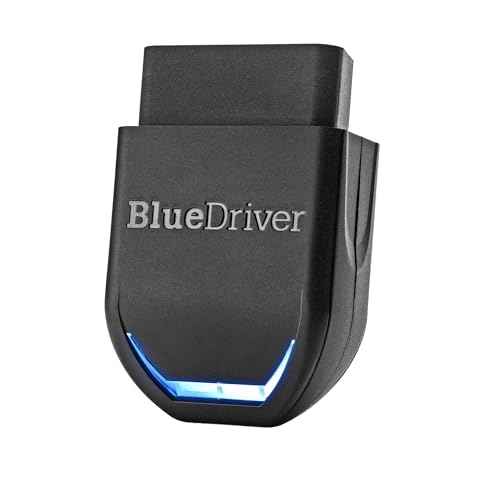
BlueDriver is my top pick for most Mitsubishi owners who want more than a basic check-engine reader. It uses Bluetooth and connects to an iPhone or Android phone through its app. The app can read engine faults and, on supported vehicles, scan ABS, SRS, and TPMS systems. It also presents repair information in a way that is easier to understand than a bare code number.
The no-subscription design keeps long-term ownership simple. I also like the ability to save reports and review live data while checking a problem. Coverage can vary by Mitsubishi year and model, so buyers should confirm support before purchase. Still, its mix of system coverage and clear reporting makes it a strong choice for a Mitsubishi Outlander, Eclipse Cross, Lancer, Galant, or similar vehicle.
Pros:
- Reads more than basic engine codes on supported vehicles
- Works with both iPhone and Android devices
- Provides repair reports in plain language
- No ongoing subscription is required for normal use
- Small adapter stores easily in a glove box
Cons:
- Requires a compatible phone and app
- Advanced coverage varies by vehicle year and model
- Wireless setup may take longer than plugging in a handheld tool
What Amazon Buyers Are Saying
Buyer feedback commonly praises the simple app, useful reports, and ability to find codes beyond the engine computer. Many users like carrying the small adapter for quick checks. Common concerns include Bluetooth pairing issues, phone permissions, and differences in system coverage between vehicles. These comments show why buyers should check Mitsubishi compatibility before ordering.
My Recommendation
I recommend BlueDriver as the best OBD2 scanner for Mitsubishi for most home users. It offers a helpful balance of depth and ease of use. It is worth buying if you want clear guidance instead of only a code number.
FOXWELL NT604 Elite Scanner

The FOXWELL NT604 Elite is a wired scan tool for drivers who prefer a dedicated screen. It targets engine, ABS, SRS, and transmission diagnostics rather than only generic OBD2 data. That broader focus suits Mitsubishi owners who need to investigate an airbag light or an ABS warning. The cable also avoids phone pairing and app compatibility problems.
This scanner gives a more traditional workshop feel. Live data can help you watch sensor readings while the engine runs. The exact resets and coverage depend on the vehicle, so I would not assume that every special function works on every Mitsubishi. Its larger feature set makes it better for serious DIY work than for occasional code checks.
Pros:
- Dedicated screen works without a smartphone
- Designed for engine, ABS, SRS, and transmission scans
- Useful live-data display for fault checks
- Wired connection stays stable during testing
- Good fit for owners who service their own vehicles
Cons:
- More expensive than a basic engine-code reader
- Advanced functions may vary by Mitsubishi model
- Wired design is less convenient for remote viewing
What Amazon Buyers Are Saying
Customers often like the clear screen, broad system menu, and plug-and-use design. Buyers who work on more than one vehicle tend to value its wider diagnostic focus. Some reviews note that menus can feel complex at first. Others point out that a listed function may not apply to every car, which is normal for aftermarket scan tools.
My Recommendation
The NT604 Elite is a strong choice for a Mitsubishi owner who wants multi-system testing on a dedicated device. I would choose it over a basic scanner when ABS or SRS work matters. It is worth the extra cost for hands-on DIY repairs.
FOXWELL NT301 OBD2 Code Reader

The FOXWELL NT301 focuses on the job most drivers need: reading engine fault codes. It has a wired connection and a built-in display, so it does not depend on a mobile app. Its live-data feature can show engine information while the car runs. For a Mitsubishi with a check-engine light, this simple approach can save a trip to a parts store.
I see the NT301 as a practical middle ground. It offers more information than a very cheap code reader but does not try to replace a professional scan platform. It is not the best choice for Mitsubishi ABS or airbag faults because its main focus is OBDII engine diagnostics. That limit is easy to accept when the price and ease of use matter most.
Pros:
- Simple wired operation
- Built-in screen needs no phone
- Displays live engine data
- Useful for check-engine diagnosis
- Portable design suits home garages
Cons:
- Limited focus beyond engine OBDII data
- No wireless phone reporting
- Advanced Mitsubishi modules may not be supported
What Amazon Buyers Are Saying
Buyers often praise the fast connection, clear buttons, and simple code display. Many use it to confirm a check-engine fault before deciding whether to visit a mechanic. Common complaints focus on limited coverage for non-engine systems and the need to interpret some codes yourself. That feedback matches its role as an engine code reader.
My Recommendation
Choose the NT301 if your main goal is to read and clear standard engine codes. It is a sensible, affordable backup for many Mitsubishi drivers. I would not buy it for ABS, SRS, or transmission diagnosis.
ANCEL AD410 OBD2 Scanner

The ANCEL AD410 is a compact OBD2 scanner for basic fault diagnosis. It supports standard OBDII functions for compatible vehicles from 1996 onward. The color screen and direct cable make it easy to use in a driveway. It can help a Mitsubishi owner understand why the check-engine light came on.
This tool does not aim to provide full dealer-level access. It is best for reading emissions-related codes, viewing key data, and clearing faults after a repair. I like its straightforward layout for new users. However, drivers who need airbag, ABS, or transmission scans should select a multi-system tool instead.
Pros:
- Low-cost entry to OBD2 diagnosis
- Simple color display
- Works without a phone or subscription
- Useful for standard engine faults
- Compact and easy to store
Cons:
- Does not replace a multi-system scanner
- Advanced Mitsubishi functions may be unavailable
- Basic display gives less repair guidance
What Amazon Buyers Are Saying
Amazon buyers commonly like the clear display and easy setup. Many describe it as useful for checking a warning light before paying for a scan. Some users expect more functions than the device provides and are disappointed by its engine-focused coverage. That concern is fair, so I recommend viewing it as a basic OBD2 reader.
My Recommendation
The AD410 is a good budget pick for simple Mitsubishi engine checks. It makes sense for a first-time buyer who wants a direct answer about a warning light. It is not my first choice for deeper vehicle diagnostics.
Bluetooth 5.4 OBD2 Scanner
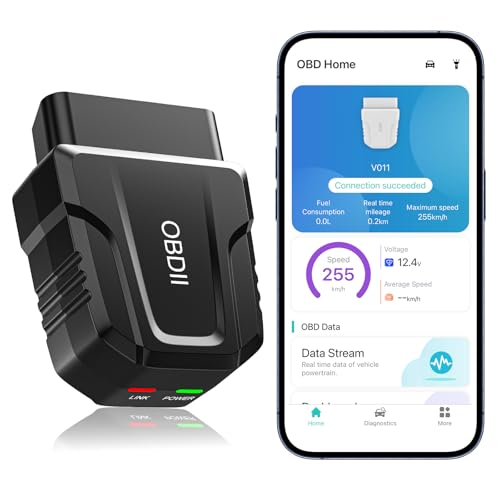
This Bluetooth 5.4 OBD2 scanner targets drivers who want a phone-based code reader. It can read check-engine codes, clear errors, show live data, and run listed performance tests through its companion app. The small adapter leaves more room than a handheld scanner. It may suit Mitsubishi owners who already use their phone for vehicle records.
The app is the key part of this product. A good connection can make live data easy to view, but the final experience depends on app quality and phone support. It is mainly an engine diagnostic device, not a guaranteed scan tool for Mitsubishi ABS or SRS modules. I would confirm the app features and vehicle list before purchase.
Pros:
- Compact wireless design
- Uses a modern Bluetooth connection
- Works with iOS and Android as listed
- Supports live data and code clearing
- Convenient for phone-based records
Cons:
- Depends on the companion app
- Phone permissions can affect setup
- System coverage may focus on engine OBDII data
What Amazon Buyers Are Saying
Common buyer comments favor the small size, quick phone connection, and easy access to live data. Some users like avoiding a separate display. The main concerns tend to involve app instructions, permissions, and compatibility with particular phones or vehicles. Buyers should treat Bluetooth 5.4 as a connection feature, not proof of advanced Mitsubishi module coverage.
My Recommendation
This is a useful choice for phone-first users who need basic engine diagnosis. It offers good convenience at a potentially low cost. I would select BlueDriver instead when clear repair reports or deeper supported system coverage matters.
BlueDriver Bluetooth Repair Scanner

This BlueDriver listing offers the same core idea that makes the brand popular with DIY drivers. The Bluetooth adapter works with a phone app and can return more useful information than a basic generic reader. It is designed to read engine codes and supported ABS, SRS, and TPMS faults. The app also turns scan results into reports that are easier to share with a repair shop.
I find this format helpful when a Mitsubishi has an intermittent warning light. You can save the report and compare readings after a repair. The device cannot promise full factory-level access, and vehicle-specific support remains important. Still, no-subscription use and broad supported coverage give it strong long-term value.
Pros:
- Clear phone-based repair reports
- Potential access to several vehicle systems
- No recurring subscription for normal operation
- Supports iPhone and Android devices
- Easy to carry between vehicles
Cons:
- Needs a working phone and app
- Coverage differs across Mitsubishi models
- Not a replacement for dealer-level programming
What Amazon Buyers Are Saying
Buyers often mention the helpful reports and the ability to find manufacturer-specific information on supported cars. Many appreciate that the app feels more guided than a simple code screen. The most common concerns relate to wireless setup and differences in supported functions. Those are practical limits rather than unusual issues for a phone-based scanner.
My Recommendation
I recommend this BlueDriver listing for owners who want a polished app and useful reports. It remains one of the strongest choices for general Mitsubishi troubleshooting. Confirm the exact listing and compatibility before buying.
Innova 5210 OBD2 Scanner

The Innova 5210 combines code reading with practical maintenance tools. It can display live data and includes a battery testing function for basic electrical checks. The listed oil reset feature may help on supported vehicles. It also works with an automotive repair app, giving owners another way to review information.
This scanner suits a Mitsubishi owner who wants one tool for routine checks. Battery voltage information can help when a car cranks slowly or shows several strange warning lights. The tool remains focused on common maintenance needs rather than full module programming. As always, reset functions and vehicle coverage can vary by model year.
Pros:
- Combines code reading with battery testing
- Shows live engine data
- Useful for routine maintenance tasks
- Dedicated tool reduces phone dependence
- Works with a repair-focused app
Cons:
- Not designed for every advanced Mitsubishi module
- Reset features require vehicle support
- Some users may prefer a fully wireless scanner
What Amazon Buyers Are Saying
Customer feedback often highlights the battery test, readable display, and useful maintenance features. Buyers who want more than code clearing tend to see good value in the added functions. Some users report that certain resets do not work on their specific vehicle. That result is common when scan tools list supported functions across many brands.
My Recommendation
The Innova 5210 is a good fit for Mitsubishi drivers who perform regular home maintenance. It offers more practical tools than a basic reader. I would choose it for battery checks and engine data, not for guaranteed ABS or SRS diagnosis.
OBDMATE Multi-System Scanner

The OBDMATE scanner targets drivers who want multi-system fault access without using a phone. Its listed coverage includes ABS, SRS, transmission, and standard OBDII functions. It also offers fault-light reset features, battery voltage checks, and a DLC pin test. That combination gives it more diagnostic range than a basic check-engine reader.
I like the focus on practical fault finding. A DLC pin test can help when a scanner will not connect, while voltage data can reveal a weak battery or charging concern. The main caution is that “multi-system” does not mean every Mitsubishi function will work. Check the supported model list before relying on it for a specific reset.
Pros:
- Designed for several vehicle systems
- Includes ABS and SRS functions as listed
- Offers transmission diagnostic access
- Battery voltage check adds practical value
- DLC pin test can help with connection faults
Cons:
- Vehicle-specific coverage still applies
- Menus may take time for new users
- Wired operation limits viewing distance
What Amazon Buyers Are Saying
Buyers who want more than engine codes often like the system menu and extra electrical checks. The dedicated design also avoids app installation. Some users find multi-system menus less clear until they learn the tool. Others note that a listed reset may not work on every vehicle, so checking compatibility remains essential.
My Recommendation
The OBDMATE is worth considering for a Mitsubishi owner who wants broad DIY coverage at home. It is more capable than a basic OBD2 scanner on paper. I would choose it when a wired, multi-system tool matters more than app-based reports.
How to Choose Best OBD2 Scanner for Mitsubishi
Choosing the best OBD2 scanner for Mitsubishi starts with your actual repair needs. A 2008 Lancer owner may need only engine code access. A newer Outlander owner may want ABS, SRS, transmission, or TPMS data. The following checks help you avoid paying for features that your vehicle cannot use.
1. Match Coverage to Your Mitsubishi Model
First, check the scanner’s supported year, model, and system list. Standard OBD2 coverage usually focuses on emissions-related engine faults. It does not guarantee access to airbag, ABS, body, or transmission modules. Ask whether the tool supports your exact Mitsubishi, not only the Mitsubishi brand name.
Also check whether the product can clear codes or only read them. A cleared warning light may return if the problem remains. Do not use a scanner to erase a safety fault without finding the cause.
2. Choose Wired or Bluetooth Operation
A wired scanner starts quickly and includes its own screen. It works well in a garage and avoids phone pairing. Bluetooth scanners are smaller and can show data on a larger phone screen. They may also provide better reports and storage.
Phone tools need the correct app, permissions, and a compatible device. A wired tool may feel easier during a quick roadside check. Think about how you will use the scanner before choosing its connection type.
3. Compare Live Data, Reports, and Value
Live data helps you see sensor readings while the engine runs. It can support diagnosis, but it does not prove that one sensor has failed. Look for useful readings, freeze-frame data, readiness monitors, and clear code descriptions.
Do not pay for advanced functions that your Mitsubishi does not support. A basic reader may give better value for a single check-engine light. A multi-system scanner or BlueDriver can make more sense if you maintain the car yourself. Finally, check update terms, warranty support, and the return policy before ordering.
Final Verdict: Which Should You Buy?
For most owners, BlueDriver is the best OBD2 scanner for Mitsubishi. It combines broad supported system access, clear reports, live data, and simple phone use without a subscription.
Choose FOXWELL NT604 Elite for a dedicated multi-system screen. For basic engine codes, the ANCEL AD410 or FOXWELL NT301 offers better value.
FAQs Of best OBD2 scanner for Mitsubishi
Will any OBD2 scanner work with a Mitsubishi?
Most Mitsubishi vehicles sold in the United States from 1996 onward support standard OBD2 functions. Advanced ABS, SRS, TPMS, and transmission access varies by model and scanner.
Can a Mitsubishi OBD2 scanner reset the check-engine light?
Many scanners can clear stored engine codes. The light may return if the fault still exists, so always diagnose and repair the cause first.
What is the best OBD2 scanner for Mitsubishi ABS and SRS codes?
A multi-system tool such as BlueDriver, FOXWELL NT604 Elite, or OBDMATE may support these systems. Confirm coverage for your exact Mitsubishi year and model before buying.
Do Bluetooth OBD2 scanners need a subscription?
Some do, but BlueDriver is listed as a no-subscription scanner for normal use. Always review the current product terms and app requirements before purchase.
Can an OBD2 scanner diagnose a Mitsubishi transmission problem?
Only scanners with supported transmission coverage can read those module codes. A basic engine-only reader may not communicate with the transmission computer.