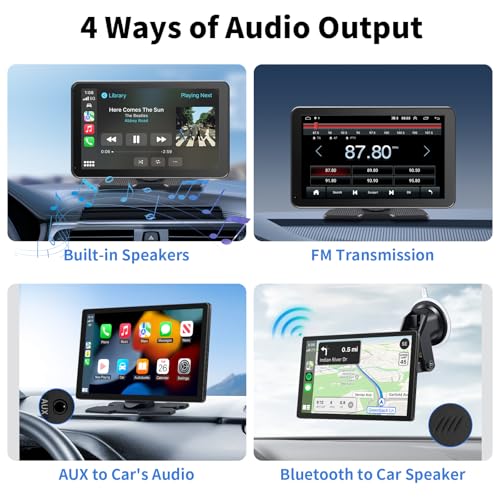
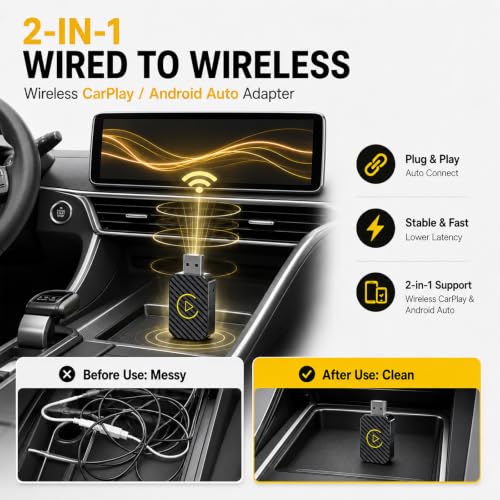
The best Android Auto head unit combines fast wireless connection, clear sound, easy control, and a screen that fits your car.
A factory radio can feel old when your phone has better maps, music, calls, and voice tools. I know how annoying it is to hold a phone near the dash while driving or wait for a slow Bluetooth link. A good Android Auto head unit fixes that problem by putting useful phone features on one clean screen. I reviewed these models with fit, screen quality, connection options, sound control, camera support, and daily ease in mind. The right choice depends on your car, budget, and need for wireless Android Auto.
SJoyBring 7-Inch QLED Double-DIN Stereo

The SJoyBring 7-inch QLED stereo is a strong pick for drivers who want a modern double-DIN upgrade without paying premium-brand prices. Its 7-inch display gives maps, music, and calls enough room to read at a glance. The QLED panel should provide lively color and good contrast for a screen in this price class. Wireless Apple CarPlay and wireless Android Auto also reduce cable clutter around the center console.
This model includes Bluetooth, FM and AM radio, steering-wheel control support, and a backup-camera connection. Its listed 240-watt, 4.2-channel design and two subwoofer outputs appeal to drivers who want more control over their sound system. I would still confirm the actual speaker setup and vehicle wiring before installation. A correct dash kit, wiring harness, and antenna adapter may be needed for a clean fit.
Pros:
- Wireless Android Auto helps keep the cabin tidy
- Bright 7-inch QLED display offers useful viewing space
- Double-DIN size fits many common dash openings
- Supports steering-wheel control connections
- Includes backup-camera input for easier reversing
- Two subwoofer outputs help support custom audio systems
- Offers both FM and AM radio
Cons:
- Vehicle-specific installation parts may cost extra
- Touchscreen controls can be less useful than physical knobs for some drivers
- Wireless performance can vary with phone model and vehicle interference
My Recommendation
I recommend the SJoyBring to drivers who want a feature-rich upgrade at a sensible price. It is especially useful for people who want wireless Android Auto, a backup-camera connection, and better audio expansion in one unit. The QLED screen adds visual appeal, while the standard double-DIN shape makes it easier to consider for many vehicles.
Before buying, check your dash opening, steering-wheel wiring, factory amplifier, and camera setup. If your car accepts a standard double-DIN receiver, this could be the best Android Auto head unit for a budget-minded driver who still wants wireless convenience. Its value is strongest when you already plan to use a professional installer or have basic car-audio skills.
Pioneer DMH-1600NEX 6.8-Inch Stereo

The Pioneer DMH-1600NEX is a sensible choice for shoppers who trust an established car-audio brand. Its 6.8-inch capacitive touchscreen gives the receiver a clean, familiar look without taking over the whole dashboard. The display size works well for turn guidance, playlist browsing, and hands-free calling. Pioneer also has a broad history in aftermarket audio, which can make support and replacement accessories easier to find.
This double-DIN receiver is built around smartphone integration rather than a full tablet-style operating system. That can be a benefit because Android Auto places the most useful driving apps in a simple interface. You should review the current connection method, phone requirements, and included cables before ordering, since exact features can depend on the product version. I also suggest checking whether your vehicle needs a separate module for steering-wheel buttons, a factory camera, or an amplified sound system.
Pros:
- Recognized Pioneer brand with strong aftermarket presence
- Capacitive touchscreen feels familiar and responsive
- 6.8-inch size fits many standard double-DIN installations
- Android Auto makes navigation and calls easier to manage
- Clean layout suits drivers who dislike cluttered interfaces
- Good choice for a traditional receiver upgrade
- Broad accessory support may simplify future repairs
Cons:
- May not offer the same deep Android features as an Android-based head unit
- Some vehicles require extra adapters or installation modules
- Screen size is smaller than many oversized aftermarket displays
My Recommendation
The Pioneer DMH-1600NEX is best for drivers who prefer a trusted name and a straightforward interface. I would choose it for a daily commuter who wants a clean Android Auto experience instead of a large tablet with many extra menus. It also suits buyers who value known audio controls, simple operation, and a conventional double-DIN design.
It may be the best Android Auto head unit for someone who wants a dependable mainstream upgrade rather than the lowest-cost option. Still, do not assume that every factory feature will work without extra parts. Check compatibility by year, make, model, trim, factory amplifier, and camera type before placing the order.
Dasaita Tundra Head Unit for 2014–2021

The Dasaita Tundra head unit targets owners of 2014–2021 Toyota Tundra trucks who want a more current dashboard experience. A vehicle-specific unit can look much neater than a universal radio forced into a factory opening. It may also help preserve a more natural view of the dash while adding modern maps, music, and phone tools. For Tundra owners, that focused fit is the main reason to consider this model.
Dasaita units often appeal to users who want more screen functions than a basic phone projection receiver provides. Depending on the exact package and vehicle trim, features may include Android Auto, Apple CarPlay, Bluetooth, navigation support, camera compatibility, and access to Android-style apps. Please confirm the included harnesses and trim compatibility on the listing before purchase. Toyota trucks can differ in factory audio systems, JBL equipment, cameras, and steering-wheel controls.
Pros:
- Designed for the 2014–2021 Toyota Tundra platform
- More integrated appearance than many universal receivers
- Large modern display can improve map visibility
- Useful upgrade for older factory infotainment systems
- May support multiple camera and audio functions
- Good match for Tundra owners who want a custom-style replacement
- Can provide more dashboard features without using a phone mount
Cons:
- Not a universal fit for every vehicle
- Factory JBL and other premium audio systems may need special integration
- Installation can be more involved than a basic double-DIN receiver
My Recommendation
I recommend this Dasaita model first to 2014–2021 Tundra owners who want a factory-like screen upgrade. It is a better match for a truck-specific project than a generic receiver. The larger display and model-focused design can make the cabin feel much newer, especially when the original system feels slow or limited.
For a Tundra driver, this may be the best Android Auto head unit when clean integration matters more than a low purchase price. I would buy it only after checking the trim, factory sound package, backup camera, and included installation parts. If those details match, the unit offers strong value for a truck that still has years of useful life.
Dasaita 8GB/256GB Head Unit for 2007–2013 Tundra

This Dasaita unit is made for the earlier 2007–2013 Toyota Tundra generation. That focus matters because older trucks often have unusual dash shapes, wiring layouts, and factory control systems. The listed 8GB of memory and 256GB of storage suggest a generous platform for apps, media, and system functions. It is aimed at owners who want to keep an older truck but remove the limits of its original radio.
A large storage amount can help the unit feel flexible, but storage alone does not guarantee fast or smooth performance. Processor type, software updates, screen quality, and wireless connection design also matter. I would confirm the exact Android Auto method, included SIM or Wi-Fi options, and compatibility with your factory speakers before buying. A professional installation may be worthwhile if your Tundra has an amplifier, steering-wheel controls, or an existing backup camera.
Pros:
- Built around the 2007–2013 Toyota Tundra fit
- Large 256GB storage capacity for apps and media
- 8GB memory can support multitasking on supported software
- Useful way to modernize an older truck
- Vehicle-focused design may reduce dash modification work
- Large display can make maps easier to follow
- Potentially supports cameras and other modern accessories
Cons:
- Compatibility can vary by Tundra trim and factory audio system
- Android-based systems may require more setup than simple phone projection units
- Large storage may be unnecessary for drivers who only use Android Auto
My Recommendation
This model is best for owners of a 2007–2013 Toyota Tundra who want a deep technology upgrade rather than a small radio replacement. It makes sense for drivers who want built-in storage, a larger interface, and room for more functions. It is also a good option when keeping the truck is more practical than replacing it.
I would call it the best Android Auto head unit for an older Tundra owner who values storage and a custom fit. However, buyers should not select it by memory and storage alone. Confirm the exact factory system and plan the installation before ordering so the new unit works with your speakers, controls, camera, and dash.
4Core 64GB 5G Wi-Fi Highlander Stereo

The 4Core 64GB stereo is designed for 2014–2019 Toyota Highlander models. It gives owners of this family SUV a way to replace an aging factory interface with a larger, more flexible screen. The listed 5G Wi-Fi support can help with faster network connections when the feature is compatible with your phone or hotspot. Its 64GB storage also provides more room than a simple projection-only receiver.
This type of head unit can be useful for families because a larger screen is easier to share with passengers. Navigation, music, calls, and camera views can all feel more comfortable than they do on a small phone. Still, Highlander trims can use different audio equipment and factory functions. Check whether your vehicle has JBL audio, a factory camera, rear entertainment, or special steering-wheel controls before installation.
Pros:
- Designed for 2014–2019 Toyota Highlander models
- 64GB storage gives room for supported apps and media
- 5G Wi-Fi support may improve network access on compatible setups
- Large display suits family travel and navigation
- Modern interface can refresh an older SUV cabin
- Useful choice for owners who want more than basic radio functions
- Can help reduce dependence on a windshield phone mount
Cons:
- Factory JBL systems may need an adapter or special integration
- Wireless network features depend on phone, hotspot, and software support
- Vehicle-specific installation still requires careful fit checking
My Recommendation
I recommend this 4Core stereo to Highlander owners who want a larger, app-friendly interface for family driving. It is a practical match for people who use maps often, stream audio, and want more space than a small factory screen provides. The storage and Wi-Fi features make it more flexible than a basic Android Auto-only receiver.
For the right Highlander trim, this could be the best Android Auto head unit for family use and daily trips. I would pay close attention to the vehicle’s sound system and camera wiring. If you want a simple installation, have a shop verify the parts list before you buy.
How to Choose the Best Android Auto Head Unit
Choosing a car stereo is not only about screen size. The best Android Auto head unit must fit the dash, match the wiring, and work with the phone you use every day. A bright display is helpful, but a poor connection or lost steering-wheel control can spoil the upgrade. I always start with compatibility before comparing storage, sound, or style.
Check the Vehicle Fit First
Look at the year, make, model, trim, and factory radio size. A double-DIN opening is common, but the dash may still need a special kit. Vehicle-specific units can offer a cleaner result, yet they are often limited to certain model years. Check the product listing and installation guide rather than relying only on a product photo.
Also check the factory amplifier, antenna, USB port, camera, and steering-wheel buttons. Some systems need a data interface to keep factory features working. Others need a camera adapter or a separate microphone. These small parts can affect the true cost of the project.
Wired or Wireless Android Auto?
Wired Android Auto usually offers a steady connection and charges the phone at the same time. Wireless Android Auto feels easier because the phone can remain in your pocket or bag. However, wireless use can drain the phone battery faster and may take a few extra seconds to connect.
Wireless performance depends on the phone, head unit software, nearby signals, and vehicle power. If you take short trips, wireless convenience is valuable. If you drive for hours, wired operation may be better because it keeps the phone charged. Some receivers offer both, which gives you the most flexibility.
Screen Size and Touch Response
A 6.8- or 7-inch screen works well in many cars. It gives enough room for maps without blocking vents or controls. Larger screens can make split-screen views easier, but they may look oversized in a small dash. The screen should sit at a comfortable angle and remain readable in bright daylight.
Capacitive screens usually feel closer to a modern phone. Resistive screens can work with gloves, but they may feel less smooth. I also look for a clear menu, quick response, and buttons or knobs that are easy to find without looking down. A good screen should feel like a helpful window, not a puzzle.
Sound Quality and Audio Controls
Android Auto does not automatically improve weak factory speakers. Sound depends on the receiver, speakers, amplifier, wiring, and tuning. Look for useful equalizer controls, a stable preamp output, and enough channels for your planned system.
Subwoofer outputs matter if you want deeper bass later. Multiple preamp outputs can help when adding an amplifier. If you only want normal music and podcasts, advanced audio outputs may not matter. Match the receiver to the system you actually plan to use.
Backup Camera and Parking Support
A backup-camera input is one of the most useful head unit features. It can make a large SUV or truck easier to park and may help replace a failed factory screen. Confirm the camera signal type and trigger wire before installation. Some factory cameras use special voltage or video standards.
Do not assume that a new receiver will automatically show parking lines or factory sensors. Those functions may require a separate interface. Ask an installer if you are unsure, especially with a high-trim vehicle.
Memory, Storage, and Software
More memory can help an Android-based head unit handle several tasks. More storage can hold apps and media. But Android Auto itself usually does not require a huge amount of internal storage because many apps run through the phone.
Software support matters more than impressive numbers. Check for update instructions, reset options, privacy controls, and clear warranty information. A product with practical support may serve you better than one with the biggest specification sheet.
Calls, Microphones, and Voice Control
Hands-free calling should sound clear on both ends. The built-in microphone may work well in a quiet car, while an external microphone can help in a noisy truck or SUV. Place the microphone near the driver but away from vents and loud speakers.
Voice control lets you request directions, send messages, or change music without touching the screen. I consider this a safety feature because it reduces the need to look down. Still, drivers should set routes and playlists before moving whenever possible.
Installation Tips That Save Trouble
Disconnect the vehicle battery when the installation instructions require it. Take a photo of the original wiring before removing anything. Keep factory screws and clips in a small container so they do not vanish under the seat.
Test every function before pushing the radio fully into the dash. Check sound from every speaker, steering-wheel buttons, Bluetooth calls, Android Auto, backup camera, radio reception, and charging. A ten-minute test can prevent hours of removing the dash again.
Best Features at a Glance
| Best for | Why |
|---|---|
| Budget double-DIN upgrade | The SJoyBring offers wireless Android Auto, a 7-inch QLED display, camera support, and audio expansion. |
| Trusted mainstream receiver | The Pioneer DMH-1600NEX suits drivers who prefer a familiar brand and a simple capacitive touchscreen. |
| Toyota truck or SUV upgrade | The Dasaita Tundra and 4Core Highlander units target specific vehicles for a more integrated installation. |
Android Auto Safety and Daily Use Tips
Android Auto can make driving more convenient, but it does not remove the need for attention. Set navigation before leaving and use voice commands whenever possible. Keep your phone secure and avoid reaching for it while the car moves.
Use a strong USB cable for wired connections. A worn cable can cause random disconnects and make you blame the head unit. For wireless systems, keep the phone software updated and remove old Bluetooth pairings if the connection becomes confused.
Keep the screen clean and avoid placing objects over the receiver’s cooling openings. Excess heat can shorten electronic life. If the unit freezes, park safely before restarting it or checking the wiring.
FAQs Of best android auto head unit
What is the best Android Auto head unit for most drivers?
The best choice depends on fit and features. The Pioneer is a strong option for a simple branded receiver, while the SJoyBring offers many features at a lower price. Toyota owners may get a better fit from a vehicle-specific Dasaita or 4Core unit.
Is wireless Android Auto better than wired Android Auto?
Wireless Android Auto is easier because it avoids a cable. Wired Android Auto usually provides a steadier link and charges the phone. If possible, choose a unit that supports both connection types.
Will any head unit fit my car?
No. Check the radio opening, dash shape, wiring, factory amplifier, camera, and steering-wheel controls. A vehicle-specific receiver may fit better, while a universal double-DIN model may need several adapters.
Can I keep my factory backup camera?
Sometimes. The head unit must support the camera’s video signal, and you may need an adapter. Confirm the camera type and wiring before installation.
Do I need a professional to install a new head unit?
Not always. A simple double-DIN installation may suit an experienced DIY user. A vehicle with factory amplification, complex controls, or a special camera is often better handled by a qualified installer.
Final Verdict: Which Should You Buy?
For most shoppers, the SJoyBring offers the best mix of wireless Android Auto, screen quality, camera support, and price. The Pioneer is the safer branded choice, while Toyota owners should consider the vehicle-specific Dasaita and 4Core models.
The best Android Auto head unit is the one that fits your car and supports your daily needs. Check compatibility first, then choose the screen, connection, and sound features that make every drive easier.